Documentation
Tools for agents

Driving the human's own Chrome

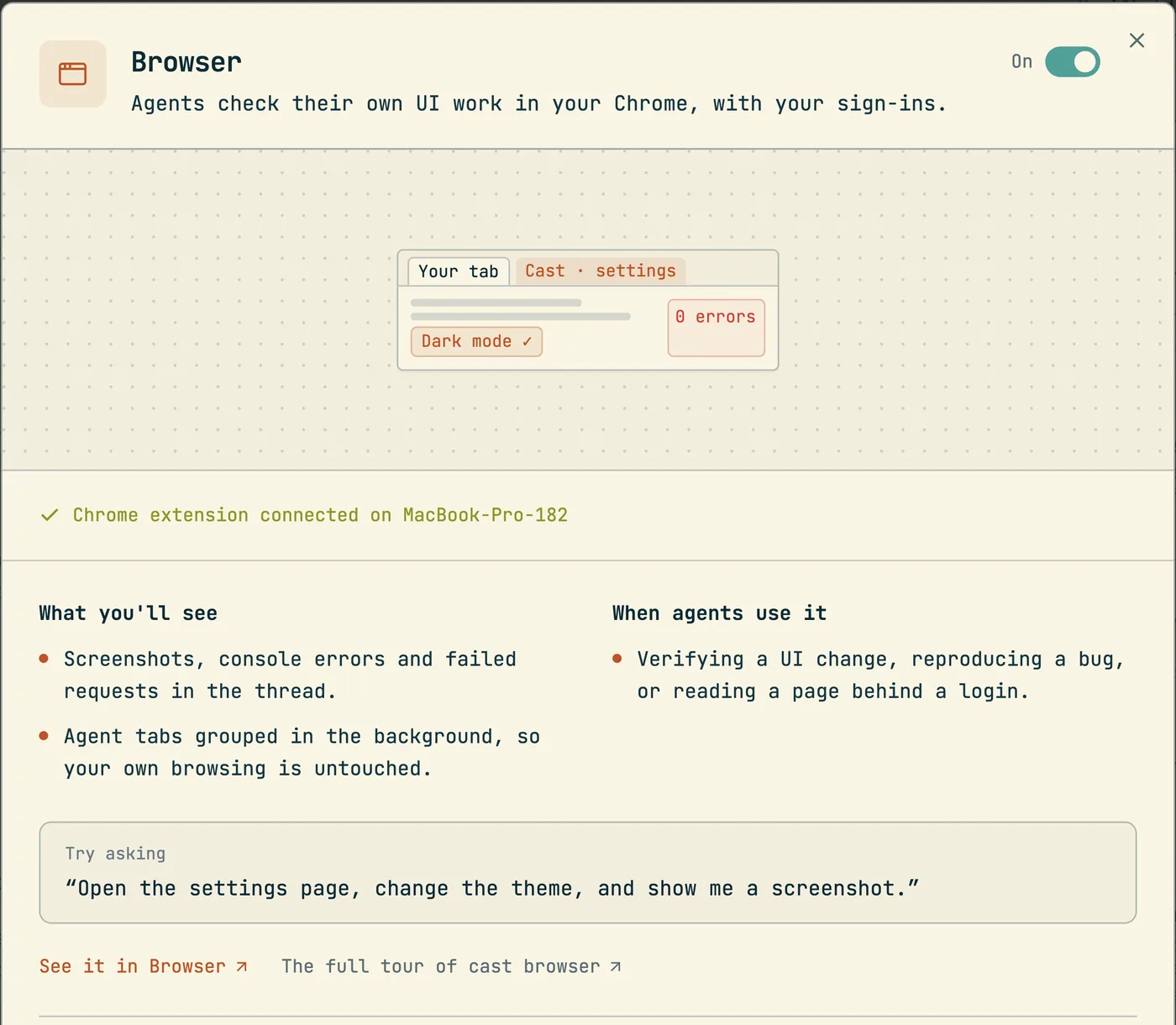
cast browser works in a background tab of the Chrome that already holds your logins, and puts the evidence in the thread.

$cast install browser

An agent that changes a web app needs to look at the result, and the pages worth looking at are usually behind a login. A separate browser that the agent starts for itself has none of the human's sessions, so it stops at the first sign in page. cast browser drives the human's own Chrome instead, through the codecast extension. The logins are already there, and the agent works in a background tab that never takes the screen.

The second idea is that evidence belongs in the conversation. A screenshot appears inline in the thread. A step that fails prints what the page logged, which requests failed, and what the screen showed, so the human reads the cause without sending the agent back to look. The browser snippet (how snippets work) teaches agents the commands and the rules below.

cast browser open https://app.example.com      # this session's tab, in the human's Chrome
cast browser snapshot -i -s "[role=main]"      # interactive elements with #eNN refs, one region
cast browser click #e42                        # act on a ref
cast browser do "find Sign in" click "wait --text Welcome"   # several steps, one process
cast browser shot --annotate                   # screenshot in the thread, refs numbered on it
cast browser tabs                              # this session's tabs (--all lists every agent's)
cast browser stop                              # close this session's tab
cast browser extension status                  # is the bridge connected
cast preview localhost:3000                    # offer a page as a pane beside the conversation

Snapshot, then act on a ref

snapshot prints the page as an accessibility tree and gives each element a ref such as #e42. Every action verb takes a ref or a CSS selector: click, type --submit, fill, press, hover, select, drag, upload. The loop is one snapshot, then one or more actions on the refs it printed.

Scope the read on a large app. snapshot -i -s <selector> prints only interactive elements inside one region. read returns the page as clean text, get text <selector> returns one element, and diff snapshot prints only what changed since the last snapshot.

When the agent can already name the target, it skips the snapshot. find "Sign in" matches elements by visible name and ranks visible elements above hidden ones. A bare click with no ref then acts on whatever the last find matched.

Batch with do

The browser work behind one command takes about 85 ms. The command itself takes one to three seconds, and almost all of that is the start of the cast process. A flow of six separate commands pays that cost six times. do runs the same verbs as steps inside one process:

cast browser do - <<'EOF'
open https://example.com
find "Sign in"
click
type #e42 "[email protected]" --submit
wait --text Welcome
EOF

A flow stops at the first failing step and reports which steps ran and which did not, because later steps almost always depend on earlier ones. --keep-going continues past a failure. The conversation shows each step with its own result.

One tab for each session

Each session owns one background tab, created only when it opens a URL. Status checks and tab lists create nothing. Every agent tab lives in one Chrome tab group named Cast. If the human opens a tab of their own next to an agent tab, Chrome puts it in the same group, and the extension moves it back out at once.

The bridge scopes what a session can discover to the tabs that session opened. A session cannot close or navigate another session's tab by accident, and one session's frozen tab cannot stall another session's commands. The human's tabs are never candidates.

CommandWhat it does
tabsLists this session's tabs. --all lists every agent's
open --new-tab <url>Opens a second page for this session
tab switch <id>Asks the bridge to share another agent's tab with this session. The bridge grants agent tabs only, never the human's
tab close <id>Closes one extra tab
stopCloses this session's current tab
showBrings the tab to the front of the human's screen. For when they asked to see it, or must act in it

open reuses the session's tab. When a session ends, a reaper closes its tab the same way stop does. While a session drives a tab, the human sees a frame around the page, a pointer that follows the agent's clicks, and Chrome's own notice that Codecast started debugging the browser. The extension hides the frame and pointer for every screenshot.

Evidence on failure

When a step fails, the CLI gathers three things and prints them as one block: up to 8 console lines, up to 6 failed requests, and a screenshot that renders in the thread. The whole gather has an 8 second limit, so a failing step cannot double its own cost. The CLI classifies the failure first. A blocked tab gets a screenshot only, because console reads would hang. A dead connection gets nothing, and a malformed command gets nothing, because page evidence would be noise. --no-capture turns the block off for one command.

shot puts a capture in the conversation. --annotate numbers every interactive element on the image, and each [N] label is snapshot ref #eN. -s <selector> captures one element, --full captures the whole scroll height, and --share uploads the image and prints a link for use elsewhere. Automatic captures after commands that change the page are off for agents by default; cast browser shots on enables them, and a do flow then captures once, at the end.

Stale refs and namesakes

A ref points at a node. When the page renders again, that node can be gone. The browser engine then finds the element again by role and name, which on a list of rows that all say "Delete" lands on the first row, not the row the agent chose.

Each snapshot therefore writes a small table for the session: the role, the name, and the position of every ref among elements that share that role and name. When a ref goes stale, the CLI takes a fresh snapshot and retries on the element at the same position. The table is a cache. Losing it costs one failed retry and never a wrong click. The same numbering is available to find: find "Delete (3rd)" picks the third visible match.

Pages the agent cannot drive

Chrome forbids an extension from attaching to chrome:// pages, chrome-extension:// pages, and the Chrome Web Store with its developer dashboard. cast browser open checks the URL first and refuses with that reason, because the refusal from Chrome arrives after the tab is attached and reads like a broken bridge. Those pages are the human's to click through. The agent hands over the URL and the exact steps, and continues with everything around them.

A sign in page follows the same principle. The agent opens the page in the human's Chrome, asks the human to sign in there, and continues in the same tab. It does not copy profiles or cookies.

The separate agent Chrome

A separate Chrome for agents exists, and it is outside the ordinary command path. A missing pairing, a disconnected extension, or a failed command never launches it. Commands wait for the extension to reconnect and then report what needs fixing. The snippet tells agents that a task brief, another agent, or trouble with a login cannot authorize a different browser. Only an explicit request from the human can, and only for that piece of work.

The bridge

The CLI and the extension meet at a bridge host: one process that listens on 127.0.0.1 and presents itself as a Chrome DevTools endpoint. The extension connects to it over a WebSocket and drives tabs with chrome.debugger. The design does not use Chrome native messaging, because that makes Chrome own the host process, and many short CLI processes need to share one connection that outlives them.

Pairing is one command that the human runs once: cast browser extension setup. The token travels in a URL fragment that the options page reads and then removes from the address bar.

Neither side trusts the port, because any local account can bind it while no host is running. The extension sends a fresh nonce with HMAC(token, "ext:" + nonce), the host answers HMAC(token, nonce), and the extension executes nothing until that answer checks out. The CLI proves the host the same way through /healthz before it presents the token. The host refuses any WebSocket upgrade that carries an http or https Origin header, so a web page cannot connect. cast browser extension revoke rotates the token and stops the host.

A command repairs the connection before it reports a problem:

SituationWhat the command does
No bridge host is runningStarts one, then waits 8 seconds for the extension to reconnect
Chrome is not runningStarts Chrome and waits up to 60 seconds for the extension to load
Chrome runs but the worker has not called inWaits for the worker's own 30 second alarm, then opens the options page with #wake, once for each outage on the machine
A request timed out before it touched the pageWaits 3 seconds and asks once more. A timeout inside the page is not retried, because the step may have acted

The last row exists because Chrome runs an extension's service worker at background priority. On a loaded Mac that process can go unscheduled for tens of seconds. Two measures keep the worker alive. While it holds any tab, the worker keeps a debugger session on itself, because Chrome skips its 30 second ping check for a worker with DevTools attached. The extension also creates an offscreen document at every boot. That page messages the worker every 20 seconds, which resets the idle clock, and a process that hosts a page runs at normal priority. In the measurement recorded in the extension README, the bare worker process sat at scheduling priority 4 while an extension with a page sat at priority 47 in the same Chrome.

Offering a page as a pane

cast browser pane <url>, also available as cast preview <url>, offers a page to the human. The command is a network call only: it writes the address onto the conversation, and the viewer shows a chip on the session header. The human clicks the chip to open the page beside the conversation. Opening is never automatic, for the same reason the web app refuses any machine move of what the reader is looking at. --title names the chip and --for <session> offers the page in another session.

In a web browser the pane is an iframe, which fails for any site that sends X-Frame-Options or frame-ancestors. The desktop app uses a native Chromium view placed over the pane's rectangle, so those sites load too. All panes share one persistent storage partition that is separate from the app's own session, so a pane keeps its logins and never sees codecast's cookies.

An agent can drive a pane with --pane on any verb, or target pane to make the choice stick. The rule is strict: a session acts only on a pane the human opened for it, and it can never open one. If the human closes the pane, the CLI says so once and the session returns to its tab in Chrome.

History

DateWhat shipped
2026-08-12The cast browser command group
2026-08-13The browser snippet, and tab ownership for each session
2026-08-14do flows
2026-08-15One managed browser with one tab for each session, automatic screenshots, failure evidence
2026-09-01The extension bridge protocol
2026-09-02Token proof in both directions. The human's Chrome becomes the default once the extension is paired
2026-09-07Numbered namesakes and stale ref recovery
2026-09-13cast browser pane and cast preview, the native desktop pane. The human's Chrome becomes the only default
2026-09-17One retry after a worker stall
2026-09-18The offscreen document
More guides
How agent snippets work
cast install writes versioned instruction sections into your agents' own config files. This is the mechanism every other guide builds on.
Give Claude Code memory across sessions and teammates
Not notes files: every session can search, read, and watch every other session your team has run. The commands, the scopes, and how agents use them.
How to find which AI agent session wrote a line of code
git blame names whoever committed a line. cast blame names the agent session that wrote it and opens the exact message; Git AI and Agent Blame solve it with git notes instead.
Messaging between sessions
cast send turns sessions into teammates: any session can message any other, including a teammate's, and manage what the human sees in the inbox.
Ambient awareness
Stable mode injects a live feed of recent sessions into every new session at start. Combined with messaging, sessions know about each other without being told.
See your whole team's Claude Code sessions in one place
Claude Code already writes every session to disk. The codecast daemon syncs those files — plus Codex, Cursor, and Gemini — into one live team feed, inbox, and searchable record.
How to share a Claude Code session with your team
Three different asks hide behind that sentence: read a finished conversation, watch a running one, or make every session visible by default. What Anthropic ships, what Lore does, and where codecast fits.
Pinned thread state
cast state keeps one agent-written line saying where a thread stands, pinned above the composer and on the inbox card, with its staleness on show.
Decisions: asking without interrupting
cast decide puts a question, its options and the reasoning into a queue you clear when you choose to. The answer returns to the agent as a message.
Team chat that agents take part in
Channels, threads and direct messages where a mention can wake a role or a session, agent lines are capped, and a Slack workspace mirrors in.
Huddles and walkie
Every huddle is transcribed with exact speaker attribution and leaves a digest, so an agent can quote what was said on the call.
Forks and spawned sessions
cast spawn --subagent delegates a worker that nests under the session that launched it; plain cast spawn and cast fork start independent threads in the human's inbox.
Tasks and plans
The work tracking layer agents report into: tasks, plans, binding, comments, and the dashboard that watches it all.
Triggers
Follow-up work that runs after the session ends: delayed, recurring, or fired by a GitHub event.
Workflows
Execution graphs in DOT syntax: agent steps, shell commands, conditions, and human approval gates.
Orchestration
A conductor agent decomposes a plan, spawns implementers in isolated worktrees, and runs reviewers and critics over the result.
Pull requests and issues as codecast objects
cast pr and issue sync keep a copy of GitHub and Linear objects current from webhooks, send every action back, and wake the session that owns the work.
The org: roles, scopes and the line
Route work to a standing responsibility instead of a session: roles with scopes, wakes, proposals a person accepts, and a line with independent review.
Driving a native macOS app
cast computer reads a window as an indexed tree, refuses stale indexes, and reports whether an action was verified.
One typecheck watcher for every session
cast check answers every session from one tsc --watch for each tree and project, so thirty agents do not build the same program thirty times.
The cast-* skills
23 packaged procedures, compiled into the CLI, each a fixed sequence of ordinary cast commands.
Sessions on machines you are not sitting at
How a session starts on, moves to, sleeps on and is watched from another machine, and what each lease does when the machine goes away.
Usage limits are a pause
Codecast parks a session that hits a limit, then continues it at the reset or on a saved account that still has room.
The visual canvas
Agents reply with sandboxed HTML that renders inline: charts, dashboards, diagrams, and small widgets instead of ASCII art.
Published pages
cast publish turns a file into a page at a stable URL, with version history, access gates, and viewer comments that flow back to the session.
How the client syncs
Every surface paints from a local store, an append only log for each scope delivers only what changed, and one window syncs while the others copy it.