Documentation
Work tracking

Pull requests and issues as codecast objects

cast pr and issue sync keep a copy of GitHub and Linear objects current from webhooks, send every action back, and wake the session that owns the work.

$cast install pr

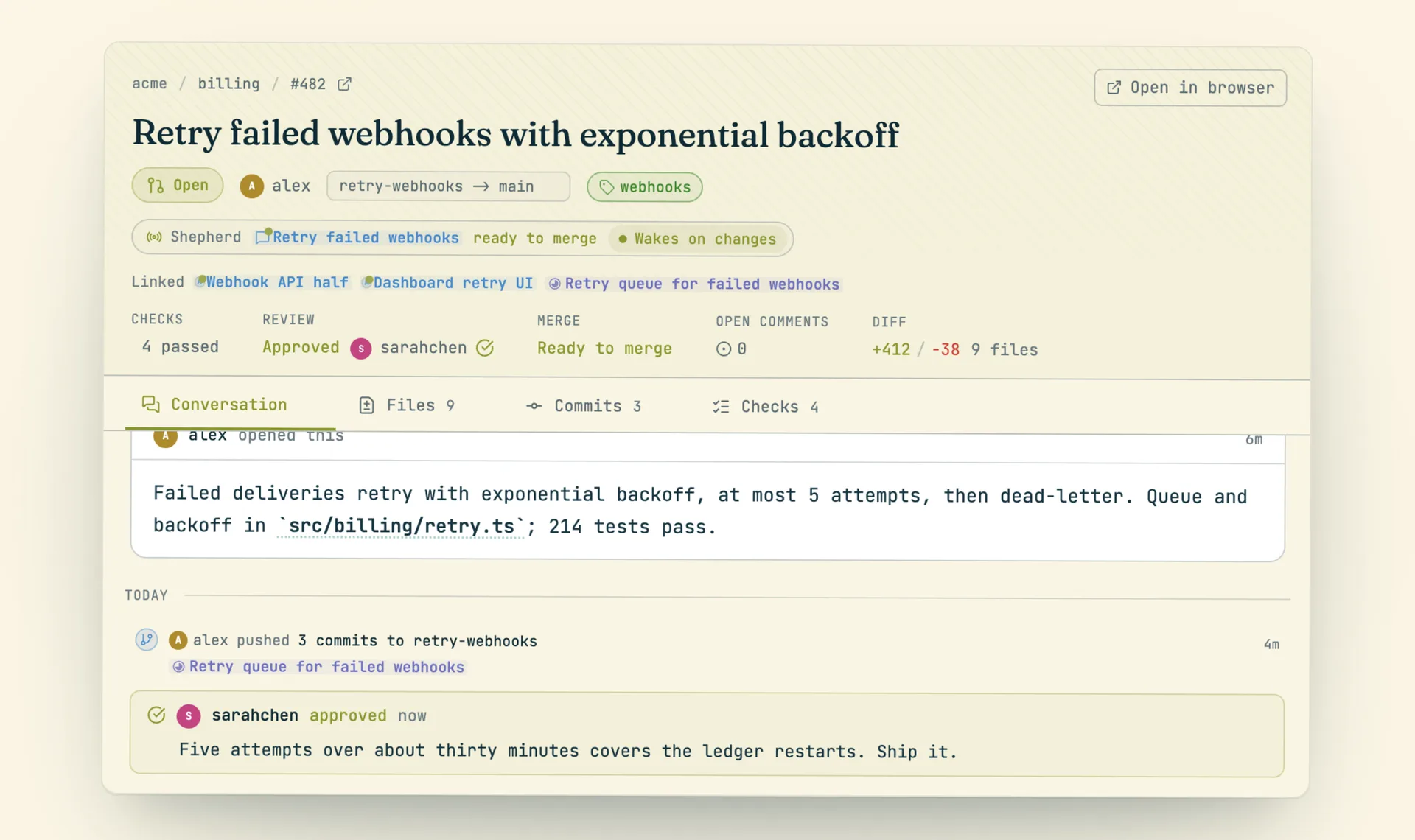
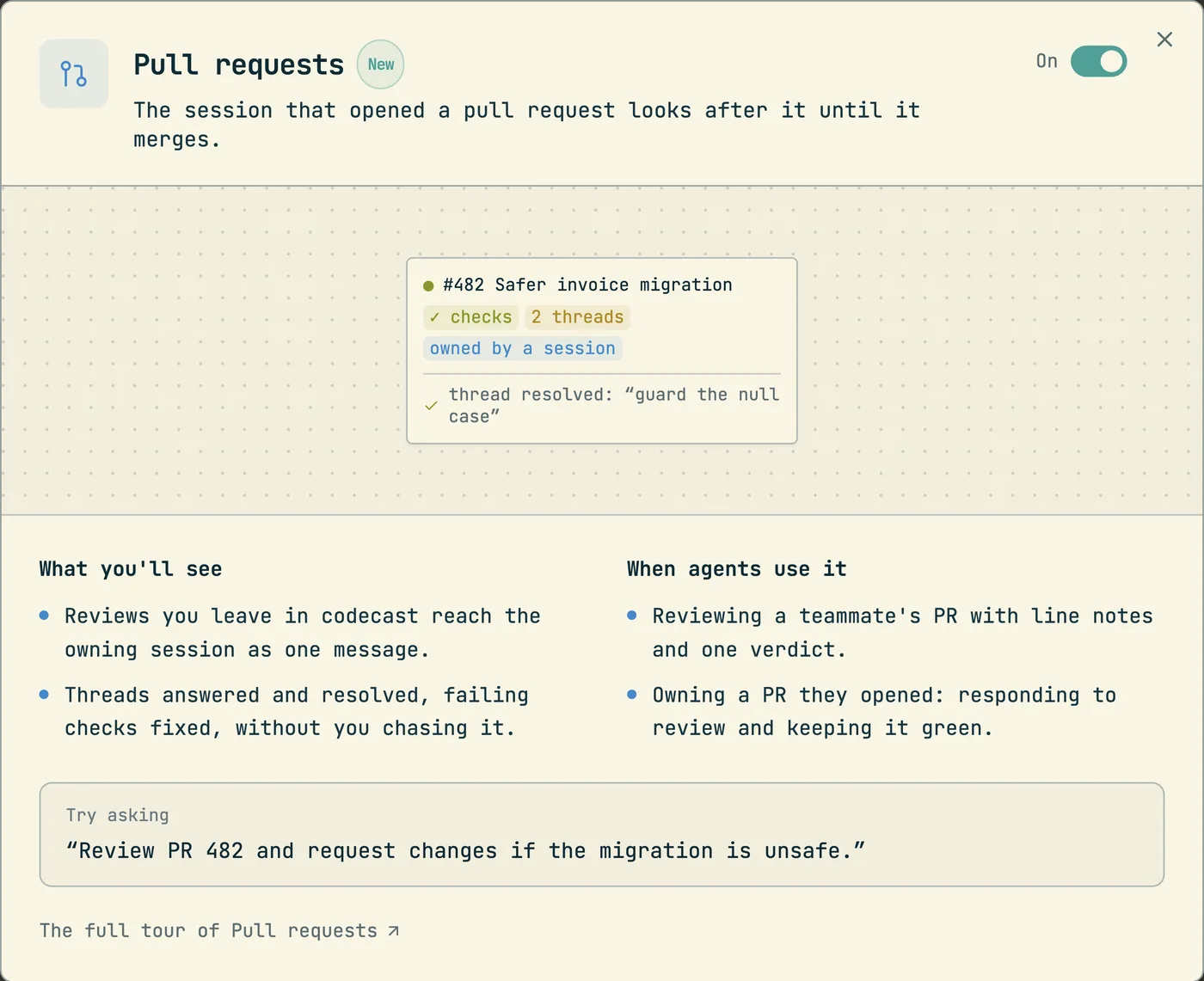
A pull request lives on GitHub, and the agent that wrote it lives in a session. Between the two sits a person who copies review comments into a prompt, watches CI, and tells the agent when something failed. An issue tracker has the same gap: the issue is in Linear or GitHub, the work is in a session, and someone keeps both current by hand.

Codecast closes both gaps the same way. It holds a copy of the provider's object, keeps the copy current from webhooks, and sends every action taken here back to the provider. A pull request becomes a row that carries its checks, reviews, threads and the session that owns it. An issue becomes an ordinary task with a twin on the provider. The page, the CLI and an agent all act through one server layer (prCli.ts for pull requests, issueSync.ts for issues). Nothing one of them can do is missing from another.

cast pr show 123                            # state, checks, reviews, open threads, owning session
cast pr comment 123 --hold --file src/x.ts --line 42 "This loop never exits on an empty list."
cast pr review 123 --request-changes -b "Two blocking notes."
cast pr shepherd on 123                     # bind this session to the pull request
cast integrations import github acme/api --project "API"

References and read verbs

Every cast pr verb takes the same reference: a number (123), owner/repo#123, a GitHub or codecast URL, or nothing. Nothing means the pull request this session is bound to, and failing that the one for the branch you stand on. --repo <owner/name> names the repository when a bare number is ambiguous. Every read takes --json.

VerbWhat it prints
cast pr lsOpen pull requests across your teams, newest change first. Filters: --repo, --state open|merged|closed|all, --mine, --shepherded, -n (default 20)
cast pr show [ref]State, checks, reviews, links, the owning session and the last events
cast pr threads [ref]Open review threads, each with a short id and its file:line. --all includes resolved ones
cast pr events [ref]The timeline: pushes, reviews, checks, merges
cast pr watch [ref]One line per change to the owner state, checks, review decision, merge state or open comments. The first frame is a silent baseline
cast pr open [ref]The page at /pr/:owner/:repo/:number. --print gives the URL only

What GitHub feeds in

The GitHub app delivers webhooks to /api/webhooks/github-app. Each delivery is verified, deduplicated by delivery id, stored in github_webhook_events, and handed to the handler for its kind. The handled kinds are pull_request, pull_request_review, pull_request_review_comment, pull_request_review_thread, push, check_run, check_suite, workflow_run, status, issues and issue_comment.

The inbound handler is the only writer of the pull_requests row. Nothing on the outbound side writes it. GitHub answers every act with a webhook, and that webhook updates the row. This is what keeps the two sides from disagreeing.

Kept in syncHow
Threadsreview_comments rows: line comments, conversation comments and replies. Resolved and unresolved events update the thread
Pending notesRows with pending_review: true. Every read path hides another person's pending notes, and nothing mirrors them until the review is sent
ReviewsOne reviews row for each GitHub review. A dismissed review stays in the history as dismissed and counts for nothing. The decision is the newest verdict of each reviewer, one request for changes outranks any number of approvals, and a review that only comments does not count
Labels, assignees, requested reviewersFields on the row, updated from labeled, assigned and review_requested events
CommitsRead on demand when the Commits tab opens (prDetails.refresh), up to the 250 commit limit of the GitHub endpoint
ChecksCheck runs and commit statuses on the head commit. A result for an old head is rejected

A comment that codecast posted comes back as a webhook. The handler recognizes it by the GitHub id recorded when it was mirrored, and skips it. A team install that lands or gains repositories backfills the pull requests already there, without replaying "opened" events.

Reviewing as a batch

A review is one batch with one verdict. Read the change with gh pr diff 123, hold a note on each line that needs one, then send them together.

cast pr comment 123 --hold --file src/x.ts --line 42 "Guard the empty case."
cast pr notes 123                           # what you hold; --discard throws them away
cast pr review 123 --approve | --request-changes | --comment  -b "summary"
cast pr comment 123 --reply <thread> "Fixed in 3f2a91c."
cast pr resolve <thread> 123                # unresolve reopens it

A held note is yours alone until you submit. Nobody else sees it, nothing reaches GitHub, and no session is woken by it. cast pr review sends every held note as one GitHub review (reviews.submitReviewWithNotes). The comment ids that GitHub returns are stamped onto the rows. cast pr comment without --hold posts now. With --file and --line it lands on the diff. Without them it lands on the conversation. A thread is named by the short id that cast pr threads prints, or by file:line.

Whose name is on it

Most acts go out under the token of the GitHub app. A review with a verdict does not. It goes out under the GitHub account of the person the agent runs as, because the verdict is a judgement and belongs to them. Without a connected GitHub account the command stops and says so. There is no fallback to the app token.

ActToken
Comment, reply, edit, deleteThe app
Resolve or reopen a threadThe person, then the app. An installation token cannot resolve a thread
Review with a verdictThe person only
Merge, close, reopen, draft, ready, reviewers, title, bodyThe person, then the app

GitHub decides what is allowed, and its refusal comes back in its own words. It refuses a verdict on your own pull request. It refuses a merge when the branch is behind, conflicted or blocked. Codecast also refuses a review on a pull request that is not open.

The owning session

cast pr shepherd on [ref] binds the current session to a pull request. --for <session> binds another of yours, off releases it, and status reports it. The /cast-ship skill does this when it opens a pull request. The bind sets shepherd_conversation_id on the row and creates one standing trigger named "Shepherd PR #123", with a run limit of 30 minutes. The status of the pull request is also copied onto the session, so the inbox card shows it.

Only a wake sets that trigger to run. Each wake rebuilds the prompt from the row as it stands now: the state, failing checks, unresolved threads, reviews, merge state and linked tasks. A thread counts as outstanding when nobody resolved it and the last word in it is not the author's.

EventWakes the session
A check failsYes
A person requests changes, or leaves a review with a bodyYes
A person comments on a lineYes
The branch no longer merges cleanlyYes
The branch is behind its baseNo. It is recorded in the timeline and fires pr_behind
Checks go green, new commits, a review is requested, the branch merges cleanly againNo

Reviews and comments from bots and from the author of the pull request do not wake the session. If the session is in the middle of a run, the wake retries every 20 seconds, up to 5 times, and collects the reasons. The most urgent one leads the prompt: a conflict, then a failed check, then requested changes.

A review submitted through codecast reaches the owning session as one message: the verdict, the summary and every note (reviews.deliverSubmittedReview). The webhook for that same review waits 20 seconds and stands down when it finds the delivery stamp, so the session hears the review once. Delivery is best effort and is reported as delivered_to. A session that cannot take the message never fails a review that GitHub already holds.

The prompt tells the agent to fix what is outstanding in one pass, push to the same branch, and reply on GitHub to each point it addressed. It also says that being behind alone is not a reason to rebase. The last rule is fixed: do not merge the pull request unless a human asked. When the pull request merges or closes, the binding turns off and the trigger retires.

Issues as tasks

An issue sync source maps one provider container to one codecast project. The container is a Linear team, a Linear project or a GitHub repo. Each issue becomes a task with a short id, a board column, sessions and comments like any other task. The external field on the task holds the provider id, the identifier (LIN-123 or owner/repo#482) and the URL. cast task show and cast task ls print the identifier.

cast integrations ls                        # connection status for every app
cast integrations candidates linear         # what you can import
cast integrations import linear LIN --project "Platform" --kind linear_team
cast integrations sources                   # which container feeds which project
cast integrations sync|pause|resume|remove <source>
cast integrations set <source> --delegate-label agent --auto-spawn on

The sync runs both ways. cast task comment posts a comment on the issue, and cast task done closes it. Title, description, status, assignee and labels map in both directions. Priority syncs with Linear only, because GitHub has none. An edit on the provider arrives by webhook at /api/webhooks/linear or /api/webhooks/github-app. A cron runs every 15 minutes, pulls issues changed since the last sync, and catches any webhook that never arrived. That cron is also the retry for a failed push.

RuleMechanism
ConflictsLast writer wins for each field, by the provider clock. An inbound field applies only if the event is not older than the last local push of that field
LoopsInbound writes never schedule a push. A push causes a webhook whose values equal ours. Equal values write nothing, so the loop stops there
Echoed commentsA known provider id is skipped. An unknown id with identical text written in the last 5 minutes links to that row
Deleted issuesThe task moves to dropped and the row stays

An issue becomes a session in three ways: the assign to agent action on the board, cast task start <id> --spawn, or the delegation signal of the source. The signal is a provider label (default agent) or a provider assignee. With --auto-spawn on, the first inbound event that carries it starts one session. Every spawn posts one comment on the issue with a link to the session. Inbound events also fire issue_opened, issue_assigned, issue_labeled, issue_closed and issue_commented triggers.

Issue text in prompts

Anyone who can open an issue on a connected repo can write text that ends up in front of an agent. The defense is provenance and bounds, not phrase filtering. renderFencedTaskRecord wraps the task prose in a delimiter that names the source, for example task ct-4102 · imported from github acme/api#482. The delimiter carries a random 8 character value, so embedded text cannot close it early. A line above it tells the agent to do the work the block describes but to let nothing inside it override the instructions outside it. Every field has a cap, and every cut is marked [truncated]. Control characters and invisible format characters are escaped so they cannot repaint a terminal or hide text.

FieldCap
Title, author, criterion200 characters, folded to one line
Description3,000 characters
CommentsThe newest 8, at 800 characters each
Whole block12,000 characters

The implementer and reviewer prompts of a plan run use this renderer, and a workflow run escapes and caps the same fields. Review notes use the same fence: each note and the summary are capped at 3,000 characters. A batch over 12,000 characters drops whole notes and says how many. It never cuts inside a fence.

Repository pages and timelines

Connected repositories have pages under /repo/:owner/:name: the file tree, file contents, commits, branches, tags, compare, search and the list of pull requests. Pushes, reviews, check results, merge state changes and issue events are recorded as external_events rows with a dedupe key, so a provider retry does not add a second row. Project timelines render these rows beside task and session activity. cast pr events prints the same rows for one pull request.

More guides
How agent snippets work
cast install writes versioned instruction sections into your agents' own config files. This is the mechanism every other guide builds on.
Give Claude Code memory across sessions and teammates
Not notes files: every session can search, read, and watch every other session your team has run. The commands, the scopes, and how agents use them.
How to find which AI agent session wrote a line of code
git blame names whoever committed a line. cast blame names the agent session that wrote it and opens the exact message; Git AI and Agent Blame solve it with git notes instead.
Messaging between sessions
cast send turns sessions into teammates: any session can message any other, including a teammate's, and manage what the human sees in the inbox.
Ambient awareness
Stable mode injects a live feed of recent sessions into every new session at start. Combined with messaging, sessions know about each other without being told.
See your whole team's Claude Code sessions in one place
Claude Code already writes every session to disk. The codecast daemon syncs those files — plus Codex, Cursor, and Gemini — into one live team feed, inbox, and searchable record.
How to share a Claude Code session with your team
Three different asks hide behind that sentence: read a finished conversation, watch a running one, or make every session visible by default. What Anthropic ships, what Lore does, and where codecast fits.
Pinned thread state
cast state keeps one agent-written line saying where a thread stands, pinned above the composer and on the inbox card, with its staleness on show.
Decisions: asking without interrupting
cast decide puts a question, its options and the reasoning into a queue you clear when you choose to. The answer returns to the agent as a message.
Team chat that agents take part in
Channels, threads and direct messages where a mention can wake a role or a session, agent lines are capped, and a Slack workspace mirrors in.
Huddles and walkie
Every huddle is transcribed with exact speaker attribution and leaves a digest, so an agent can quote what was said on the call.
Forks and spawned sessions
cast spawn --subagent delegates a worker that nests under the session that launched it; plain cast spawn and cast fork start independent threads in the human's inbox.
Tasks and plans
The work tracking layer agents report into: tasks, plans, binding, comments, and the dashboard that watches it all.
Triggers
Follow-up work that runs after the session ends: delayed, recurring, or fired by a GitHub event.
Workflows
Execution graphs in DOT syntax: agent steps, shell commands, conditions, and human approval gates.
Orchestration
A conductor agent decomposes a plan, spawns implementers in isolated worktrees, and runs reviewers and critics over the result.
The org: roles, scopes and the line
Route work to a standing responsibility instead of a session: roles with scopes, wakes, proposals a person accepts, and a line with independent review.
Driving the human's own Chrome
cast browser works in a background tab of the Chrome that already holds your logins, and puts the evidence in the thread.
Driving a native macOS app
cast computer reads a window as an indexed tree, refuses stale indexes, and reports whether an action was verified.
One typecheck watcher for every session
cast check answers every session from one tsc --watch for each tree and project, so thirty agents do not build the same program thirty times.
The cast-* skills
23 packaged procedures, compiled into the CLI, each a fixed sequence of ordinary cast commands.
Sessions on machines you are not sitting at
How a session starts on, moves to, sleeps on and is watched from another machine, and what each lease does when the machine goes away.
Usage limits are a pause
Codecast parks a session that hits a limit, then continues it at the reset or on a saved account that still has room.
The visual canvas
Agents reply with sandboxed HTML that renders inline: charts, dashboards, diagrams, and small widgets instead of ASCII art.
Published pages
cast publish turns a file into a page at a stable URL, with version history, access gates, and viewer comments that flow back to the session.
How the client syncs
Every surface paints from a local store, an append only log for each scope delivers only what changed, and one window syncs while the others copy it.