Documentation
Tools for agents

Driving a native macOS app

cast computer reads a window as an indexed tree, refuses stale indexes, and reports whether an action was verified.

$cast install computer

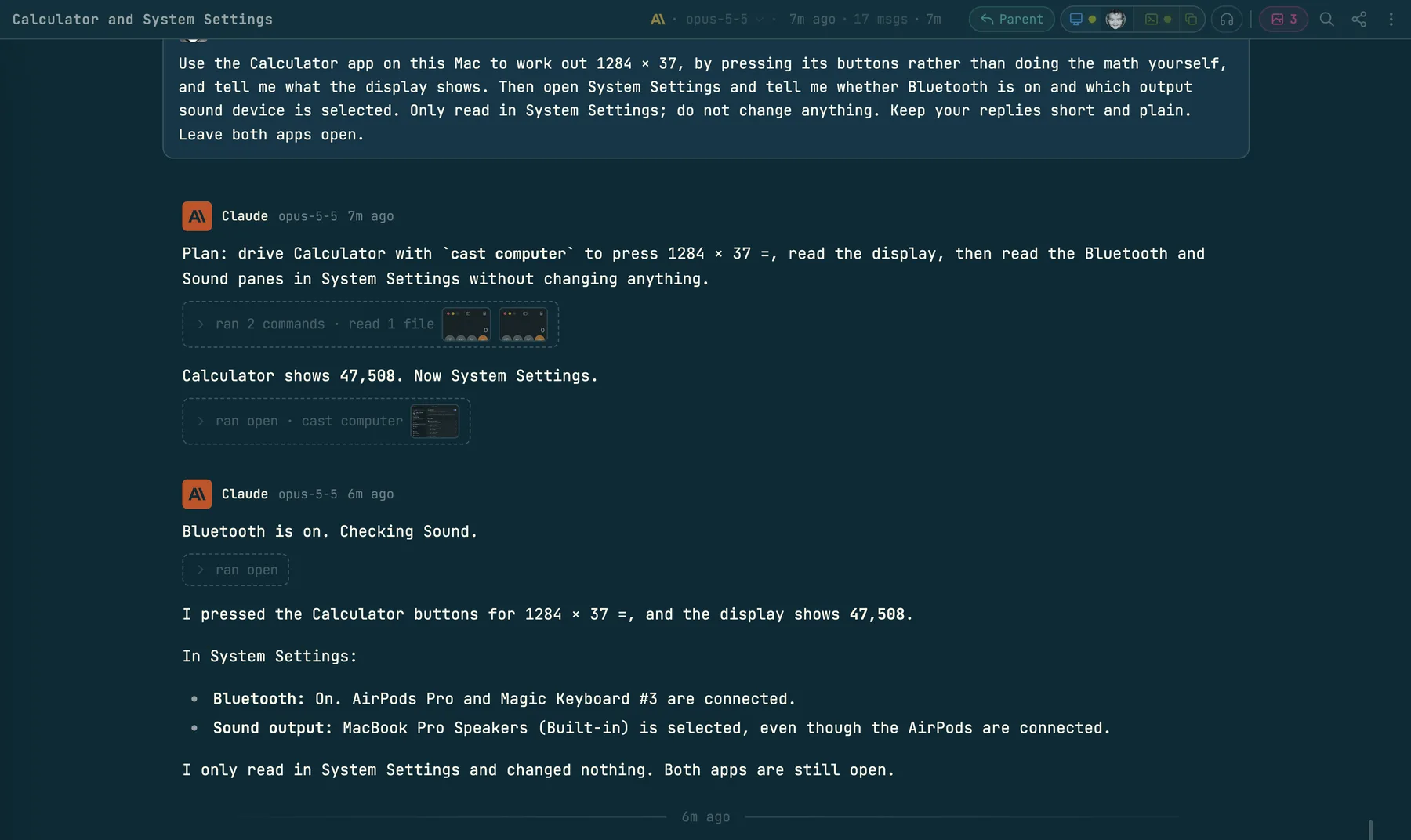
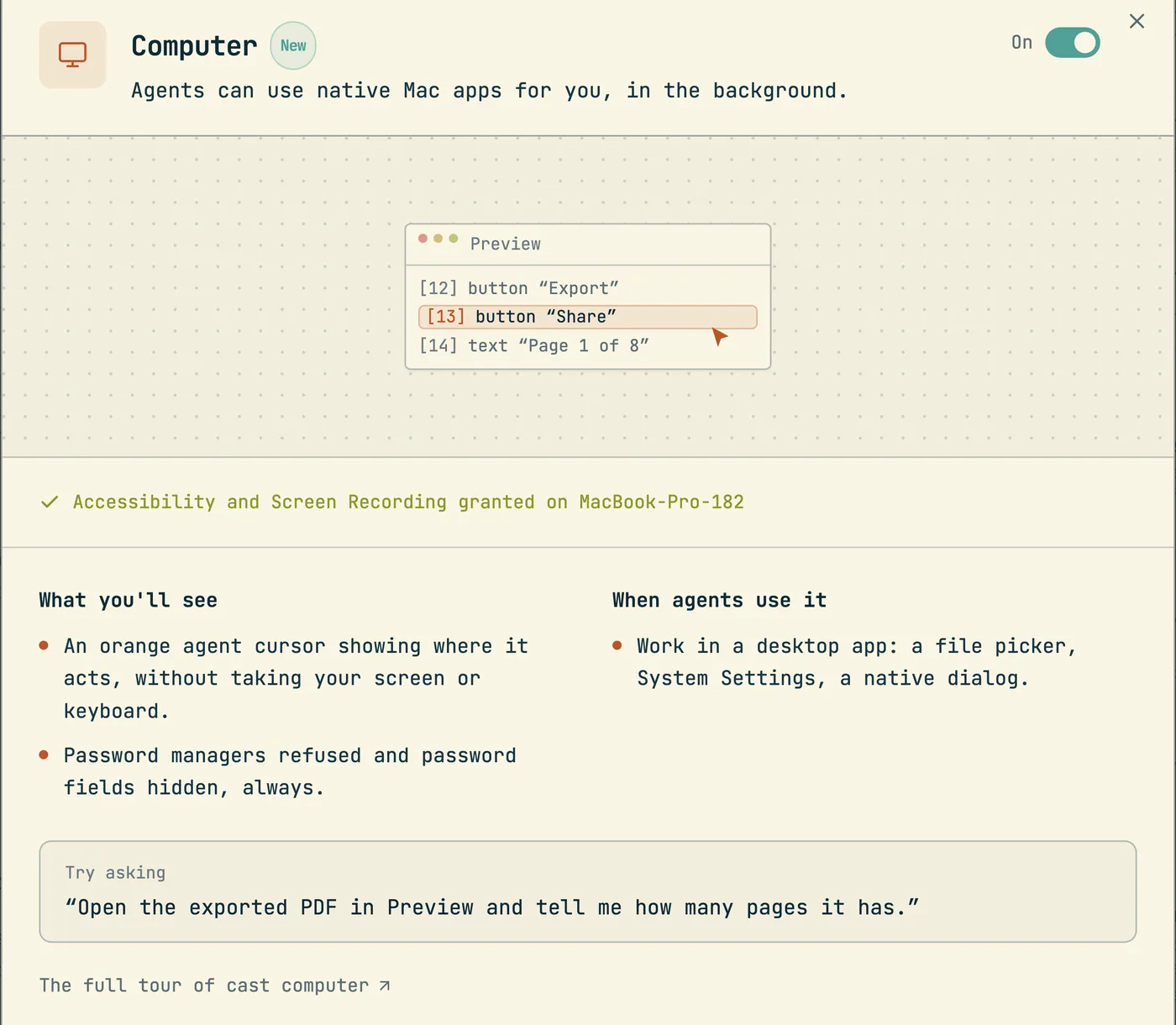
Some work is not in a web page. It is in Slack, Mail, System Settings, an installer, or a native dialog that a browser window shows and the page cannot reach: the address field, a file picker, a permission sheet. cast computer lets an agent work there. It reads one visible window of a macOS app as a compact indexed tree of text, acts on one element by its index, and returns a fresh tree.

The design avoids two failures. The first is an agent that clicks the wrong thing because the window changed under it. The second is an agent that reports success for input the app never took. Indexes that fail when stale answer the first. A verification verdict that is separate from the exit code answers the second.

For anything inside a web page, cast browser remains the tool. The computer snippet (how snippets work) teaches agents the rules below.

cast computer setup                               # the human grants both permissions, once
cast computer permissions                         # read both grants; nothing appears on screen
cast computer list-apps                           # bundle ids and pids of what is running
cast computer list-windows --app com.apple.TextEdit
cast computer get-app-state --app com.apple.TextEdit          # one window as an indexed tree, plus a screenshot
cast computer click --app com.apple.TextEdit --element-index 42
cast computer set-value --app com.apple.TextEdit --element-index 12 --value "hello"
cast computer help click                          # one verb's flags, from the binary about to run

--app takes a bundle id, an app name, or pid:1234. The bundle id is the safe choice, because names collide. When an app has several windows, pass --window-id or --window-index from list-windows and keep passing the same one. Every verb takes --json.

Read, act, read

get-app-state returns the tree. The agent acts on one element by the index the tree gave it. Every action returns a complete new snapshot, so no separate state call is needed between two steps.

Indexes are sparse. The tree drops noise, so the numbers have gaps, and an agent must never count its way to an index or infer one from elementCount.

An index is good only for the tree it came from. Navigation, scrolling, a focus change, a delay, or another agent in the same window all make it stale. A stale index fails as element_not_found. It does not click whatever now sits at that number. The failure is cheap and the recovery is always a fresh snapshot.

Exit code and verdict

Exit 0 means the helper delivered the action. It does not mean the app took it. Most macOS input paths cannot be asserted, so each action carries its own verdict in action.verification.

VerdictMeaning
verifiedThe helper read the change back, through the value, the selection, or the focused text
unverified: synthetic_inputKeyboard or mouse events were sent. Nothing can assert them
unverified: clipboard_pasteThe text went through the clipboard
unverified: accessibility_action_unassertedAn accessibility action ran and no readback exists for it
unverified: value_mismatch, window_changed, readback_unsupported, provider_unavailableThe readback disagreed, the window changed, or no readback was possible

Human output opens with completed only for a verified action and attempted for every other one. An attempted action also prints the exact get-app-state command that settles the question, with the window selector filled in.

Verbs that leave the screen alone

No verb raises a window. Two flags move the human's screen and nothing else does: --restore-window brings the target window forward, and permissions --open-settings brings System Settings forward.

VerbPathNeeds the window in front
set-valueAccessibility write. The helper reads the value back: verified, or value_mismatchNo
perform-secondary-actionOne of the actions the element advertises in the treeNo
click on an element that advertises a pressAccessibility pressNo
type-text, press-key, hotkey, click on a coordinateSynthetic input, reported as synthetic_inputYes
paste-textThe clipboard, reported as clipboard_pasteYes

The helper prefers an accessibility path even for the keyboard verbs. paste-text first tries to replace the selection in the focused element, and a select all hotkey first tries the element's own select all action; both need no focus and can be verified. Only when that path is absent does the helper send synthetic input.

Synthetic input goes to whatever is focused. If the target window is not already in front, those verbs fail with window_not_focused and deliver nothing to the wrong app. The agent then asks once with --restore-window, or switches to set-value.

Modifiers are one flag, never two commands. click --modifiers CmdOrCtrl+Shift holds them for that click alone. An agent that is interrupted between a key down and a key up would leave a key held for the human, so the CLI offers no such pair. press-key takes exactly one key and hotkey takes a modifier and one key. paste-text restores the human's clipboard afterwards and refuses text above 16 MiB.

Two grants, one helper

macOS attaches a permission to the program that asks for it. A grant to the terminal would reach everything the human and every agent run there. The grants therefore go to a small signed helper app, bundle id sh.codecast.computer, at the fixed path ~/.codecast/computer/codecast computer.app. macOS keys a grant to the path and the signature together, so the path holds no version and the grant survives every release. Updates replace the bundle's contents in place.

Accessibility lets the helper read a window and act inside it; every verb needs it. Screen Recording lets it capture the window it read. Without Screen Recording the tree still works and only the image fails.

cast computer permissions reads both grants and shows nothing on screen, so an agent can run it at any time. cast computer setup is the human's command. It puts the helper in place, reads both grants, explains each missing one, asks before it opens anything, opens only the pane that is missing, and waits up to 5 minutes for the grant to land. Without a terminal and without --yes it opens nothing. Retries by the agent grant nothing; permissions --reset clears a stale deny.

Secrets and sensitive apps

Secrets go in on stdin: --text-stdin for type-text and paste-text, --value-stdin for set-value. Arguments stay in shell history and in every other user's ps output. Passing both the plain flag and the stdin flag is an error, and so is asking for stdin from a terminal.

printf '%s' "$TOKEN" | cast computer set-value --app <app> --element-index 42 --value-stdin

Password managers are refused with app_blocked: 1Password, Bitwarden, Dashlane, LastPass, NordPass and Proton Pass. The list lives in the helper and not in the CLI, so a client that forgets the check still cannot read a vault. The match ignores case and covers both a bundle id and a pid: selector.

A field that reads as a password, a passcode or a one time code renders as [redacted]. The helper replaces the value before the tree text exists, so the real string never leaves it.

Coordinates

Coordinates are measured inside the window, in points. A screenshot on a retina display has more pixels than the window has points. Divide before a click: x = screenshot pixel x / screenshot.scale, with the scale from that same capture. The snapshot header prints the division. An element index is the better choice whenever the tree offers one.

Error codes

Every failure carries a code and its recovery. --json returns them as code and recovery; human output prints the recovery under the message. The recovery text lives in one table in the CLI, so an error and its advice cannot drift apart. The rule behind every entry: never retry the same command unchanged.

CodeRecovery
app_not_foundRun list-apps and use the exact bundle id. A website is not an app: target the browser that holds it
app_blockedA password manager. Stop, and ask the human
window_not_foundRun list-windows and target a listed window. cast computer never launches a closed app
window_not_focusedRetry once with --restore-window, or use set-value or perform-secondary-action
window_staleThe window went away. Run list-windows, then get-app-state
element_not_foundThe index is stale. Take a fresh snapshot and use its numbers
element_not_clickableThe element has no frame. Use a parent or child that has one, or a coordinate
action_not_supportedRead the element's Secondary Actions in a fresh tree and use one of those names
value_not_settableChoose a settable element, or focus it and type
invalid_argumentFix the flags as the message says
permission_deniedRead permissions. If a grant is missing, ask the human to run setup. A helper from another launch clears on a rerun
screenshot_failedThe tree is intact. Rerun with --no-screenshot. If the message names Screen Recording, the human runs setup
action_timeoutSnapshot first to see what changed, then try a smaller action
unsupported_capabilityRun capabilities and choose a supported action
provider_incompatibleThe CLI and the helper come from different releases. Update codecast
accessibility_errorThe helper is missing or died. Run capabilities; if the message names the helper app, run cast doctor

A code the CLI does not know, from a helper of another release, maps to accessibility_error.

Actions that leave a mark

Reading is the agent's to do. The snippet forbids the rest unless the human asked for that action: do not push, submit a form, send a message, buy anything, delete data, or change account settings. When an app holds sensitive content, the agent reads only what it was asked to read.

cast computer shipped on 2026-09-07, with the helper, the block list, and setup in the same release.

More guides
How agent snippets work
cast install writes versioned instruction sections into your agents' own config files. This is the mechanism every other guide builds on.
Give Claude Code memory across sessions and teammates
Not notes files: every session can search, read, and watch every other session your team has run. The commands, the scopes, and how agents use them.
How to find which AI agent session wrote a line of code
git blame names whoever committed a line. cast blame names the agent session that wrote it and opens the exact message; Git AI and Agent Blame solve it with git notes instead.
Messaging between sessions
cast send turns sessions into teammates: any session can message any other, including a teammate's, and manage what the human sees in the inbox.
Ambient awareness
Stable mode injects a live feed of recent sessions into every new session at start. Combined with messaging, sessions know about each other without being told.
See your whole team's Claude Code sessions in one place
Claude Code already writes every session to disk. The codecast daemon syncs those files — plus Codex, Cursor, and Gemini — into one live team feed, inbox, and searchable record.
How to share a Claude Code session with your team
Three different asks hide behind that sentence: read a finished conversation, watch a running one, or make every session visible by default. What Anthropic ships, what Lore does, and where codecast fits.
Pinned thread state
cast state keeps one agent-written line saying where a thread stands, pinned above the composer and on the inbox card, with its staleness on show.
Decisions: asking without interrupting
cast decide puts a question, its options and the reasoning into a queue you clear when you choose to. The answer returns to the agent as a message.
Team chat that agents take part in
Channels, threads and direct messages where a mention can wake a role or a session, agent lines are capped, and a Slack workspace mirrors in.
Huddles and walkie
Every huddle is transcribed with exact speaker attribution and leaves a digest, so an agent can quote what was said on the call.
Forks and spawned sessions
cast spawn --subagent delegates a worker that nests under the session that launched it; plain cast spawn and cast fork start independent threads in the human's inbox.
Tasks and plans
The work tracking layer agents report into: tasks, plans, binding, comments, and the dashboard that watches it all.
Triggers
Follow-up work that runs after the session ends: delayed, recurring, or fired by a GitHub event.
Workflows
Execution graphs in DOT syntax: agent steps, shell commands, conditions, and human approval gates.
Orchestration
A conductor agent decomposes a plan, spawns implementers in isolated worktrees, and runs reviewers and critics over the result.
Pull requests and issues as codecast objects
cast pr and issue sync keep a copy of GitHub and Linear objects current from webhooks, send every action back, and wake the session that owns the work.
The org: roles, scopes and the line
Route work to a standing responsibility instead of a session: roles with scopes, wakes, proposals a person accepts, and a line with independent review.
Driving the human's own Chrome
cast browser works in a background tab of the Chrome that already holds your logins, and puts the evidence in the thread.
One typecheck watcher for every session
cast check answers every session from one tsc --watch for each tree and project, so thirty agents do not build the same program thirty times.
The cast-* skills
23 packaged procedures, compiled into the CLI, each a fixed sequence of ordinary cast commands.
Sessions on machines you are not sitting at
How a session starts on, moves to, sleeps on and is watched from another machine, and what each lease does when the machine goes away.
Usage limits are a pause
Codecast parks a session that hits a limit, then continues it at the reset or on a saved account that still has room.
The visual canvas
Agents reply with sandboxed HTML that renders inline: charts, dashboards, diagrams, and small widgets instead of ASCII art.
Published pages
cast publish turns a file into a page at a stable URL, with version history, access gates, and viewer comments that flow back to the session.
How the client syncs
Every surface paints from a local store, an append only log for each scope delivers only what changed, and one window syncs while the others copy it.