Documentation
Tools for agents

One typecheck watcher for every session

cast check answers every session from one tsc --watch for each tree and project, so thirty agents do not build the same program thirty times.

$cast install check

A typecheck is a function of the tree, not of the session that asks for it. The expensive part is building the program graph: a thousand files, one to two gigabytes of memory, minutes on a loaded machine. Every agent session that runs tsc --noEmit builds that same graph again. Seventeen of them were measured at once on one checkout on 2026-09-17, and thirty across two repos put the machine into swap and stalled everything else on it.

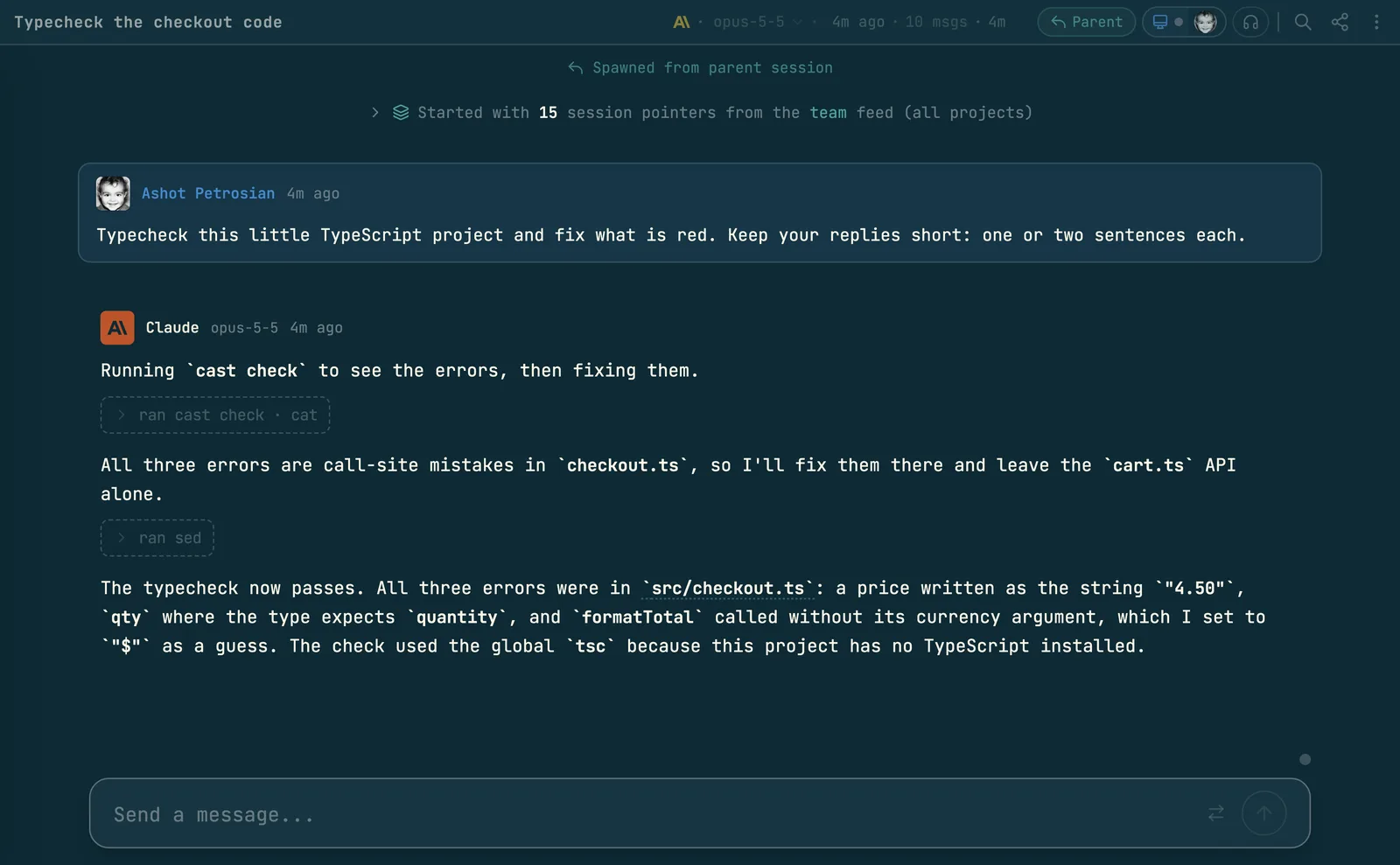
cast check replaces the fresh tsc with a question to a process that already holds the answer. One tsc --watch per tree and project keeps the program in memory and checks only the files that changed. Any number of sessions can ask, and ten asks at once cost the same as one.

The check snippet (how snippets work) writes a ## Typechecking section into the agent's instruction file. It tells the agent to use cast check and never tsc --noEmit. Install it with cast install check.

cast check                 # every project the tree lists, or else the tsconfig nearest this directory
cast check web             # one project, by its name in .codecast/check.toml
cast check packages/api    # any directory or tsconfig path in the tree
cast check --fresh         # restart the watcher, then ask
cast check --json          # { project, errors, diagnostics } for each project
cast check-status          # the watchers on this machine: tree, project, pid, last pass
cast check-status --stop   # stop every watcher

Naming the programs: .codecast/check.toml

A tree lists its TypeScript programs in .codecast/check.toml. The file holds one [projects] table. Each key is the name a caller uses, and each value is the path of a tsconfig, relative to the tree root.

[projects]
cli = "packages/cli/tsconfig.typecheck.json"
web = "packages/web/tsconfig.json"
convex = "packages/convex/convex/tsconfig.json"

Keep the file in git, so every worktree inherits it. If the repo ignores .codecast/, add !.codecast/check.toml to the ignore file. A name may use letters, digits, dot, dash and underscore, because the name becomes a directory on disk.

With no arguments, cast check checks every listed project whose tsconfig exists. A tree without the file gets one project: the tsconfig.json nearest the caller's directory, found by walking up to the tree root. A repo with more than one program needs the file, because the nearest tsconfig may not be the program a change reaches. An argument that is not a listed name is read as a path: a directory that holds a tsconfig.json, or a tsconfig file.

Point the entry at the tsconfig the repo's own script uses

The entry must name the tsconfig that the package's typecheck script runs. That is not always the plain tsconfig.json beside the code. A package whose build narrows rootDir often keeps a wider variant for checking. In this repo the CLI's script is tsc --noEmit -p tsconfig.typecheck.json, because the CLI imports generated files that sit outside the build's rootDir. An entry that names the build tsconfig reports hundreds of errors about files outside the root.

Read the typecheck script in each package before you write the entry. When a check returns errors nobody wrote, suspect the entry before the code. When an entry changes, the next ask sees that the running watcher was built on a different tsconfig, stops it, and starts a new one.

The watcher also runs the project's own compiler. It takes the first node_modules/.bin/tsc found walking up from the tsconfig's directory to the tree root. If the tree installs none, it falls back to the tsc on PATH, and a result with errors carries a note that says so. A different compiler resolves libraries and types differently, so its errors are not the project's. In one worktree the wrong binary reported 1969 errors where the right one reported 0.

How the CLI talks to the watcher

The two sides share files, not a socket. Each tree and project gets one directory under ~/.codecast/typecheck/, named by a hash of the tree root, the root's base name, and the project name.

FileWritten byHolds
state.jsonwatcher and askerpid, tsconfig, inProgress, finishedAt, errors, askedAt
diagnostics.txtwatcherthe diagnostics of the last finished pass
watch.logwatcherthe output of the watcher process
start.lockaskera lock held while an asker decides whether to start a watcher

The watcher is a detached cast check-watch process that wraps tsc --noEmit --watch --preserveWatchOutput --pretty false. It reads the compiler's output one line at a time. A line that says a compilation started sets inProgress to true. The line Found N errors. Watching for file changes. ends the pass: the watcher writes the collected diagnostics to diagnostics.txt, then records finishedAt and the error count. Diagnostics reach the file only when a pass ends, so a reader never sees half a pass.

An ask takes the lock, reads state.json, and starts a watcher only if none is alive. The lock means that two sessions that ask at the same moment start one watcher, not two. The asker then stamps askedAt, waits 750 ms so that a file saved a moment ago reaches the compiler, and polls the state every 300 ms. It returns when inProgress is false and a pass has finished. The output ends with one line for each project, for example ✓ web: 0 errors (pass 4s old).

First ask, later asks, and a pass that is still running

The first ask on a tree starts the watcher, and that first pass builds the whole program. It takes as long as a plain tsc. Later asks read a finished pass or wait for a small one, and take seconds.

If a pass runs for more than 5 seconds, the asker prints that it is waiting for the pass to finish. An ask waits up to 20 minutes. Past that it fails with a message that the typecheck is still running and the machine is loaded. The watcher keeps the work it has done, so ask again. Do not start your own tsc; that adds the load that made the pass slow.

Exit codeMeaning
0every project checked, no errors
1a project has errors, or a check failed
2the project name or path could not be resolved

--fresh stops the watcher and starts a new one before it asks. Use it when a watcher lost track, for example after dependencies were installed.

Sharing and limits

The tree is the unit of sharing. Sessions in one checkout share a watcher for each project. A worktree has a different root, so it gets its own watcher on first use.

Each watcher holds a whole program in memory, so two rules bound the total. A watcher exits after 45 minutes with no ask, measured from the later of the last ask and the last finished pass. A pass in flight never counts as idle, because a first pass on a loaded machine can take longer than the idle window. A machine also keeps at most six watchers. When a seventh is needed, the one asked least recently is stopped, and the ask prints which one. The environment variable CAST_CHECK_MAX_WATCHERS changes the cap.

cast check-status lists each live watcher with its project, tree, pid and last pass, or checking while a pass runs. A state file whose process has died is removed during that listing, so a later ask starts a new watcher.

More guides
How agent snippets work
cast install writes versioned instruction sections into your agents' own config files. This is the mechanism every other guide builds on.
Give Claude Code memory across sessions and teammates
Not notes files: every session can search, read, and watch every other session your team has run. The commands, the scopes, and how agents use them.
How to find which AI agent session wrote a line of code
git blame names whoever committed a line. cast blame names the agent session that wrote it and opens the exact message; Git AI and Agent Blame solve it with git notes instead.
Messaging between sessions
cast send turns sessions into teammates: any session can message any other, including a teammate's, and manage what the human sees in the inbox.
Ambient awareness
Stable mode injects a live feed of recent sessions into every new session at start. Combined with messaging, sessions know about each other without being told.
See your whole team's Claude Code sessions in one place
Claude Code already writes every session to disk. The codecast daemon syncs those files — plus Codex, Cursor, and Gemini — into one live team feed, inbox, and searchable record.
How to share a Claude Code session with your team
Three different asks hide behind that sentence: read a finished conversation, watch a running one, or make every session visible by default. What Anthropic ships, what Lore does, and where codecast fits.
Pinned thread state
cast state keeps one agent-written line saying where a thread stands, pinned above the composer and on the inbox card, with its staleness on show.
Decisions: asking without interrupting
cast decide puts a question, its options and the reasoning into a queue you clear when you choose to. The answer returns to the agent as a message.
Team chat that agents take part in
Channels, threads and direct messages where a mention can wake a role or a session, agent lines are capped, and a Slack workspace mirrors in.
Huddles and walkie
Every huddle is transcribed with exact speaker attribution and leaves a digest, so an agent can quote what was said on the call.
Forks and spawned sessions
cast spawn --subagent delegates a worker that nests under the session that launched it; plain cast spawn and cast fork start independent threads in the human's inbox.
Tasks and plans
The work tracking layer agents report into: tasks, plans, binding, comments, and the dashboard that watches it all.
Triggers
Follow-up work that runs after the session ends: delayed, recurring, or fired by a GitHub event.
Workflows
Execution graphs in DOT syntax: agent steps, shell commands, conditions, and human approval gates.
Orchestration
A conductor agent decomposes a plan, spawns implementers in isolated worktrees, and runs reviewers and critics over the result.
Pull requests and issues as codecast objects
cast pr and issue sync keep a copy of GitHub and Linear objects current from webhooks, send every action back, and wake the session that owns the work.
The org: roles, scopes and the line
Route work to a standing responsibility instead of a session: roles with scopes, wakes, proposals a person accepts, and a line with independent review.
Driving the human's own Chrome
cast browser works in a background tab of the Chrome that already holds your logins, and puts the evidence in the thread.
Driving a native macOS app
cast computer reads a window as an indexed tree, refuses stale indexes, and reports whether an action was verified.
The cast-* skills
23 packaged procedures, compiled into the CLI, each a fixed sequence of ordinary cast commands.
Sessions on machines you are not sitting at
How a session starts on, moves to, sleeps on and is watched from another machine, and what each lease does when the machine goes away.
Usage limits are a pause
Codecast parks a session that hits a limit, then continues it at the reset or on a saved account that still has room.
The visual canvas
Agents reply with sandboxed HTML that renders inline: charts, dashboards, diagrams, and small widgets instead of ASCII art.
Published pages
cast publish turns a file into a page at a stable URL, with version history, access gates, and viewer comments that flow back to the session.
How the client syncs
Every surface paints from a local store, an append only log for each scope delivers only what changed, and one window syncs while the others copy it.