Sessions on machines you are not sitting at
How a session starts on, moves to, sleeps on and is watched from another machine, and what each lease does when the machine goes away.
A session runs on one machine: the daemon there owns its tmux pane, its transcript and its working tree. That is a limit when the laptop has to close, when thirty sessions compete for the same memory, or when the agent that needs an answer runs on a box in another room.
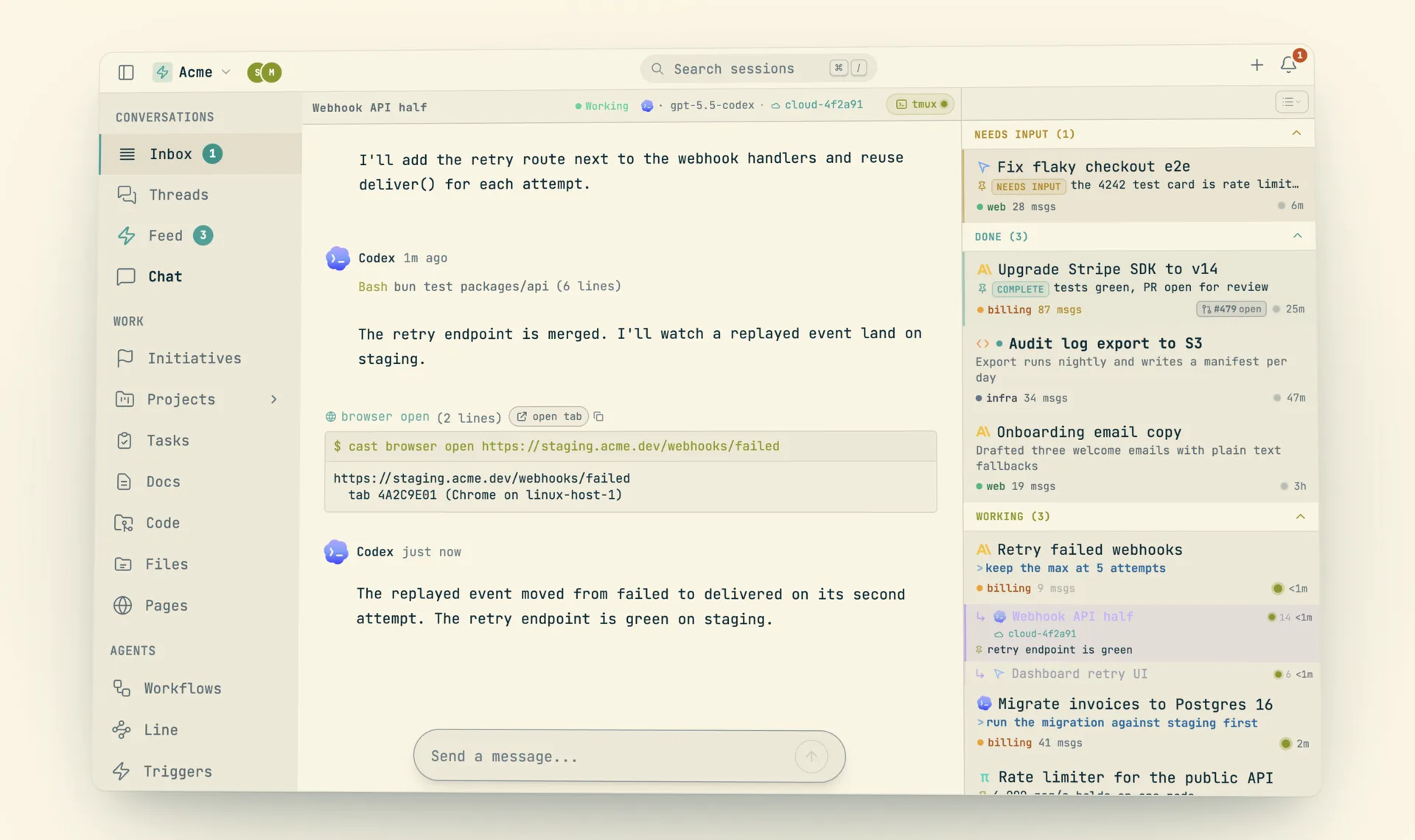
Codecast treats every machine as a device with the same daemon. A cloud Linux host is one more device that happens to sleep when idle. A session can start on it, move to it, move back, and be watched or typed into from a browser anywhere. The transcript is one thread throughout, whichever machine produced each part of it.
cast spawn --cloud "port the v1 routes" "write the migration" # one worktree per task on the cloud host
cast spawn --cloud --shared "run the migration" # the host's main checkout instead
cast spawn --cloud --from origin-main "audit the build" # clean start, not this checkout
cast spawn --subagent --device nose "run the nightly backfill" # another machine of yours
cast remote move <session> # move a live session to the host; cast remote back <session> returns it
cast pull <session> # run any session you can access on this machine
cast hosts ls # hosts, sessions, worktrees, git access, cost
cast hosts wake [id] # boot a sleeping host; cast hosts sleep [id] stops it
cast hibernate <session> # park an idle session's pane
cast wake <session> # resume a parked session
cast resume <session> --tmux # attach to the pane the web session uses
cast hosts vnc [id] # the host's whole screen, interactive
What a cloud spawn does
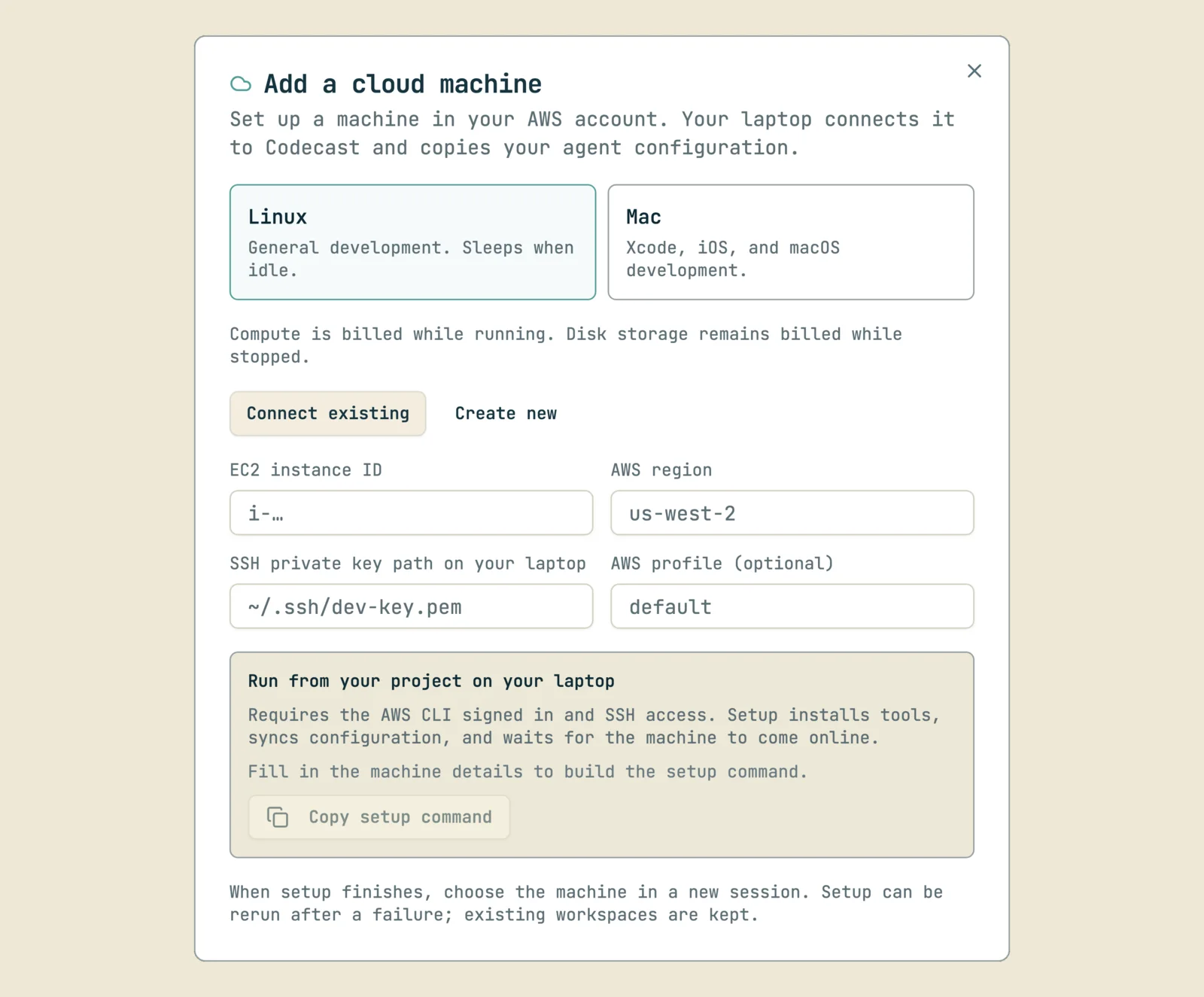
cast spawn --cloud prepares the host from the laptop, over SSH, and then starts an ordinary session on the host's device. Nothing in the preparation passes through Convex. The steps run in this order:
- The CLI wakes the host if it is stopped and waits up to 3 minutes for it to run.
- The repository at
/home/ubuntu/work/<repo>is cloned when missing and fetched when present. The refresh is a fetch only: an existing checkout keeps its HEAD and its uncommitted work. If the host cannot reach the git remote, the laptop transfers fresh main over SSH. - The private files listed under
setup.copyin.codecast/workspace.tomltravel by rsync. Each worktree gets its own snapshot of them. - The host runs its own
cast ws acquirefor each task. Dependency install runs on the host, and ports are probed on the machine that binds them. The session seesPORT_WEBand the worktree identity in its environment. - The conversation row is created already pointed at the worktree and routed to the host's device.
A worktree starts from your checkout by default: its branch, its HEAD including commits you have not pushed, and its uncommitted and untracked files. The laptop takes a snapshot commit with a temporary index, so your own index and branches do not change. It pushes that commit to a hidden ref, refs/codecast/cloud/<worktree-name>, which git ls-remote --heads does not list. The host creates the branch under the laptop's branch name, or <branch>-<hex> when that name exists, and resets to the laptop HEAD so the changes are uncommitted again. --from origin-main starts clean instead. If you asked for your checkout and the snapshot, push or reset fails, the spawn fails with the tool's error. It does not fall back to origin/main silently.
--shared runs one task in the host's main checkout. One checkout holds one session: the row claims the path in Convex before anything moves, a second claimant is refused with the winner's session named, and a dirty checkout is refused with the files listed. A shared session always starts from origin/main on a new branch codecast/cloud-<hex>.
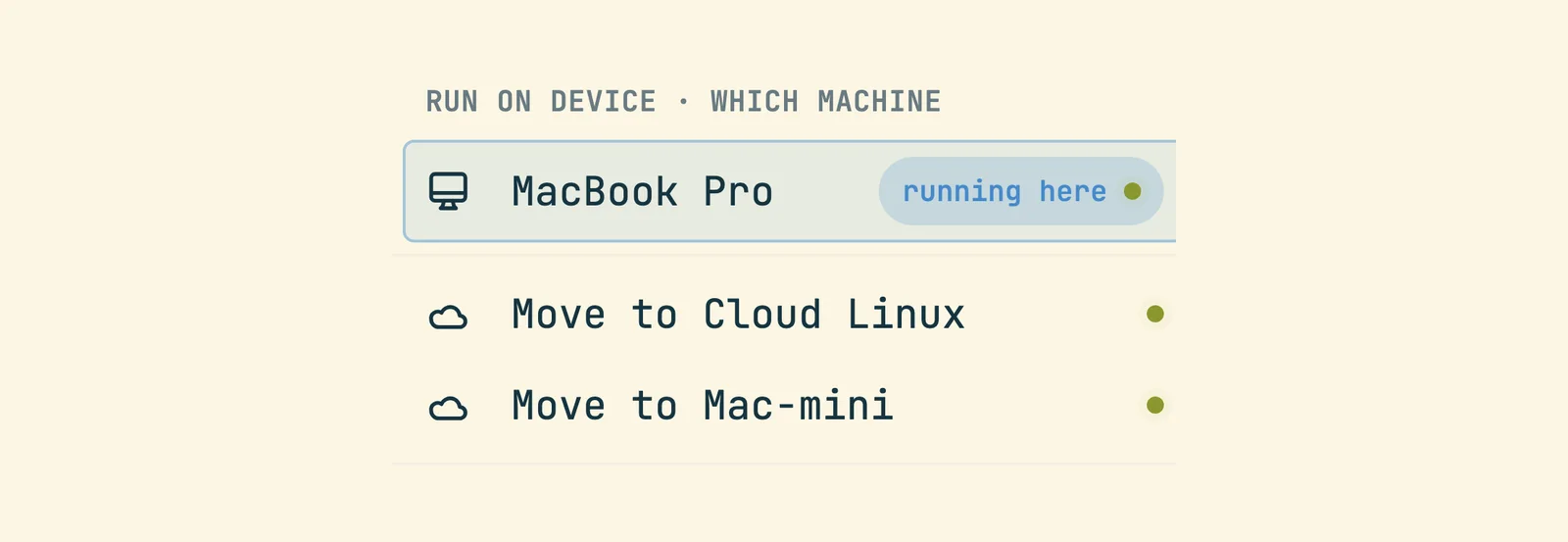
The web composer reaches the same path. Picking Cloud Linux in the machine dropdown parks the row with cloud_placement: pending, and a laptop daemon runs cast cloud start <conversation> as a child for up to 25 minutes. With no laptop online the row waits, and the next laptop heartbeat after an offline stretch issues the preparation again. A preparation that failed is not retried by that heartbeat. Pick Cloud Linux again to retry it. cast hosts ls prints each host worktree with its live branch, its commit and whether it holds uncommitted changes.
What the host receives from the laptop
| What | How it travels | Limits |
|---|---|---|
Instruction files and agent config (.claude, .codex, .gemini, .grok, .opencode, .agents, project docs, a block of git preferences) | The home mirror, one way from laptop to host. Files are written atomically with mode 0600, or 0700 when executable. The next scan starts one minute after the last pass ends. Remote bytes are verified every 30 minutes. | Credentials, transcripts, databases, caches and native executables are excluded. The bundle cap is 256 MiB and exceeding it is an error. The mirror never wakes a sleeping host. Host edits stay and are reported as conflicts. |
| Agent logins (Claude, Codex, Grok, Gemini, opencode, pi, provider keys) | One bundle over SSH stdin, never through Convex. Each file ships only when its token is live. | A bundle whose user_id differs from the host's is refused and nothing is written. ANTHROPIC_API_KEY never travels. |
| Agent CLIs | Provisioning installs claude, codex, gemini, grok, opencode and pi at the laptop's versions when missing. | Installs are local to the user. No system package and no sudo for a package. |
| Browser logins | On the host, cast browser sync <site> asks your online laptop to inject that site's cookies through an SSH port forward into the host's Chrome. | Google is never carried. The request expires after 5 minutes if no laptop picks it up. The laptop never wakes a host for cookies. |
cast hosts sync --dry-run reports what the mirror would send. cast config cloud_mirror_enabled false turns it off. An agent that is already running keeps the instructions it read at startup. Start a new session when a changed instruction must load.
Pushing from the host
The host prefers a credential that nobody has to grant. Its ~/.gitconfig points the github.com credential helper at cast git-credential. On every fetch and push the helper asks the server for a GitHub App installation token for that one repository. The server checks that the caller is your remote device, resolves the installation, and refuses unless the token has contents: write. For a team installation it first asks GitHub, with your own credential, whether you may push. The token lives one hour and is never written to disk. A refusal prints nothing and exits 1, so git falls through to the next helper.
gh on the host uses the same token. A wrapper at ~/.local/bin/gh asks the helper on each call, exports the answer as GH_TOKEN for that one process, and runs the real gh. An explicit GH_TOKEN, or a login made on the host with gh auth login, wins. The token allows one repository and contents write, so reads and pushes work. Calls that need other permissions, such as opening a pull request, answer 403.
The fallback is the device key described in the last section. cast hosts ls names the live path for each host: app-token, device-key, agent-bridge or none with the reason. cast hosts key --grant adds the key as a deploy key with write access through gh.
Sleep, wake and keepalive
A provisioned host stops itself after 20 idle minutes by default (cast hosts provision --idle <minutes>, 0 disables). The daemon renews host activity for waiting work, open turns and recent subagent activity. Before a stop, a separate check looks for live task descendants, detached tmux work and CPU activity. Missing or unreadable process evidence keeps the host awake. An idle prompt does not. For a deliberately quiet job, run cast hosts keepalive 30 on the host. Each call is an independent lease of 1 to 1440 whole minutes, and a shorter lease cannot cancel a longer one.
Work queued for a sleeping host stamps its device row. A laptop daemon sees the host in wake_devices on its next heartbeat and boots it. The session then resumes from the worktree and the transcript on the host's disk.
A host on the server's allowlist (CAST_CLOUD_WAKE_HOSTS, set by the operator of the backend) wakes with every laptop closed. A cron dispatches due triggers bound to sessions on that host every minute and calls EC2 StartInstances with an identity that can start that one instance and nothing else. Each wake holds a 45 second lease and gets at most five attempts. An EC2 answer means the instance is starting; the request counts as answered only after the device heartbeats. A wake that never gets a heartbeat stays recorded as failed. Triggers created with --spawn still run through a laptop daemon.
cast kill releases a cloud worktree only when it is clean and its commits are on origin. Otherwise the worktree is kept and logged.
Moving sessions between machines
cast remote move pushes the worktree by git over SSH with uncommitted changes as a snapshot commit, copies the gitignored files and the transcript, flips ownership, and resumes the session on the host. cast remote back reverses it. The pull is a fast forward that never overwrites local work and reports conflicts. cast pull reparents any session you can access onto the current machine. In the web app, a session's machine menu offers a stopped cloud host as a destination and marks it as asleep, because the source daemon wakes the host before it transfers.
To move many sessions, use Settings, Migration in the web app, or select several inbox cards and choose the move action. Each session goes through five stages:
- Fence. The conversation is marked as migrating. No daemon delivers into it, and messages sent meanwhile wait as pending. A session deeper in the batch is not fenced until its turn.
- Wait. A session that is mid turn finishes first, up to the batch's window of 10 minutes by default. A session stopped at a permission prompt moves at once, and the prompt asks again on the destination.
- Quiesce. The current owner stops the agent so the transcript on disk is final.
- Transfer. The same push or pull as a single move. Sessions that share a worktree push it once.
- Flip. One mutation moves the owner and project path, sends
resume_sessionto the destination andrelease_sessionto the old owner, and lifts the fence.
The batch runs on an online local daemon, which starts a detached runner and logs to ~/.codecast/migrations/<batch>.log. If the runner dies with a row fenced, the server lifts any fence that nobody has reported on for 30 minutes and marks the row failed. The session is then served again where it still lives.
Every ownership flip writes a divider into the transcript. Convex inserts a message that begins [codecast] Now running on <machine> (was <machine>). at the moment of the flip, and the timeline renders it as a rule across the thread. The destination daemon's later notice to the agent folds into the same divider. An empty conversation gets none.
Keeping a fleet within a machine's means
Hibernation parks a healthy session to give the machine back its resources. It is the reaper's teardown with a different status left behind: the daemon stops the session's heartbeat, keeps the transcript, kills the tmux session and its process tree, and sets the agent status to hibernated. The inbox shows the session as hibernated. The next message resumes it, because a wake is a resume. cast wake sends resume_session, and there is no separate wake command in the daemon.
Both automatic policies ship off. Set them in ~/.codecast/config.json and run cast restart; the daemon reads them at boot only.
| Key | Effect |
|---|---|
max_live_sessions | Past this many live panes, the pass parks the sessions idle the longest. A session that cannot be parked still counts toward the total. 0 or absent means no cap. |
hibernate_idle_ms | A session awake and idle this long is parked whatever the fleet size. The clock excludes machine sleep, restarts only when the agent reports a working status, and survives daemon restarts in ~/.codecast/awake-idle.json. It is measured on macOS only. |
hibernate_dry_run | The pass parks nothing and writes what it would park to reaper.log. It can name a session that a real pass would still refuse. |
The pass runs about every 5 minutes, after the reaper, and parks at most 5 sessions each time. A session is never parked when it is mid turn or stopped on a permission prompt, when it holds background work in its process tree (status waiting), when a tmux client is attached, when its pane is shared with another session, when a subagent of it has written in the last 10 minutes, when it resumed in the last 10 minutes, or when messages for it are in flight. The delivery check runs again in the instant before the kill.
cast hibernate <session> skips the cap and the idle bar and keeps every safety rule. It waits up to 30 seconds for the daemon and prints the result: hibernated, resumes on send, or skipped with the rule that refused, such as not parked: attached.
Two other mechanisms serve the same goal. At boot and once an hour the daemon looks for tmux servers that a replaced socket file left running and unreachable. Such a server holds every pane and agent of its generation, so the daemon would otherwise resume the same sessions a second time. The sweep kills the stale server's process tree. It kills nothing when tmux cannot name the live server, when the server belongs to another account, or when the stale server's tree holds the daemon itself. The resource monitor samples each session's process tree for CPU, memory and process count and reports them to the web app. A session under 2% CPU with no working status counts as idle, and an idle session's numbers refresh every 3 minutes instead of every tick.
Watching and typing into a pane on another machine
The terminal in a conversation normally connects to a WebSocket that the daemon serves on loopback, so it reaches only the machine the browser runs on. For a pane on another of your machines the split uses a second transport. The viewer takes a lease on one relay row in Convex and queues a stream_pane command for the far daemon. That daemon captures the whole screen with tmux capture-pane -p -e and pushes it to the row only when it changed. There is no PTY and no scrollback.
Typing rides the same request in the other direction. The viewer appends bytes, as hex, to the row. The daemon's next push returns them in its answer and clears them in the same transaction, then writes them to the pane with tmux send-keys -H. A keystroke therefore arrives exactly once and cannot outlive the lease. It waits for the next capture tick, and its echo waits for the one after. That suits answering an agent and does not suit an editor that uses the whole screen.
| Quantity | Value |
|---|---|
| Lease granted by one renewal | 20 s; the viewer renews every 7 s, and typing extends it |
| Capture interval while watched | 400 ms |
| Capture interval for 3 s after a keystroke | 100 ms |
| Push of an unchanged screen while the viewer has the pane focused | every 250 ms, so the first keystroke is collected quickly |
| Push of an unchanged screen otherwise | every 4 s, which tells a quiet pane apart from a machine that went away |
| Daemon presumed gone | no push for 6 s; the next renewal queues a new stream_pane, at most one per 5 s |
| Input waiting for one pane | 4,096 bytes, then keystrokes are refused |
| Frame size | 256,000 bytes, then truncated |
Nobody sends a stop. Every push answer tells the daemon whether a lease is live, so a closed tab, a killed browser and a lost network all end the capture within one lease. When the far machine sleeps, the viewer shows that no frames have arrived for a while. A keystroke the relay refuses is reported as not typed: the machine is not connected, it is not keeping up, or the pane is no longer watched. The relay accepts a lease for your own device, or for an agent box through a session you own. Relay rows unwatched for a day are deleted.
cast resume <session> --tmux is the keyboard side of the same pane. It attaches your terminal to the tmux pane the web session uses, so a message sent from the browser lands in the agent you are typing to. It takes a session ID, waits 45 seconds for the pane by default, and never kills a live agent. cast restart <session> --tmux discards the running agent first.
Seeing and driving the host's screen
The browser watch pane beside a conversation streams the agent's tab as JPEG frames, at most about three a second, with the agent's cursor, clicks and typing drawn on top. It rides the daemon's loopback server with the terminal's token and origin checks, and a cloud host's browser reaches it through a tunnel to the laptop. The stream is read only until you take control. Your mouse and keys then travel back on the same authenticated socket, and the daemon dispatches them through the Chrome DevTools Protocol. This is how a person signs into an OAuth page that the agent cannot pass.
For anything outside the agent's tab, such as a popup window or a Chrome dialog, cast hosts vnc [id] opens noVNC in your browser over an SSH tunnel. The VNC server on the host listens on loopback only. cast hosts view streams the screen to VLC or a browser, and cast hosts shot saves one screenshot.
Git keys and git health for each device
Every daemon can hold its own ed25519 key at ~/.codecast/git/id_ed25519. Git runs with your own credentials first. When a fetch fails with an authentication error, the daemon mints the key once and retries with it, then remembers for each repository which identity worked. The heartbeat carries the public key and, for each repository with live sessions on the device, its origin, branch, whether the fetch succeeded, how far HEAD sits from upstream, and a needs_access flag. It carries no file content and no credentials, and the private key never leaves the machine.
The devices page in settings renders that report. A repository that still cannot fetch appears as needing access, with the public key to paste into GitHub as an SSH key or a deploy key. Nothing else is required: the daemon retries on its own cadence and the next fetch succeeds. A cloud host uses this same key file as its fallback for pushing, so grant it as a deploy key with write access. GitHub's default for a deploy key is read only, and cast hosts ls says so when that happened.