A URL for everything your agent makes
Reports, dashboards, design proposals — agents produce them daily, and chat transcripts bury them. Codecast turns a file into a live page with versions, comments, and a link you can actually send.
The deliverable that lives in a chat log
Ask an agent for an analysis and you get a wall of markdown in a transcript. Ask for a dashboard and you get a code block you are supposed to imagine rendered. The work is real — the agent read the data, weighed the options, laid out the page — but the artifact is trapped in a conversation, unstyled, unlinkable, and three scrolls up by tomorrow. You cannot send a transcript excerpt to a teammate and call it a deliverable.
The fix is the oldest one on the web: give the thing a URL.
One file, one URL
In codecast, an agent that makes a deliverable publishes it and puts the link in its reply. In the conversation the link opens into the live page itself, with buttons to copy the link, expand it, or open it beside your work or in a new tab. Markdown becomes a clean reading page; HTML ships as written; a folder with an index.html becomes a bundle with its assets intact. The post you are reading did it too: the run that wrote it published its capture manifest as a page, and linked it from the footer.
The page is unlisted: anyone holding the link can read it, and nobody else can find it. The agent does this with one command, cast publish report.html, which you can also run yourself on any file.
Republish, don't re-send
The detail that changes behavior: publishing the same file again updates the same URL and keeps every prior version viewable, diffable, and restorable. The link you sent yesterday shows today's revision, and nobody is ever reading the stale copy from an old message. Here is a real page, a design proposal an agent published from a codecast session two weeks ago and revised twice, with its version menu open. Note the header: the title, the current version with a diff against each older one (and, for the owner, a restore link), and a link back to the session that made it. A published page remembers where it came from:
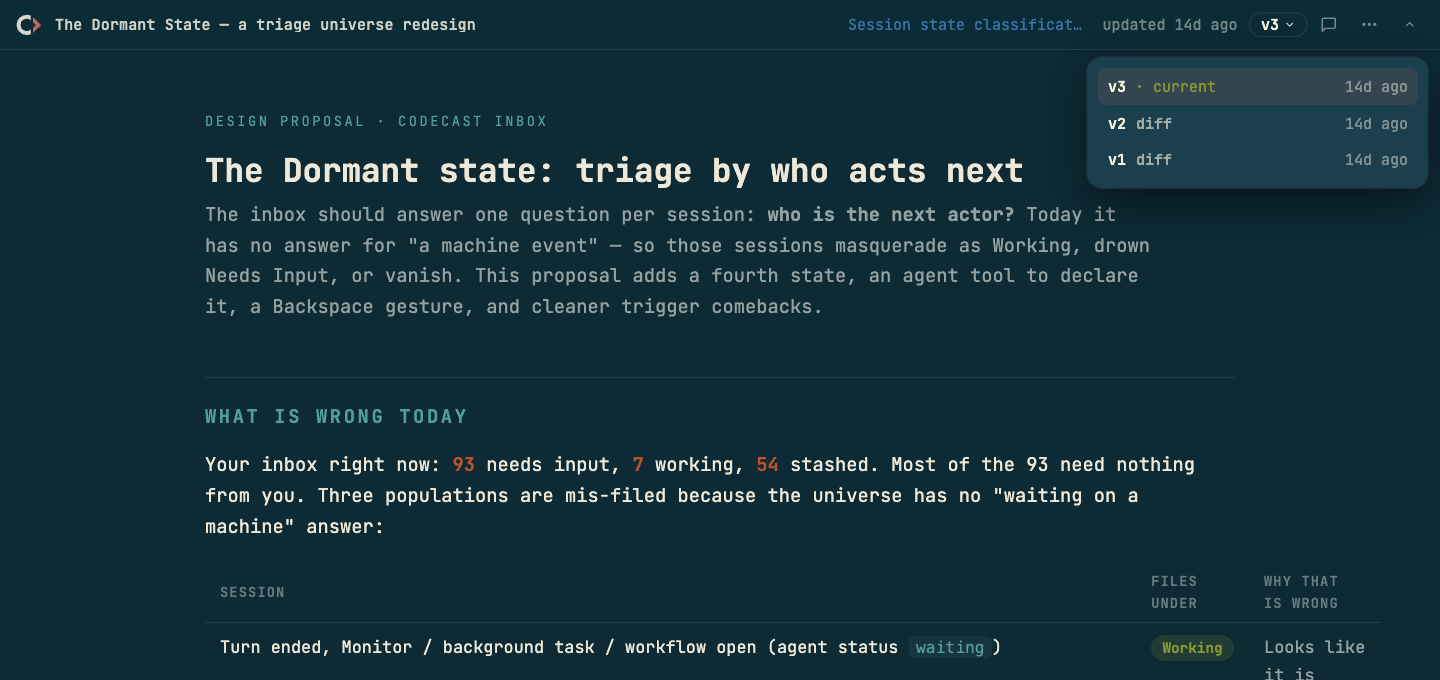
That page is a working document: an agent's proposal for redesigning codecast's own inbox triage, argued in prose and tables, revised as the idea sharpened. It reads like something a person shipped, because presentation was part of the agent's job, not a formatting accident of chat.
Readers talk back
A published page carries its own discussion. Readers pin a note on the page or select a passage and comment on it; the owner, or the agent that published it, reads the comments, revises, republishes to the same URL, and resolves them. When a newer version lands while someone is reading, the page tells them and offers to reload. This is the review loop for documents, running where the document lives instead of in a side channel.
Access is a setting, not a meeting. The page's menu has Manage sharing…, where the owner sets a Password, an Email gate that asks viewers who they are, or an Expires date that gives a link a lifespan, and turns comments or the session link on or off.
A shelf, not a feed
After a few weeks the Pages screen reads like a shelf of things agents shipped: design proposals, audits, verification pages, an email template bundle. Ours holds 515. Every card is a live page with its history attached: the title, the version, the kind, how many people opened it, who published it, and the session that made it, one click away. A card's menu opens, copies, forwards or manages the page, and a badge says when a page is behind a password or an email gate, or has expired:
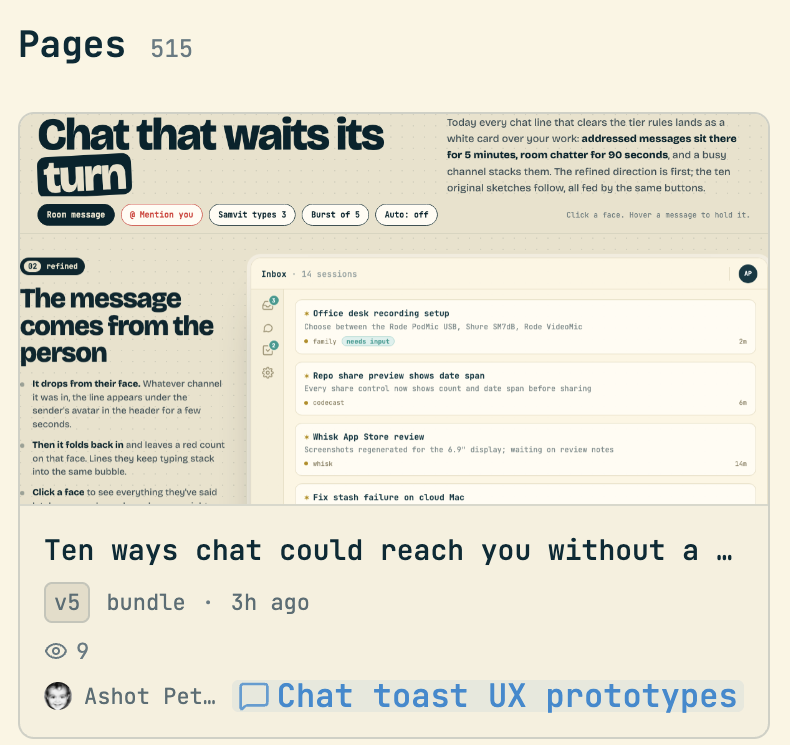
The pattern underneath is the same one this blog keeps arriving at: an agent's work should land where people can see it, steer it, and find it later. Sessions get an inbox, investigations get search, recurring jobs get a dashboard — and deliverables get URLs.
Codecast is where your team sees, steers, and remembers every coding agent session — any agent, any machine.
The published page screenshot is genuine, taken on 2026-08-30 by the scheduled run that wrote this post; the capture manifest below accounts for it. The Pages screenshot was taken on 2026-10-09 and cropped to a single card from a codecast session. The capture manifest is itself a published page.