Finding, naming and reopening your Claude Code sessions
Claude Code keeps every session as a file on the machine that ran it, named by a random id. Codecast collects those sessions, and the ones from Codex, Cursor and Gemini, from every computer you use into one list. You can search what was said in them, give them names, read the whole transcript with the code it changed, and send the next message to any of them.
Two sessions
To show this on something you can read, we ran two small sessions for this post in a throwaway repository with one script in it, wc.py, which counts the words in a file. In one terminal, Claude Code got this:
Add a --top N option to wc.py that prints the N most common words with their counts after the total. Standard library only, and update the README.
In another, Codex was asked to write unit tests for the same script. Neither was started from Codecast. Both were plain terminal sessions, and both showed up in the inbox while they ran, because the Codecast background app on the laptop picks up every session as it happens. Clicking the wordcount project chip at the top of the list narrows it to that repository:
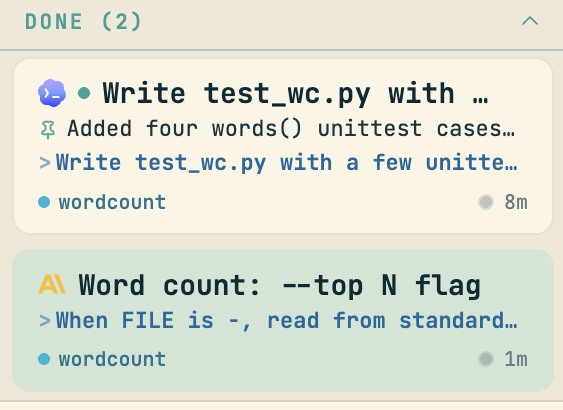
Each card shows which agent ran it, its title, its last message and its project. The same list holds sessions from every computer where you have installed Codecast, so a session you ran on a desktop last week sits next to the one you started on a laptop this morning.
Naming a session
A session starts out titled with the start of its first message. That is often good enough, and often it is not: Add a --top N option to wc.py that prints the N mo... is long and says nothing you would search for later. To rename one, open it and press Ctrl+Shift+E:
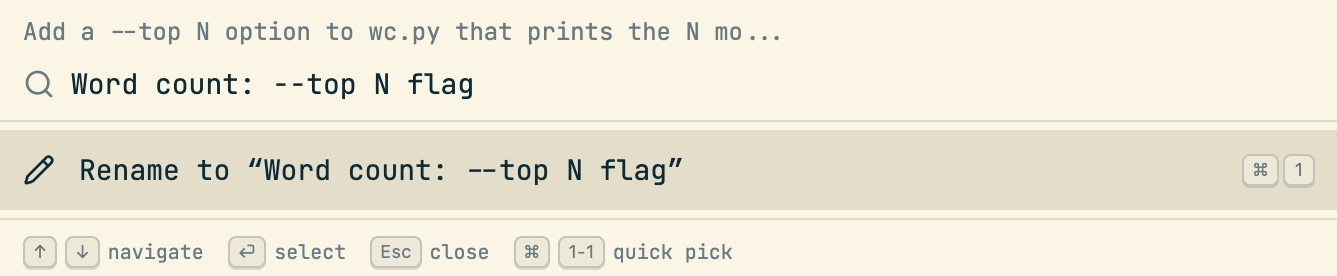
The new name is saved to your account, so it is the name in the inbox, in search, on your phone and in every other window, as the card above shows.
Finding an old one
The search box at the top of the app shows matching sessions as you type. For more control, the search page takes the same query with filters: Only mine (leave out teammates' sessions, if you have a team), My prompts (match only what you typed, not what the agent wrote), a time range, and a choice between most recent and most relevant first. Here, looking for the session where we asked about standard input:
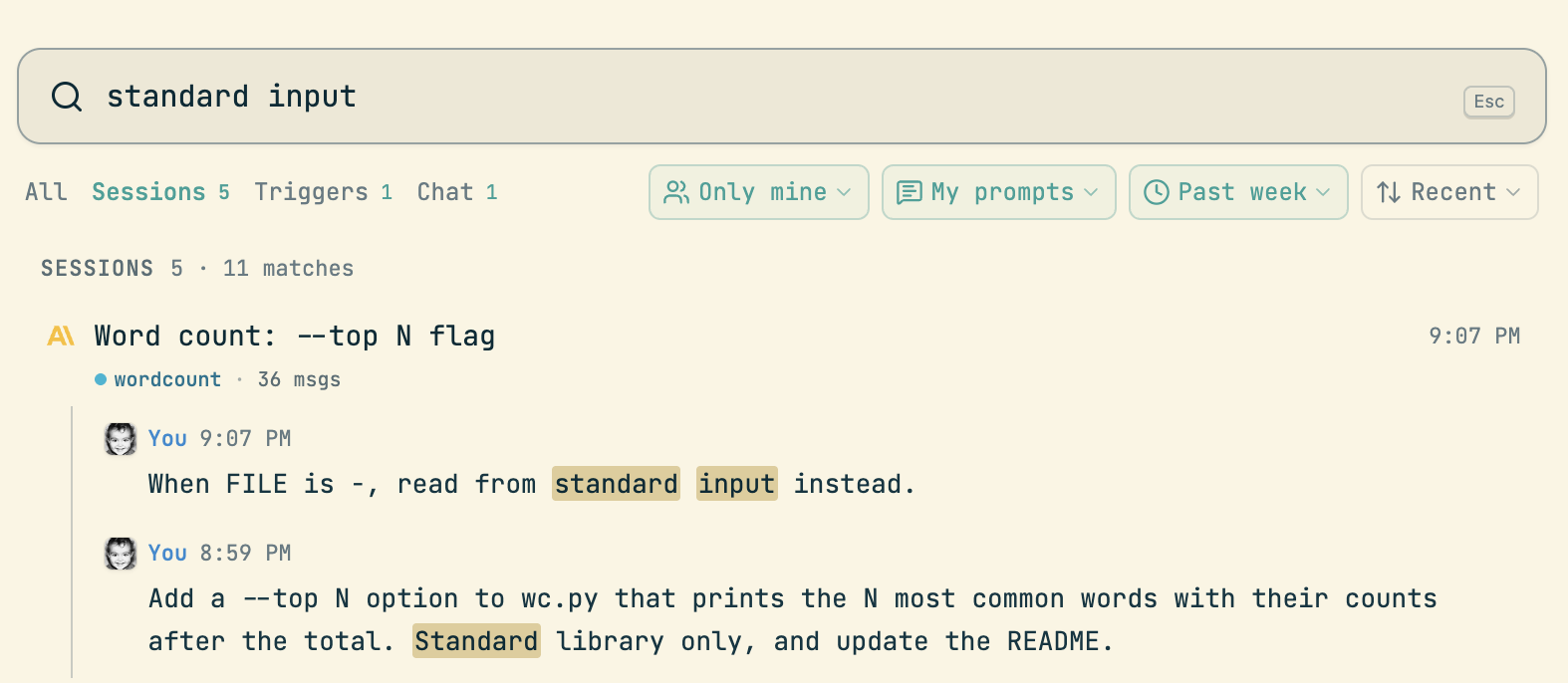
Search reads the messages themselves from the last 30 days, and the title and summary of every session before that, which is one more reason to give the sessions you will want again a name.
The whole transcript, and the code it changed
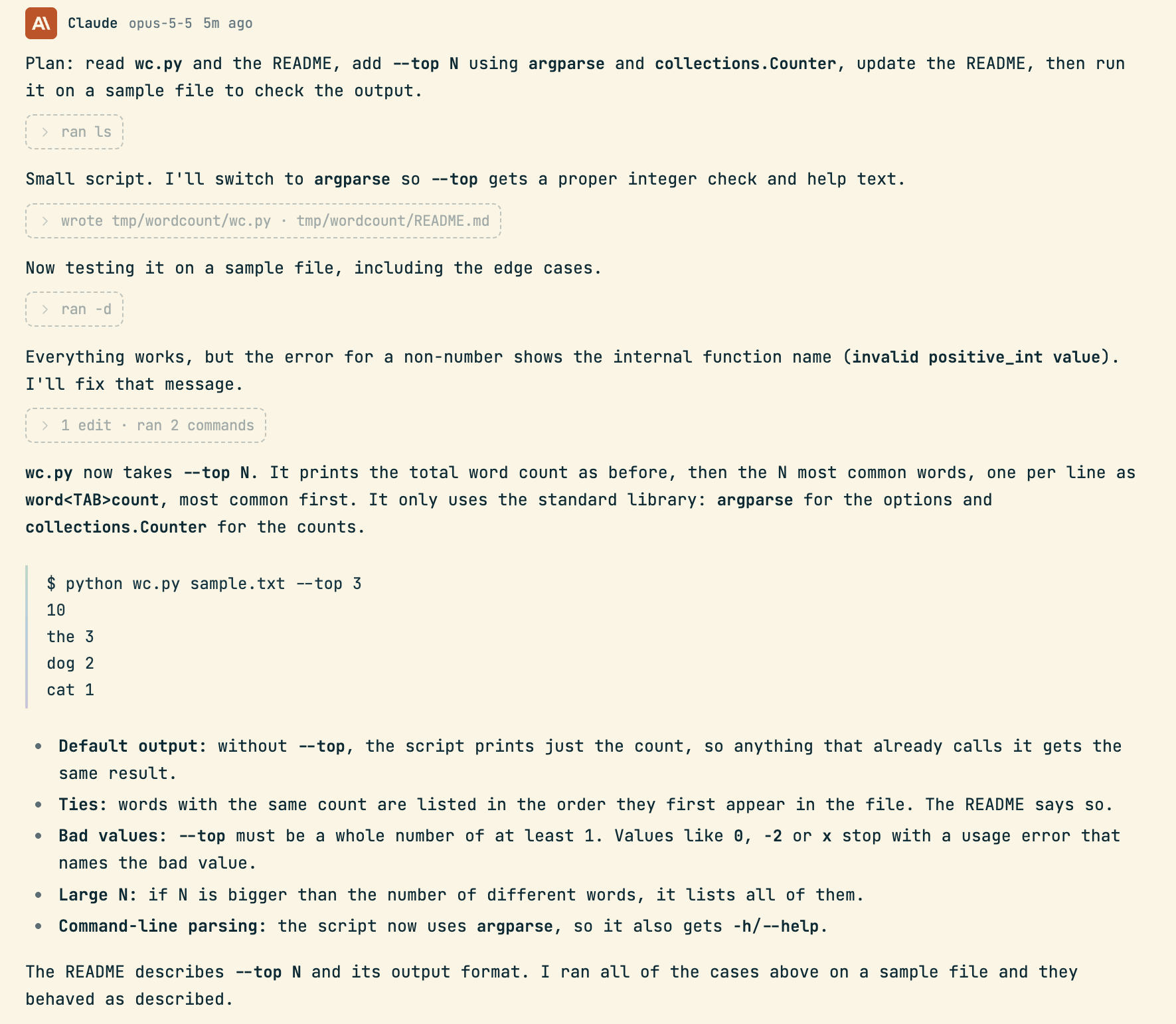
Opening a session shows the conversation as it happened. The agent's tool calls are folded into small rows (ran ls, wrote 2 files, 1 edit, ran 2 commands) that open to show the command and its output:
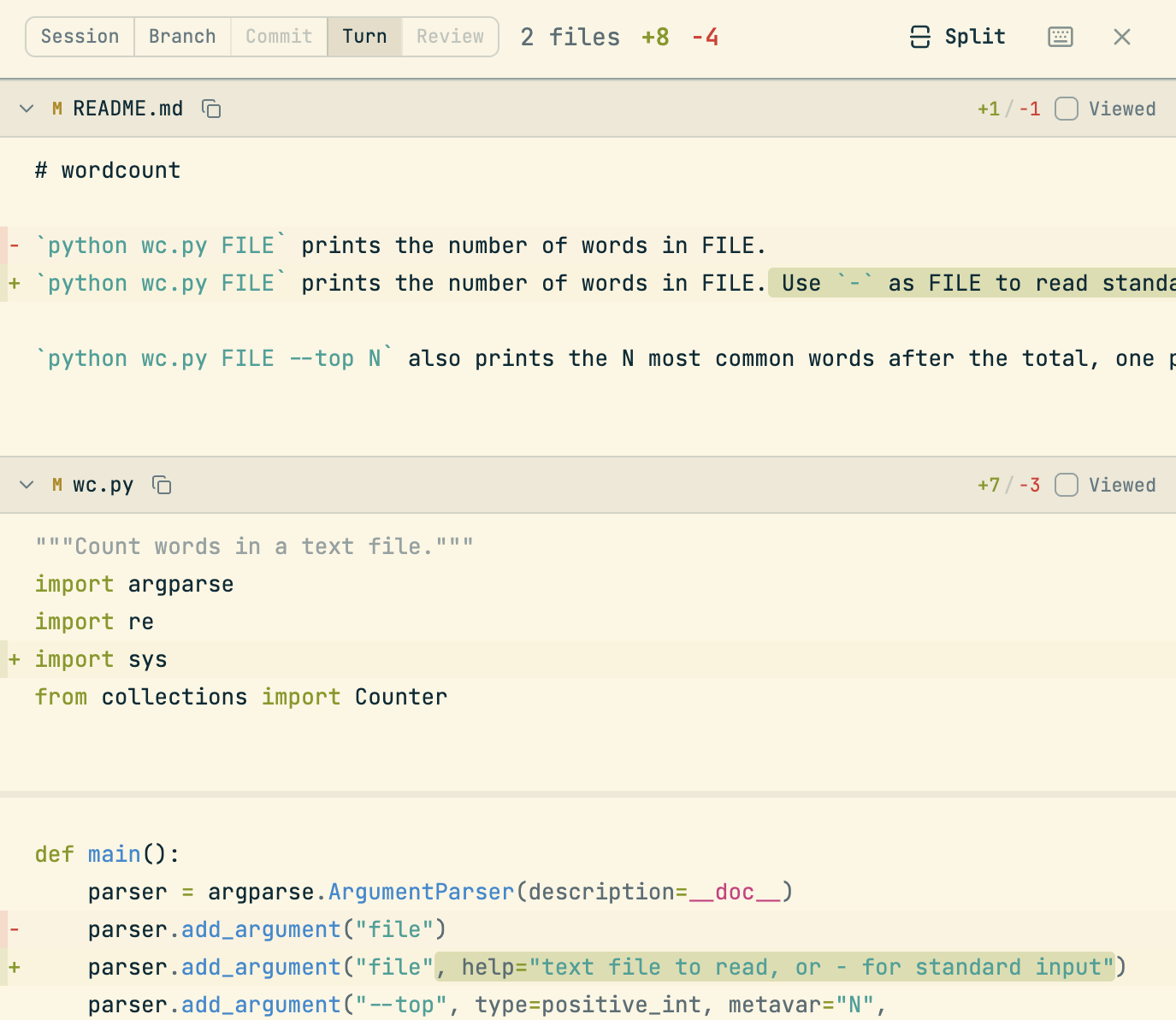
Next to the conversation is the code. The panel has a tab for the whole session, the branch, a commit, and the last turn, each as a diff of the files involved. This is the Turn tab after the follow-up below, two files, eight lines added and four removed:
Picking it back up
By the time we came back to the Claude Code session, its terminal was closed and the process was gone. In Codecast the conversation still ends in a message box. We typed the next request there:
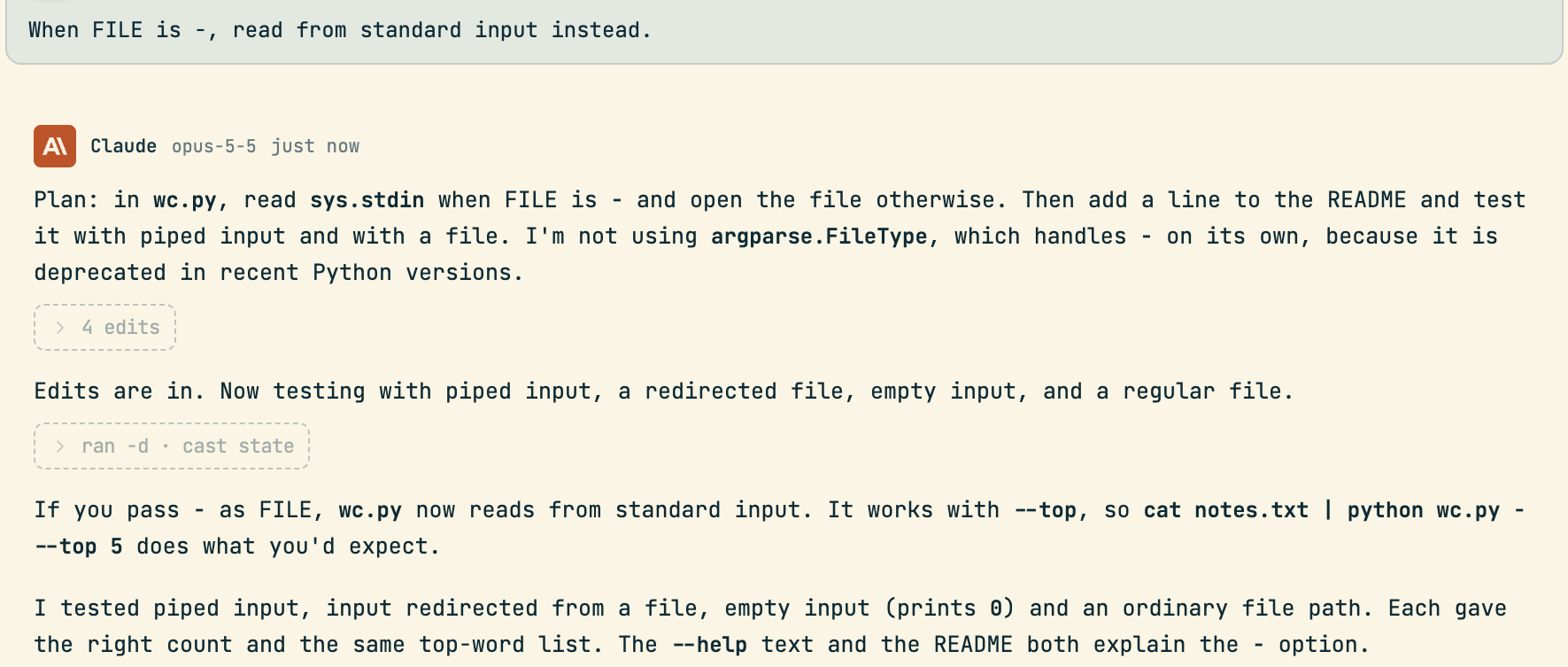
Codecast started Claude Code again on the laptop with --resume and that session's id, so it carried on with its full history, and the answer was back in about twenty seconds. You do not need to find the id, the folder it ran in or the machine it was on. The diff panel and the inbox card updated with the new turn.
What you need
An account and the Codecast app on each computer you code on; your empty inbox shows the one-line install command. Sessions start arriving from then on, from Claude Code, Codex, Cursor and Gemini CLI. You do not need a team for any of this. If you have one, the same inbox can show their sessions too, and the Only mine filter takes them back out.
Codecast records every coding agent session you run, on any machine, and gives you one place to see them, steer them and answer them, on your own or with your team.
All six screenshots are the Codecast web app on a local build in Chrome on 2026-10-27. The two sessions were run for this post in a throwaway repository, each started by hand in a terminal. The account's other sessions, people and projects are outside every crop. The transcript image starts below the first prompt, which is quoted in the text instead, and the diff is cut off below the lines shown. Nothing was composited or retouched.