Undo, with a history you can see
Running several agents means a lot of small moves: pin this one, file that one as done, rename a third, stash a fourth. In Codecast every one of them can be taken back with ⌘Z, and ⌘⌥Z opens the list of what you did in this window, with a button to go back to any point in it.
Three changes
The session that wrote this post made three changes to itself before writing a word, in a Codecast window in Chrome, all from the command palette (⌘K). It pinned itself, renamed itself from CMO content pipeline run to Blog post on undo, and added itself to favorites. Each change happened at once, and the pin left a small toast in the corner:
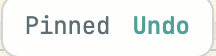
That toast is the quickest way back, and it is tied to the change it announces: if you have made other changes since, its Undo still takes back only the pin and leaves the rest. For anything further back there is the history. ⌘⌥Z (Ctrl+Alt+Z on Windows and Linux) opens it in the same corner:
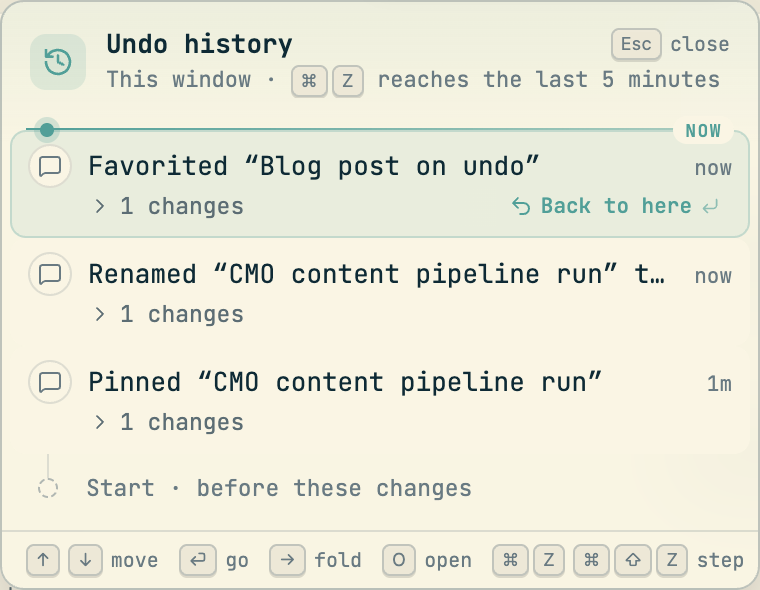
Each row names the change and the thing it changed, in words you would use yourself. The line marked NOW is where you are; everything below it is done, and the dim Start row at the bottom is the state before any of it. The card takes the keyboard while it is open: the arrows move between rows, the right arrow unfolds one to show what it changed, O opens the session or task the row is about, and Esc closes it.
Back to here
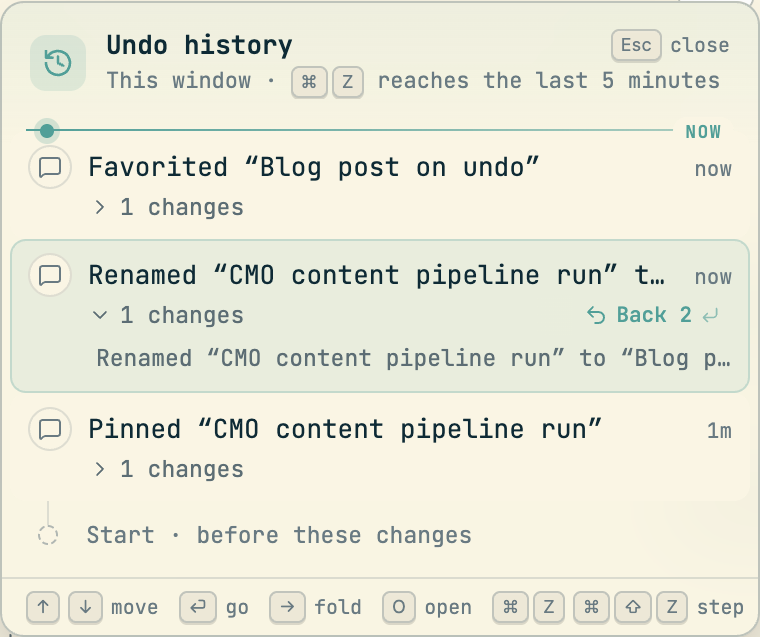
Moving the selection down to the rename and unfolding it shows the change in full. The button on the row now reads Back 2, because going back to just before the rename takes two steps, the favorite and then the rename:
Enter pressed the button. The title went back to CMO content pipeline run and the session left favorites, and the card kept both rows:
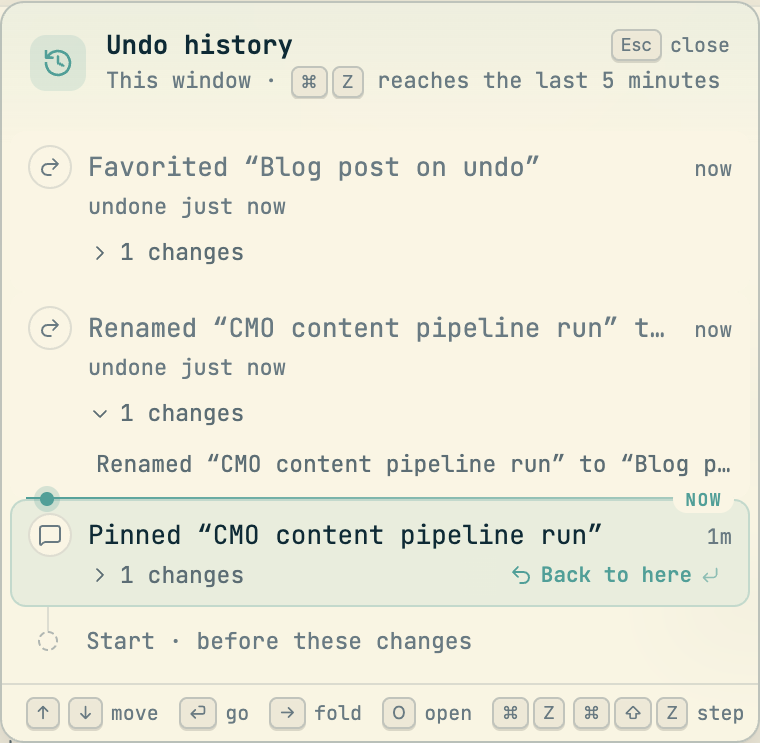
Undone rows move above the line and stay there, marked undone just now. Selecting one offers Forward to here, and ⌘⇧Z steps forward one at a time, so going back too far costs nothing. Making a new change after an undo sets the undone rows aside, the way an editor drops its redo stack, and the card says so in one struck line under the change that replaced them.
One key
Most of the time you never open the card. With it closed, one ⌘Z took back the last change left, the pin:

The toast says what was undone, and its History button appears when there is more history than that one step. Holding ⌘ for a moment after a ⌘Z also opens the card as a peek that follows each further Z, so you can watch the steps go by and let go when you reach the right one. Holding ⌘Z down undoes once, not once per key repeat, so a long press never empties the history.
After that one key the session was back exactly as it started: unpinned, its old title, not a favorite. Every undo is a real change, sent to the server like the original, so the session reads the same in your other windows, on the desktop app and on your phone.
What it takes back, and what it leaves
Undo covers the moves you make on your work. On sessions that means pin, favorite, rename, label, snooze, defer, filing as done, stash and kill; undoing a kill brings the card back, but the agent stays stopped until you restart it. On tasks, plans and docs it covers edits to their fields, and archiving a doc. It also covers pausing a trigger, resolving a comment and changing who can see a session.
It leaves alone what cannot honestly be unsaid: a message you sent, something you created, something you deleted, your settings, and switching a session's agent or model. Text boxes keep their own undo, so ⌘Z in a composer with words in it edits the words.
Two rules keep it from doing damage. First, it never writes over a later change. If a teammate or an agent has changed the same field since, that row is skipped, and the toast says how much it could take back ("2 of 3; 1 changed since"). Second, an undo that would let more people see a session never happens from a bare ⌘Z; you take it back from the toast or the card, where you can see what it is.
Where it works
The history belongs to the window you made the changes in, and it lives in that window's memory: a reload starts it fresh, and a second window has its own. ⌘Z reaches the last five minutes, which is what the card's subtitle says. Older rows stay in the card, and you can still take most of them back by choosing them there, because you can see exactly what you are undoing. It works the same in the desktop app, where the Edit menu's Undo and Redo reach it whenever the cursor is outside a text box. The phone app does not have it yet.
To find the card without the shortcut, search the command palette for Undo history.
Codecast records every coding agent session you run, on any machine, and gives you one place to see them, steer them and answer them, on your own or with your team.
All five screenshots are the Codecast web app at codecast.sh in Chrome on 2026-10-21, shown at their own size. The three changes were made for this post, on the session that wrote it, and all three were taken back in the same window, so nothing changed for good. Each image is cropped to the undo card or to a single toast; the sessions list behind them, which belongs to another workspace, is outside every crop. Nothing was composited or retouched. The held peek, the desktop app and the conflict message are described, not pictured.