Answering Claude Code from your phone
You start Claude Code in a terminal on your laptop, give it a job, and walk away. Ten minutes later it has a question, or it wants permission to write a file, and it waits. Codecast's iPhone app shows you that session, lets you answer the question or approve the edit, and sends your next message to the same terminal, as if you had typed it there.
A job on the laptop
For this post we made a small repository, tidebook, with one script in it, tides.py, that prints the next high and low tide from a CSV of predictions. In a terminal on the laptop we started Claude Code the usual way, in its default mode, where it asks before it edits a file or runs a command. It got this:
Add a --days N option to tides.py that lists every high and low tide in the next N days, one per line. Before you write any code, ask me one question: should times print in local time or UTC?
Then we put the laptop down and picked up the phone. Everything below happened in the Codecast app on an iPhone, while Claude Code kept running in that terminal.
The session list
The app opens on the same inbox as the Codecast web and desktop apps. Sessions sit under who acts next: Needs Input when the agent is waiting on you, Working while it runs. We had also started Codex in a second terminal on the same project, asking it to check the README, so the list had two. The menu at the top left narrows the list to one project:
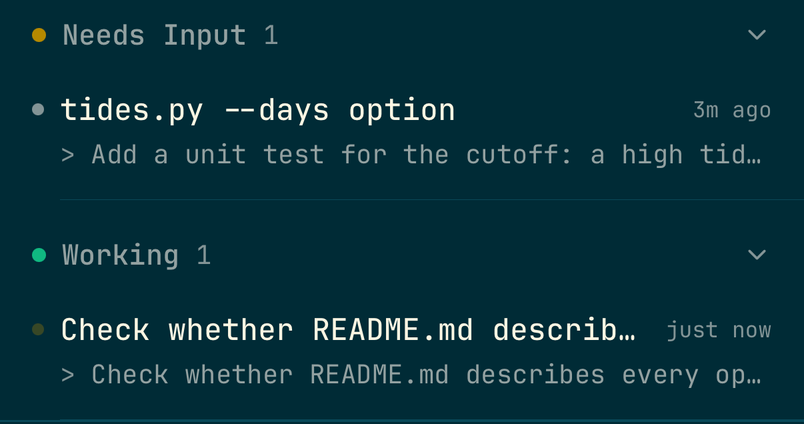
Neither session was started from Codecast. The Codecast app on the laptop picks up Claude Code and Codex sessions as they run and keeps the list current on every device you sign in on.
Answering its question
Claude read the script and the CSV, then asked its question with two choices. Opening the session on the phone shows the conversation as it happened: our prompt, Claude's note, a folded row for the commands it ran, and the question with its choices as buttons. The status under the message box reads Needs Input.
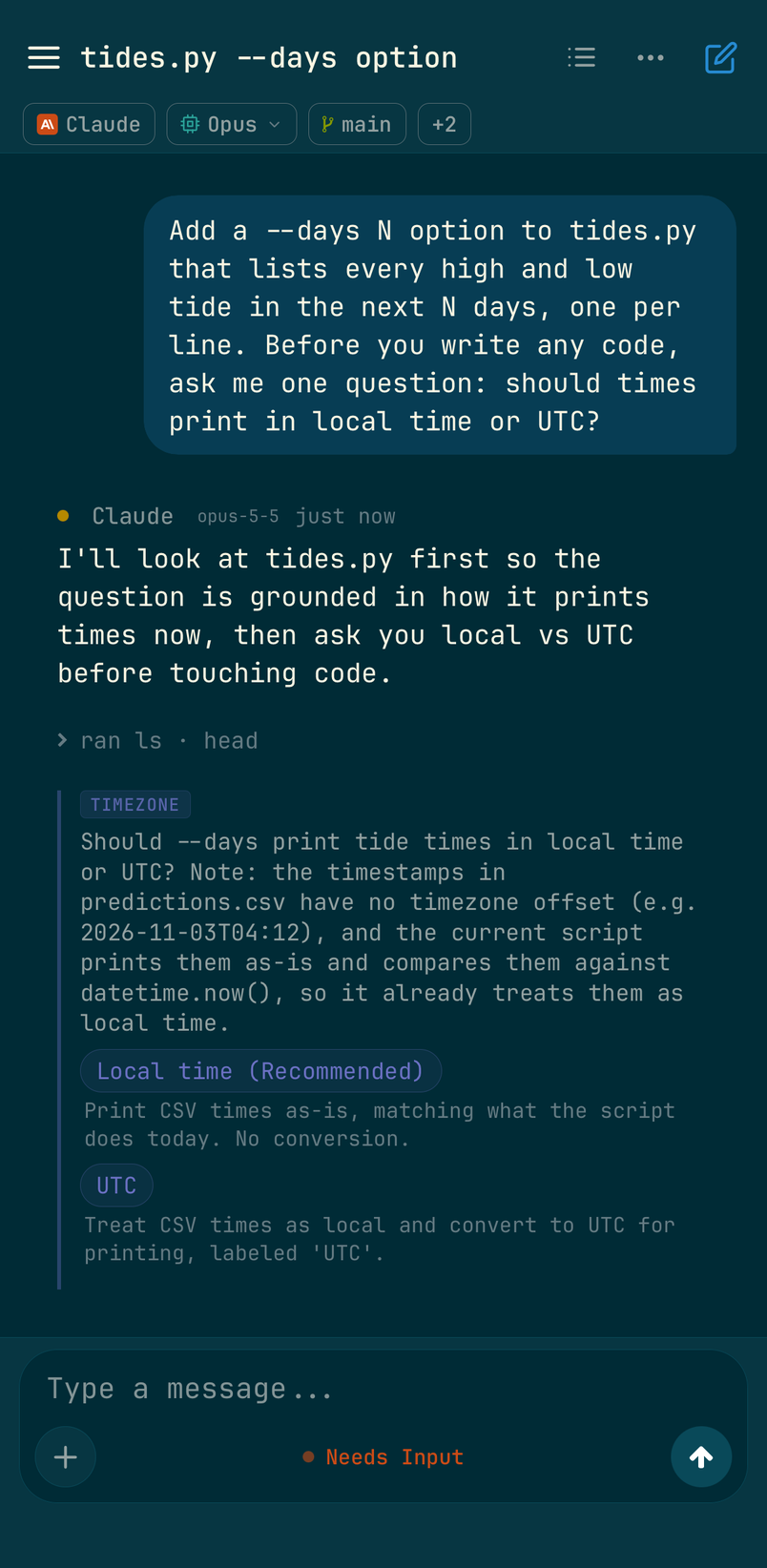
We tapped Local time (Recommended). The choice reached the terminal on the laptop within a few seconds, and Claude carried on and wrote the code.
Approving a file edit or a command
Because Claude Code was in its default mode, it stopped before overwriting tides.py, again before editing the README, and again before running the script to check its work. Each time, a card showed up in the conversation on the phone with the tool and what it wanted to do:
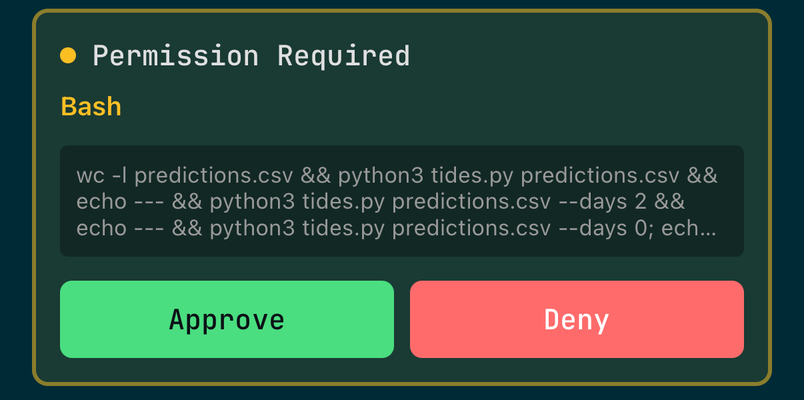
Tapping Approve answered the prompt in the terminal; Claude's output there marks each one Allowed by PermissionRequest hook. In the build we used, the card appears at the top of the conversation, above the first message, so if a session reads Needs Input and you see no question at the bottom, scroll up.
Reading the result and sending the next message
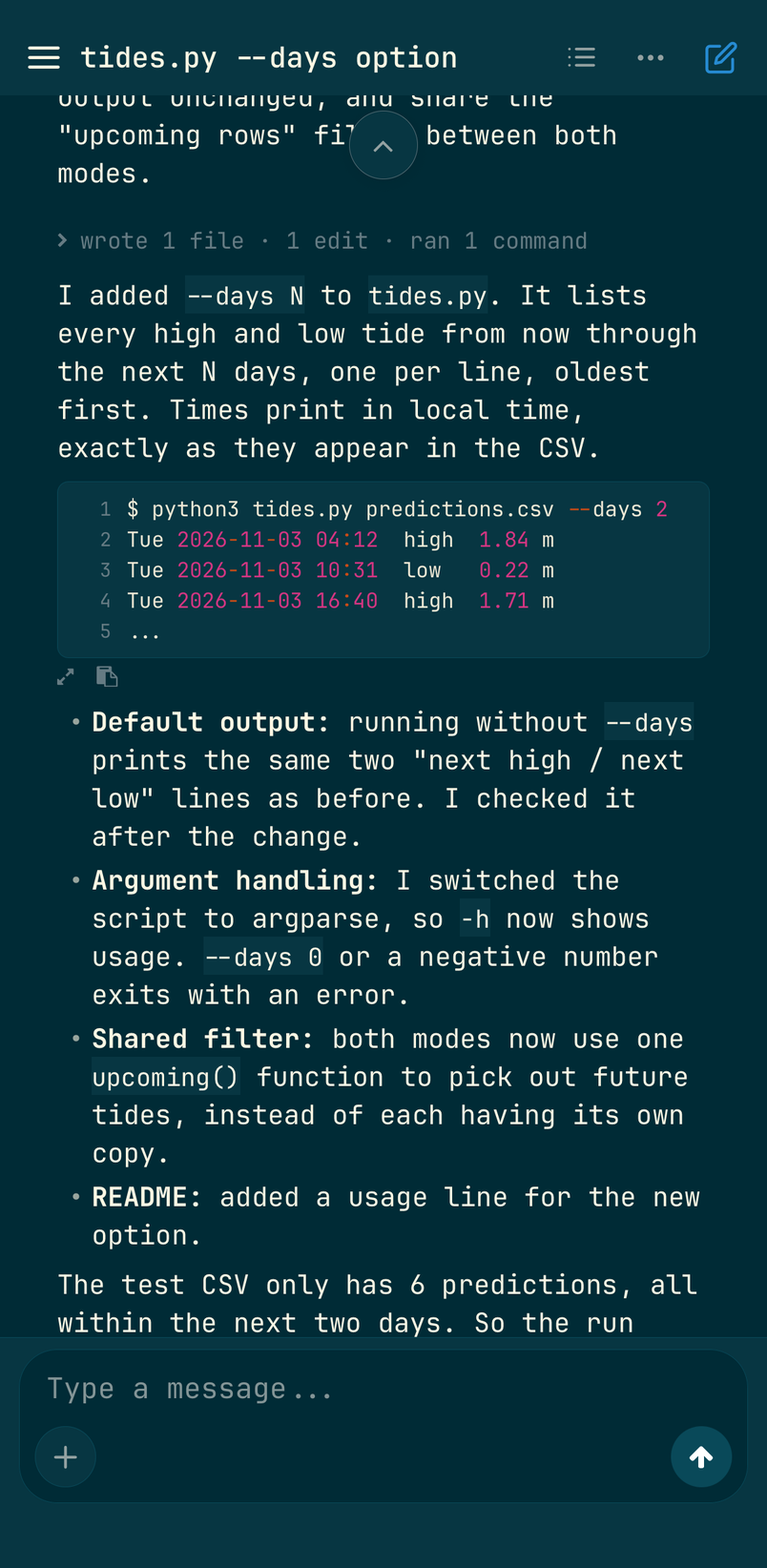
When Claude finished, its reply came through on the phone as written, with the command it ran and its output in a code block. It also pointed out something we hadn't asked about: the sample CSV only covers two days, so its own run didn't prove the cutoff works. So we typed the next request into the message box at the bottom:
Add a unit test for the cutoff: a high tide three days out must not show up in a two day listing.
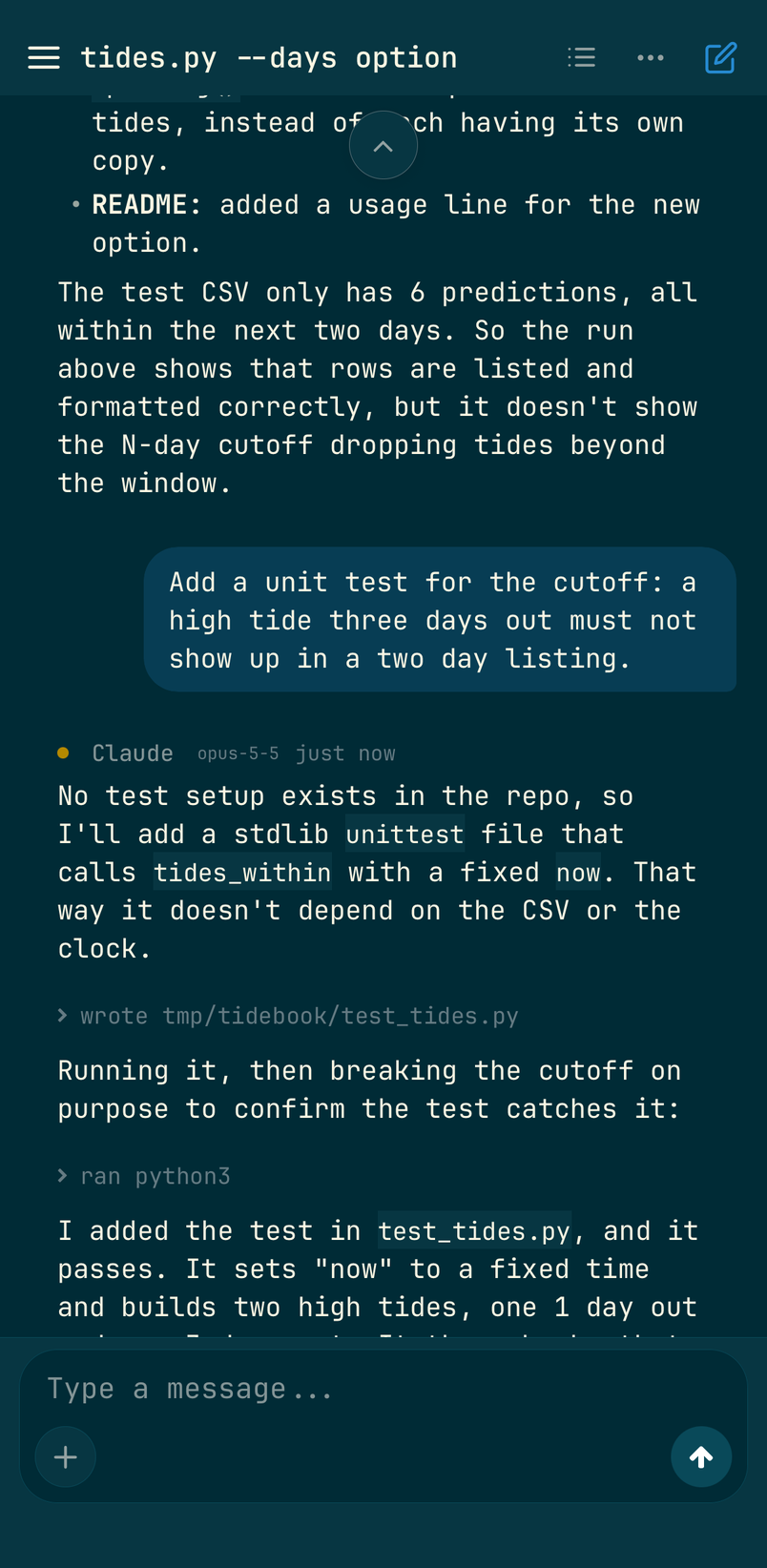
On the laptop, the message landed in the terminal as Claude Code's next turn:
❯ Add a unit test for the cutoff: a high tide three days out must not show up in a two day listing.

⏺ No test setup exists in the repo, so I'll add a stdlib unittest file that calls tides_within with a fixed now. That way it doesn't depend on the CSV or the clock.

⏺ Write(test_tides.py)
  ⎿  Wrote 16 lines to test_tides.py
  …
  ⎿  Allowed by PermissionRequest hook

⏺ Running it, then breaking the cutoff on purpose to confirm the test catches it:
  Ran 1 shell command
  ⎿  Allowed by PermissionRequest hook

⏺ I added the test in test_tides.py, and it passes.
Both Allowed lines are taps on the phone. If you come back to the laptop, the terminal holds the whole session, and you can keep typing there; the phone is a second way into the same conversation.
Codex in the same list
The Codex session reads the same way. Its header carries the Codex mark and the model it runs, its commands fold into rows, and its report comes through in full:
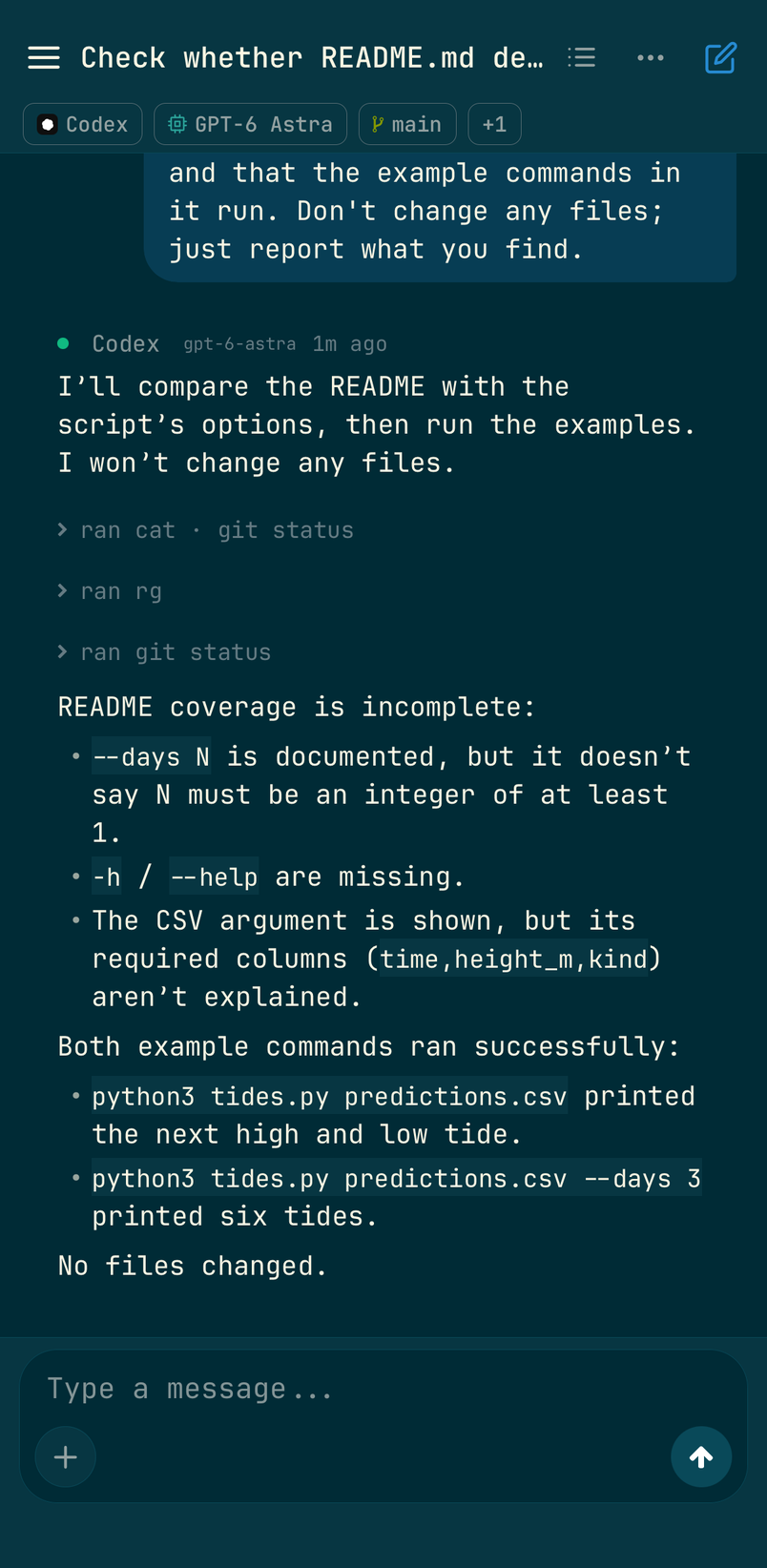
We read this one on the phone and sent our follow-ups in this post to the Claude Code session.
Starting a session from the phone
The pencil at the top right of the inbox starts a new session without going near the laptop. You write the first message, pick the agent (Claude, Codex, Cursor, Grok and others), pick the folder and the machine to run it on. We typed the path to our demo repository into the folder search and picked the laptop:
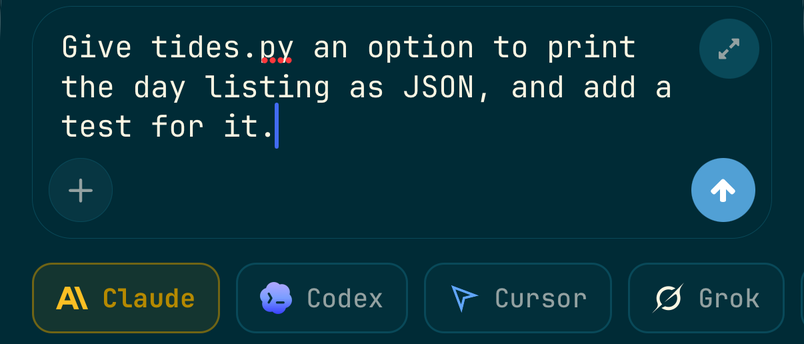
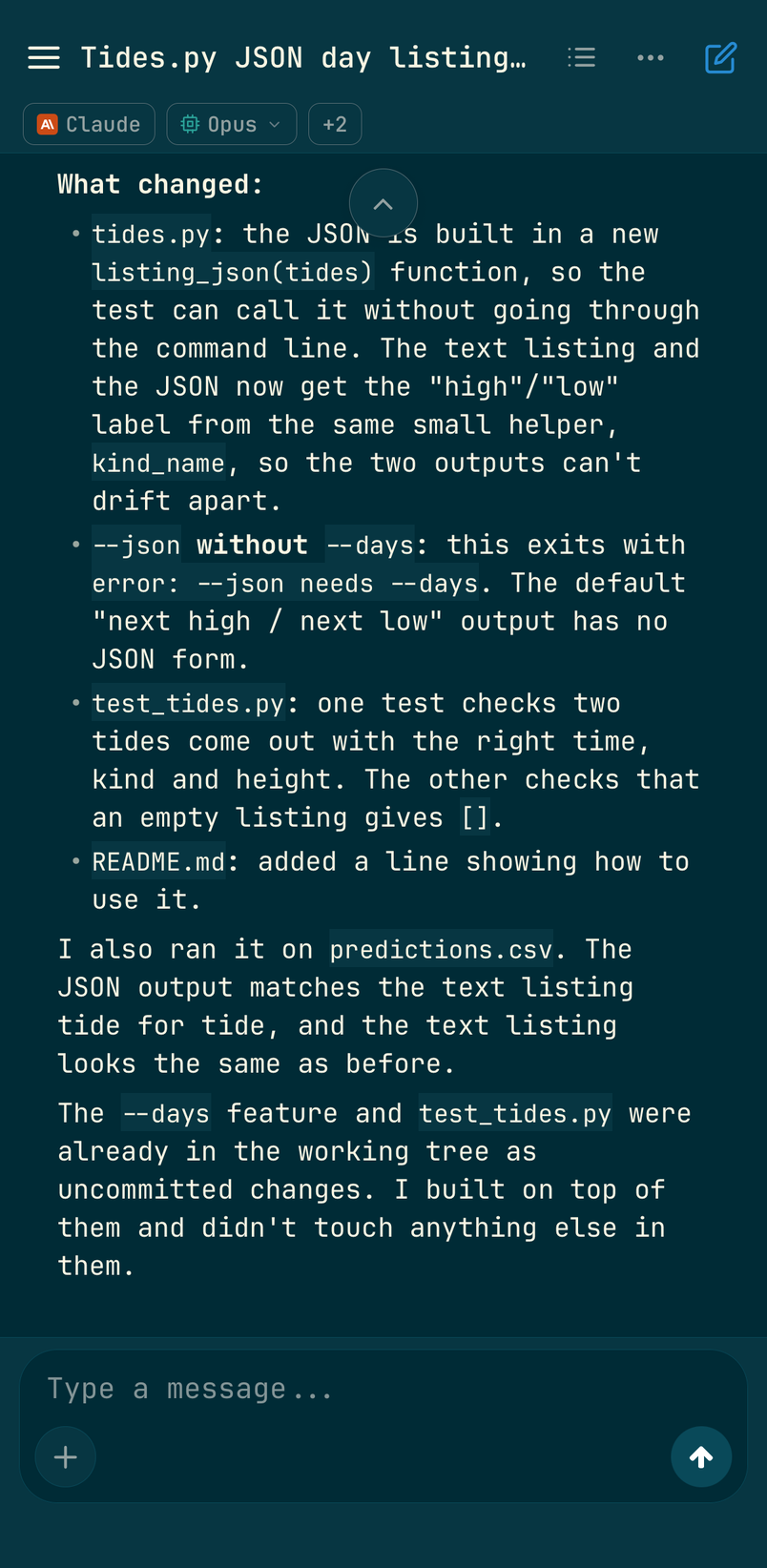
The session ran on the laptop, in the demo folder, and noticed the uncommitted work the first session had left there. Sessions Codecast starts run in Claude Code's bypass permissions mode by default, so this one didn't stop to ask before editing or running anything.
What you need
A Codecast account, the Codecast app on the laptop (your empty inbox shows the one-line install command), and the Codecast app for iPhone from the App Store, signed in to the same account. Android isn't out yet. Keep starting Claude Code and Codex the way you already do. The agent still runs on the laptop, so the laptop has to be awake and online for your answers to reach it. You don't need a team for any of this. If you were looking for Anthropic's own ways to reach Claude Code remotely, their documentation covers those; this post covers only what Codecast does.
Codecast records every coding agent session you run, on any machine, and gives you one place to see them, steer them and answer them, on your own or with your team.
All eight screenshots are the Codecast iPhone app, running in the iOS simulator on a local build on 2026-11-02 and signed in to a real account. The sessions were run for this post in a throwaway repository: Claude Code and Codex were each started by hand in a terminal on the laptop, and the third session was started from the phone. Every answer, approval and message pictured was sent from the phone. The inbox is narrowed to the demo project and cropped below the account's header, and the new session sheet is cropped above its folder and machine. The terminal excerpt is copied from the laptop, with the test file's contents and the end of Claude's last reply left out. Nothing was composited or retouched.