Your old Claude Code sessions, on the day you install Codecast
By the time most people try Codecast, they have months of Claude Code sessions sitting in files on their laptop. When you sign in on a machine, Codecast now uploads all of them in the background. The ones from the past week go in your inbox. The rest are in search and open in full, from the first day.
What happens when you sign in
Claude Code writes every session to a file under ~/.claude/projects, one folder per project. Until this month, a new Codecast install uploaded only the files touched in the last week, so an account started out holding a week of history and grew from there. Anything older stayed on the laptop.
Now, after you install the Codecast app on a machine and sign in, it does two passes. The first uploads the last week, as before, so your inbox fills in first. The second goes through every Claude Code session file on the machine, however old, and uploads the ones Codecast doesn't have yet.
The second pass is slow on purpose. It sends one file at a time and waits a quarter of a second between files, which caps it at about 14,000 sessions an hour, so it doesn't compete with the sessions you are running while it works. If you close the lid or restart halfway through, it carries on the next time the app starts and skips everything already uploaded. Folders you have excluded from syncing are skipped here too.
This pass reads Claude Code's session files. Sessions from Codex, Cursor and the other agents Codecast supports are picked up as they run, the same as before. Version 1.1.213 of the Codecast app, released November 5, is the first with the history pass; machines that were already signed in don't run it on upgrade, only when they sign in again.
Your inbox stays on this week
The inbox is where you see what your agents are doing now and which of them is waiting on you. Three hundred sessions from last spring don't belong there, so the server treats a session differently when it started more than seven days before it was uploaded. It keeps that session out of the inbox unless something happened in it during the last seven days. Everything else about it is the same as any other session.
We checked this on a fresh account and a clean Mac user with 30 test sessions spread over 14 days. All 30 arrived; the history pass handled the 16 older ones in about 13 seconds. The 14 sessions from the past week were the ones the inbox could show, and none of the 16 older ones appeared there.
Finding an older session
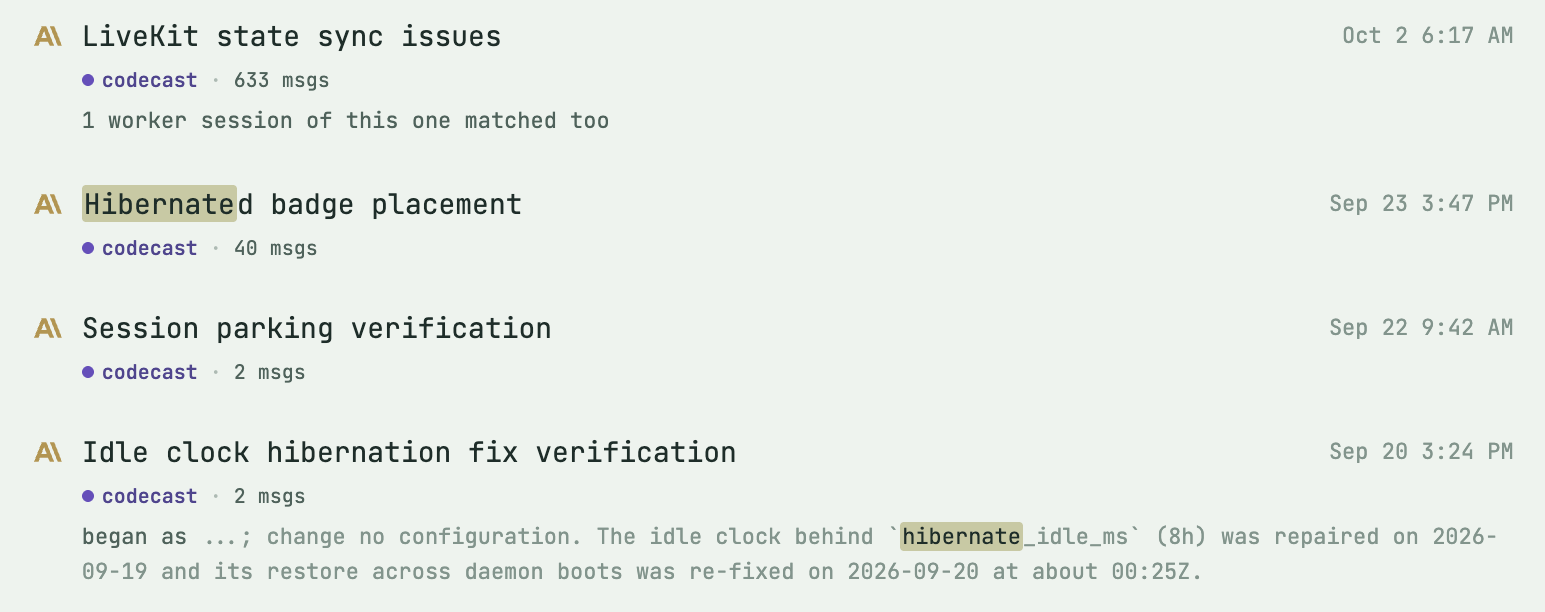
The older sessions are where you would look for them anyway. Search for a word and the results run back through your history. The note under the result count says how far the full text goes: messages from the last 30 days are searched word for word, and older sessions match on their title and summary.

Further down the same results are sessions from six and seven weeks earlier. One matched on its title, Hibernated badge placement; another on its summary, which shows under it with the word highlighted.
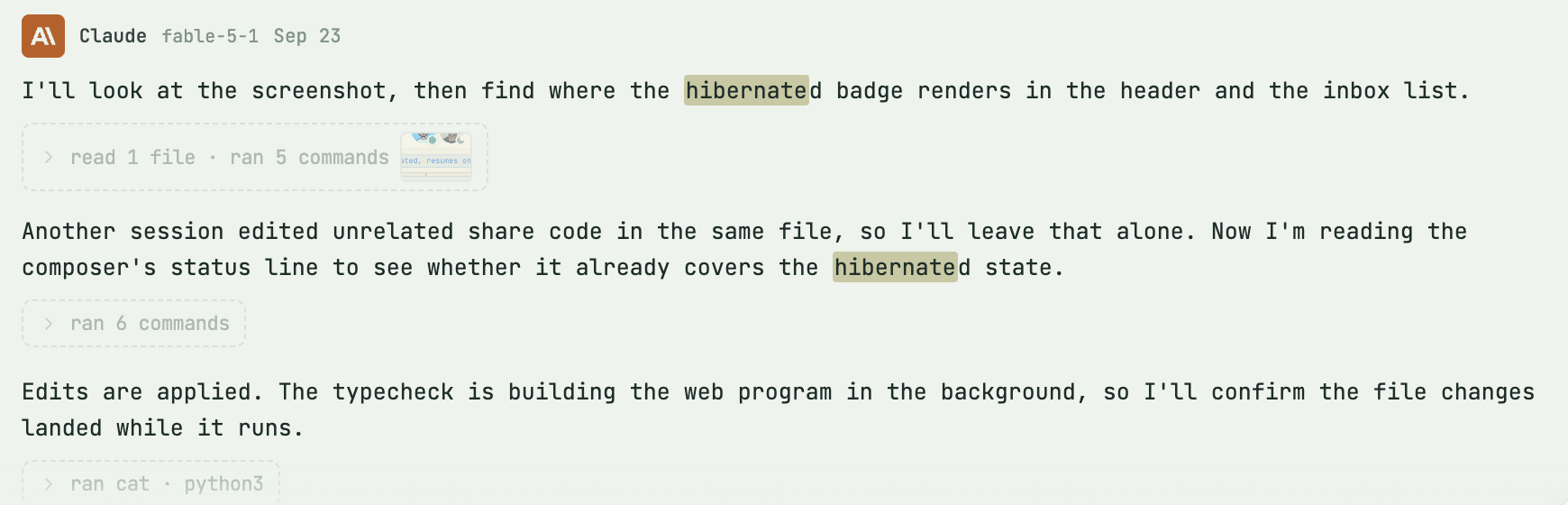
Opening one shows the whole transcript as it happened, with the dates it happened on: the prompt, Claude's replies, folded rows for the files it read and the commands it ran, and the files it changed. From there you can send it a new message, and it picks up where it stopped.
What you need
A Codecast account and the Codecast app on the machine where you run Claude Code. Your empty inbox shows the one-line install command; it opens the browser so you can sign in, and the history pass starts on its own after that. There is nothing to turn on. You don't need a team for any of this. The history is yours, in your own workspace, and works the same whether you use Codecast alone or with other people.
For people who script their setup: signing in from a terminal with cast login starts the same pass, and the Codecast app's log shows History import: done when it finishes.
Codecast records every coding agent session you run, on any machine, and gives you one place to see them, steer them and answer them, on your own or with your team.
All three screenshots are the Codecast web app at codecast.sh in Chrome on 2026-11-08, signed in to the founder's account. The sessions in them were synced as they ran over the past months rather than by the history pass; search and the transcript look the same either way. The search is narrowed to the account's own sessions, and every result in frame is from the Codecast project. The first two images are the top of one results page and a part further down it. The transcript starts at Claude's first reply, below a prompt whose attached screenshot showed other people's photos. Nothing was composited or retouched. The 30-session check ran on a separate test account on a Mac mini.