The inbox: one question per session, who acts next?
Five work states, computed by one function everywhere, and every action you can take on a session: what each does, how to undo it, and its key.
Run five agents and a new job appears in your day: cycling through terminals asking each one whether it needs you. Agents do not page you. They finish, or stall on a permission prompt, and wait. The inbox replaces that loop with a single computed answer for every session on every machine: whose move is it?
Every session, whether it runs Claude Code, Codex, Cursor, OpenCode or pi, on your laptop or a cloud host, lands in one list. The list is not sorted by time. It is grouped by who acts next: you, the agent, a machine, or nobody.
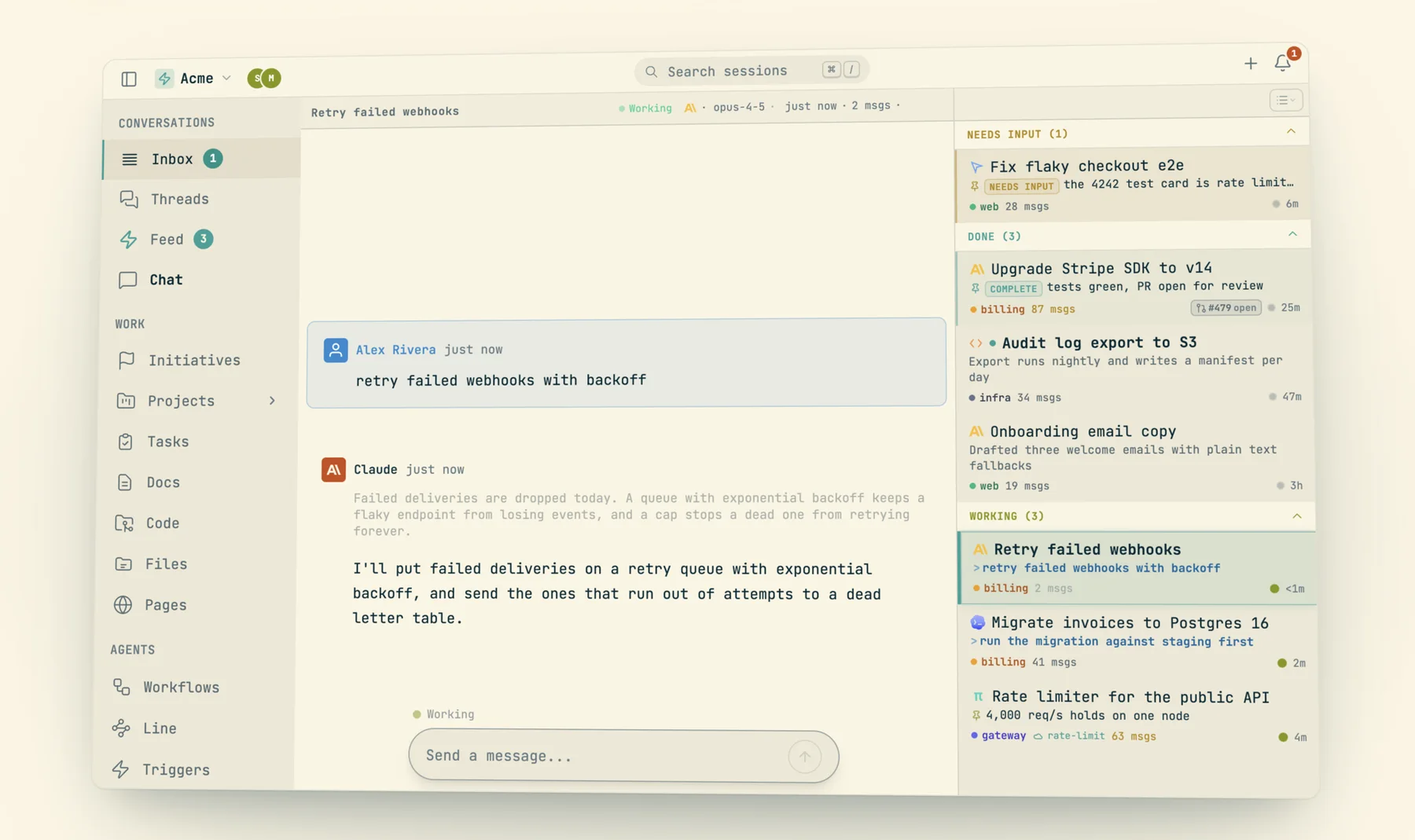
The sections, in order
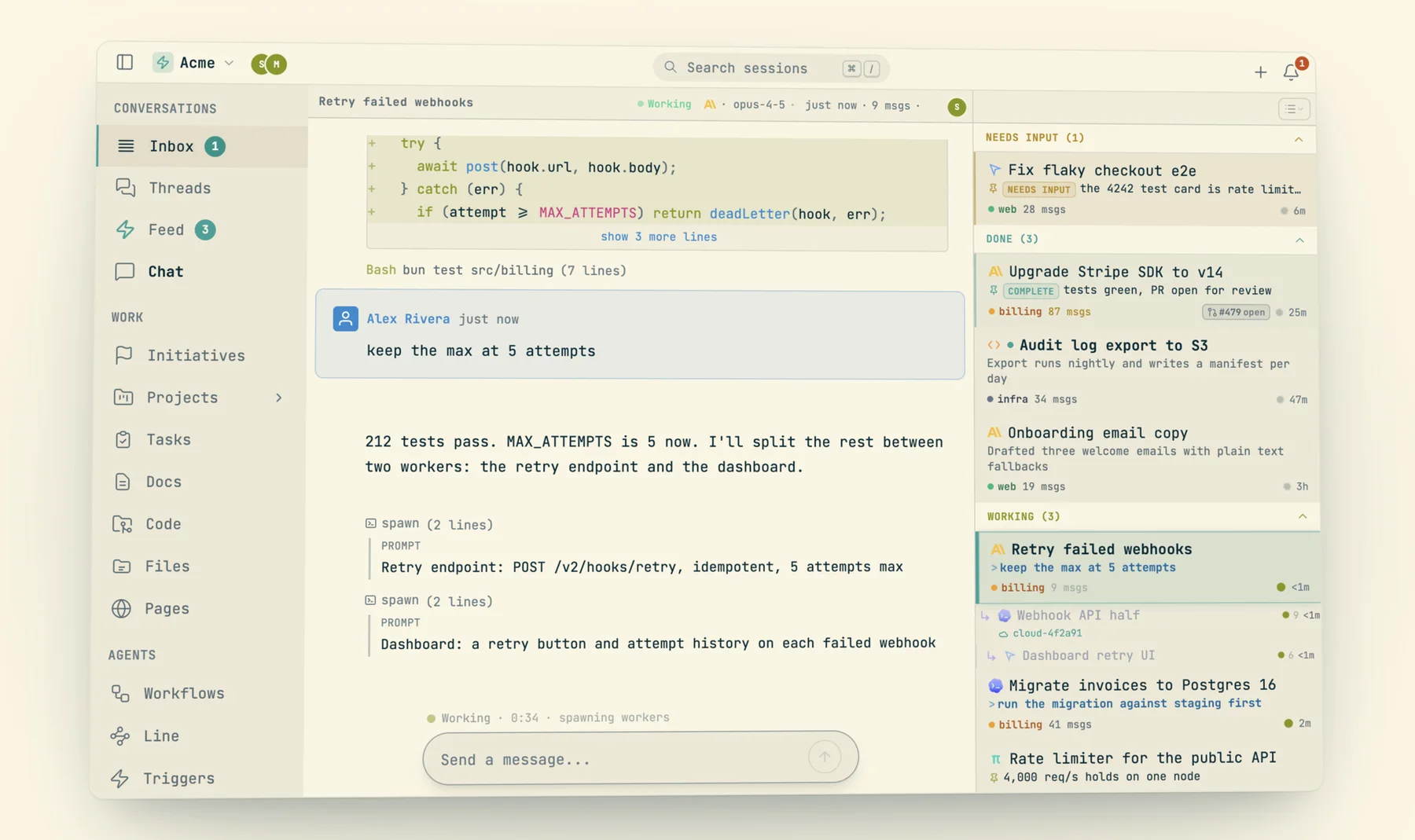
The web inbox renders these sections, top to bottom, and the order is the point: your moves first, then the agent's, then a machine's.
- Questions: a session asked you something. An open
AskUserQuestion, a tool waiting on approve or deny, a pendingcast decidecard, or a subagent child's open ask. Clicking one opens a full-width answer view anchored on the question, and answering advances to the next. - Pinned: sessions you pinned to the top, whatever their state.
- New: sessions with no messages yet.
- Needs Input: the ball is in your court to unblock.
- Done: delivered; read it when you like.
- Working: the agent is producing right now. Leave it alone.
- Dormant: parked on a wake a machine owns.
Below those sit three collapsed buckets that are nobody's move: Snoozed, Stashed (with a "kill all" button) and Killed.
The same grouping drives the CLI. cast sessions prints the tally and then each state in the same order:
$ cast sessions
cast sessions · you  09:31:00 PM
needs input 19  ·  done 37  ·  working 4  ·  dormant 24  ·  idle 3   (pinned 11, live 38, stashed 231, dismissed 203, killed 1, folded 29)

NEEDS INPUT (19)

○ needs input  jx7dyk3  Undo/redo expansion
   5 hours ago  ·  923 msgs  ·  ~/src/codecast  ·  claude_code
   ct-56508 App-wide undo/redo from inverse patches + history timeline
   Fixed undo conflict detection; dev server boot hangs under load.
…
DONE (37)

● done  jx7ebch  Agent status hover tooltip
   49 min ago  ·  72 msgs  ·  ~/src/codecast  ·  claude_code
   Added agent badge tooltip showing full working and awake counts
…
DORMANT (24)

● dormant:waiting  jx75ec0  Changes/deploy timeline page
   15 min ago  ·  2951 msgs  ·  ~/src/codecast  ·  claude_code
   pl-827 Changes page: a natural-language timeline of what the team ships and why
Look at the tally line: 231 stashed and 203 dismissed sessions exist, and none of them is in the way. dormant:waiting is a session parked on a background watcher (a Monitor) whose result will be its next turn.
The five work states, and exactly what moves a session between them
Every session carries one of five work states: working, needs_input, done, dormant, idle. One pure function, classifyWorkState in packages/shared/contracts/inboxProjection.ts, computes it. The same bytes run in the Convex backend, the daemon, the browser and the React Native app, so the web inbox, cast sessions, the phone, push notifications and the iOS Lock Screen strip can never disagree about where a session belongs.
The inputs are facts the daemon reports from the process (its status, a heartbeat), facts about the transcript (is there an open question, a queued message, an API error banner), what the agent declared about itself, and what you did to the row. The rules, in the order they are checked:
- Killed wins. A session you killed is
idle, full stop. A stale queued message or a revived worker cannot make it look busy again. Only a new send clears the kill. - Snooze. A snoozed session is
dormantuntil its time comes, thenneeds_input. - Your own verdict. If you filed the row yourself (dragged it into a section, or chose Mark done, Dormant, Mark needs input), it stays there. This outranks even hard blocks, because you already saw them. It expires on the next activity, so it can never hide a new ask.
- Hard blocks go to
needs_input: an unresolved API error banner ("Please run /login", a usage limit), an open question, a permission prompt. - Producing goes to
working: the daemon reports working, thinking, compacting, starting, resuming or connected, or there is queued work a live daemon can deliver. A hibernated agent with nothing queued isdormant. - Dead or unresponsive with output goes to
needs_input: someone has to read it or restart it. One exception: a process that exits after the agent declareddone(the ordinary end of a headless trigger run) files underdone. - Settled (the turn ended) picks a rest verdict, in trust order: a declared
blockedmeansneeds_input; a declareddormant, an armed recurring trigger or loop into the session, or a subagent child still producing meansdormant; a declareddonemeansdone(ordormantif a one-shot trigger is armed to come back); a settle classifier that judged this turn delivered meansdone. Anything else falls through toneeds_input. - Not settled, no status: a turn just ended or you just sent a message it has not picked up, so
working. No messages at all isidle.
Two trust limits keep declarations honest. A declared dormant is a promise about a wake. If the system can verify the wake (an armed trigger or loop, an open background task, a child still running) it parks indefinitely. If not, the claim is trusted for two hours of quiet (DORMANT_CLAIM_TTL_MS) and then the row reads needs_input, shown as an unverified claim. And done and dormant cover only the turn that declares them: after the next wake the agent must declare again, or the session returns to Needs Input.
| State | Meaning | Who acts | How it gets there | How it leaves |
|---|---|---|---|---|
needs_input | Blocked on a human | You | Open question or permission prompt; API error banner; dead or unresponsive with output; cast state --status blocked; a settled turn nobody classified; a snooze coming due; an unverified dormant claim older than two hours | You reply, approve, or answer (it goes to working); you file it (done, dormant, defer, stash, kill); the agent declares again |
working | Producing now | The agent | Daemon reports an active status; queued work on a live daemon; you just sent a message | The turn settles and a rest verdict applies; the process dies |
done | Delivered, nothing stalled | Nobody (read at leisure) | cast state --status done; the settle classifier judged the turn delivered; exit after a declared done; you chose Mark done | Any new activity (the verdict covers one turn); you stash or kill it |
dormant | Parked on a machine wake | A machine | cast state --status dormant; an armed trigger or /loop into it; a background task or Monitor; a subagent child still producing; hibernated; snoozed; you chose Dormant | The wake lands and it runs (working); an unverifiable claim times out after two hours (needs_input) |
idle | Nothing to act on | Nobody | No messages yet; killed | First message; for a killed session, a new send or restart |
Placement adds a layer on top of the state. A session's bucket is decided first by your filing (dismissed, stashed, snoozed), then by asking (Questions), then by pin, then by being empty (New), and only then by its work state. A pinned session keeps its state underneath, so the counts stay honest.
Pinned state lines: the agent's own answer to "where does this stand?"
An agent pins one short block of text to its session with cast state. It renders above the composer and on the inbox card, so you see the situation before you open the transcript. In the hero shot above, "the 4242 test card is rate limit…" and "tests green, PR open for review" are state lines. The first line says what the session is working on; the dashboard shows how many messages have passed since it was written, so a stale state looks stale.
The --status flag is the agent's answer to who acts next, and it decides where the session files when the turn ends:
$ cast state --help
…
--status is your answer to WHO ACTS NEXT, and it decides where the session
files in the inbox when your turn ends:
  working   still moving (default)
  blocked   a human must act to unblock you            → Needs Input
  done      delivered; nothing stalled, review at leisure → Done
  dormant   a machine wakes you: name the wake in the text → Dormant
done and dormant cover exactly the turn that declares them: after the next
wake, declare again or the session returns to Needs Input.

Examples:
  cast state --status dormant "Waiting on CI run 8841: tr-42 re-checks at 3pm"
  cast state --status done "Shipped: all four fixes verified in the browser"
  cast state clear               # the state no longer holds
A declared blocked sits with the hard blocks, above every structural park. If a recurring trigger keeps injecting into a session but the agent said a human must act, the card says so where you look. It is also one of the signals that pulls a stashed session back into view. cast state show <session> reads another session's line.
Answering without opening the session
Most of the time you clear a card by replying to it. The composer at the bottom of a conversation types into the agent's real terminal as its next turn, so a reply flips the session from Needs Input back to Working. Keyboard variants: Alt+Enter sends and advances to the next card, Alt+Shift+Enter sends and stashes, Ctrl+Enter queues the message behind the current turn. On a permission prompt, y approves and n denies.
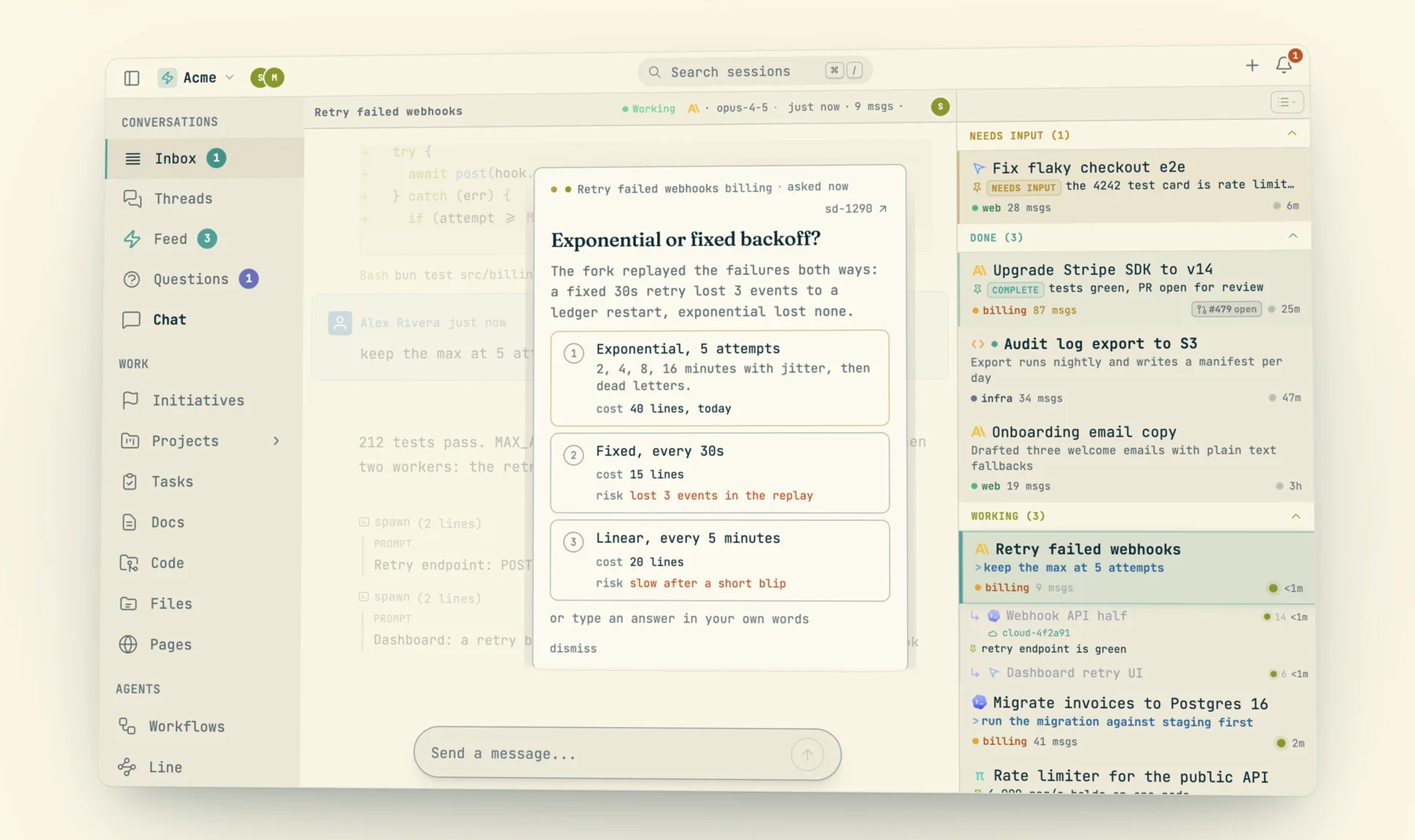
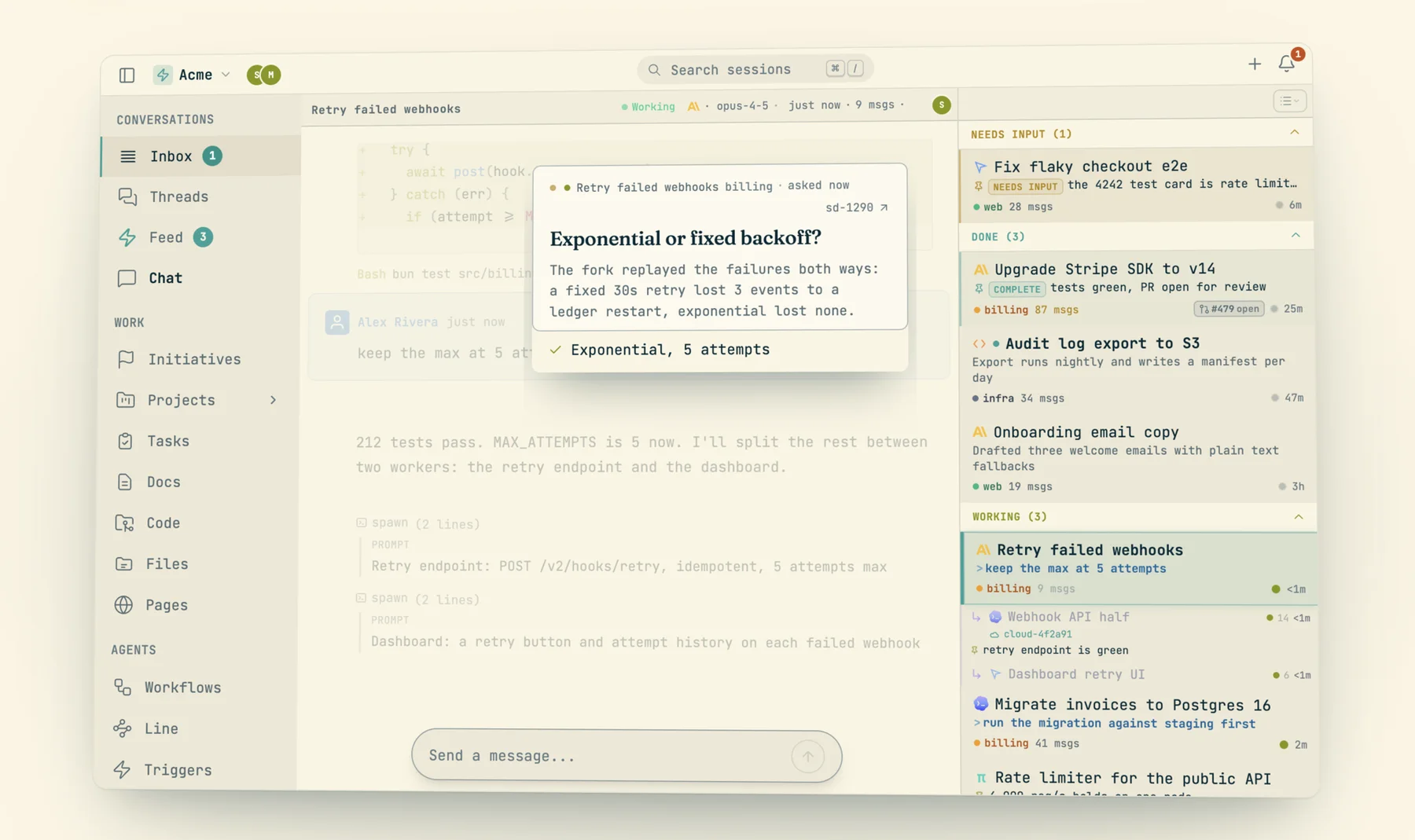
When an agent needs a choice only you can make, it posts a decision card with cast decide: one question, priced options, and its reasoning. The card drops over the conversation and the session moves to Questions; the left nav grows a Questions count.
Every action on a session
When you are not going to reply right now, you park the card. The verbs come from one catalog (components/triage/verbs.ts) that the triage bar, the right-click menu, the keyboard and the intro tour all render from, ordered from lightest to heaviest:
- Defer: not now. The card drops down the stack and comes back on its next activity.
- Dormant: parked; a machine wakes it (a trigger, a watcher, another session).
- Stash: out of the inbox, the agent keeps running. It comes back when a trigger fires into it, when the agent declares
blocked, when a run completes--needs-attention, or when it stalls (permission prompt, open question, dead process). - Stash and hide: a stash that stays out through trigger wakes. Only an ask brings it back. Made for a recurring loop you have reviewed and want quiet.
- Kill: done with it. Tears the agent down, marks it completed, cancels triggers bound to it, and files it under Killed. The transcript stays readable and the session restartable.
Plus two filing verbs that remove nothing: Pin (top of the list) and Label (file it under one of your personal labels; a session carries at most one, and teammates never see yours). The right-click menu adds Snooze (pick a wake time; "Move to Needs Input now" wakes it early), Mark done, Mark needs input, Mark unread, Rename, and Restore for anything set aside. Every one lands in the undo history (Ctrl/Cmd+Z); undoing a kill brings the card back, but the agent stays stopped. A drag of a card into Needs Input, Done or Dormant is the same verdict as the menu item. Working is not a drop target: nobody can declare that an agent is producing.
| Action | Keyboard (web) | CLI | Effect | Reversible? |
|---|---|---|---|---|
| Reply | type, Enter; Alt+Enter send and advance | cast send <id> "…" | Lands in the agent's terminal as its next turn; card goes to Working | No (it is a message) |
| Approve / deny permission | y / n | Answers the pending tool prompt | No | |
| Defer | Shift+Backspace | Card sinks; returns on next activity | Yes, automatically | |
| Dormant | Alt+Shift+Backspace | cast state --status dormant (agent) | Files under Dormant until the next wake | Yes; expires on activity |
| Mark done / needs input | right-click menu, or drag | cast state --status done|blocked (agent) | Files the row where you put it | Yes; expires on activity |
| Snooze | Alt+Z | Dormant until the time, then Needs Input | Yes ("Move to Needs Input now") | |
| Stash | Ctrl+Backspace | cast stash [id] | Out of the inbox, agent keeps running | Yes, cast restore; auto on trigger or ask |
| Stash and hide | Ctrl+Alt+Backspace | cast stash --hide [id] | Out through trigger wakes; only asks resurface it | Yes, cast restore |
| Kill | Ctrl+Shift+Backspace | cast kill <id> (id required) | Agent torn down, triggers cancelled, filed under Killed | Partly: undo or cast restore returns the card; the agent stays stopped until you restart it |
| Pin | Ctrl+Shift+P; jump with Ctrl+P (Mac) | Top of the list, state kept underneath | Yes (toggle) | |
| Label | Ctrl+L; switch view Ctrl+Shift+L | cast label set <name> [id] | Files under a personal label | Yes, cast label clear |
| Mark unread | Ctrl+Shift+U | Row keeps its dot until next visit | Yes | |
| Assign / pass | Alt+Shift+H (hand off) | cast own <id> <member>, cast disown | Adds an owner; moves the session into their inbox | Yes, cast disown |
| Next / previous card | Ctrl+J / Ctrl+K | Moves the selection | ||
| Jump to top Needs Input | Ctrl+I | cast sessions --state needs-input | Opens the most urgent card | |
| Cycle inbox view | Ctrl+, | Grouped, by time, or by label | Yes | |
| Command palette | Cmd+K | Search plus every verb on the selected session |
The command palette
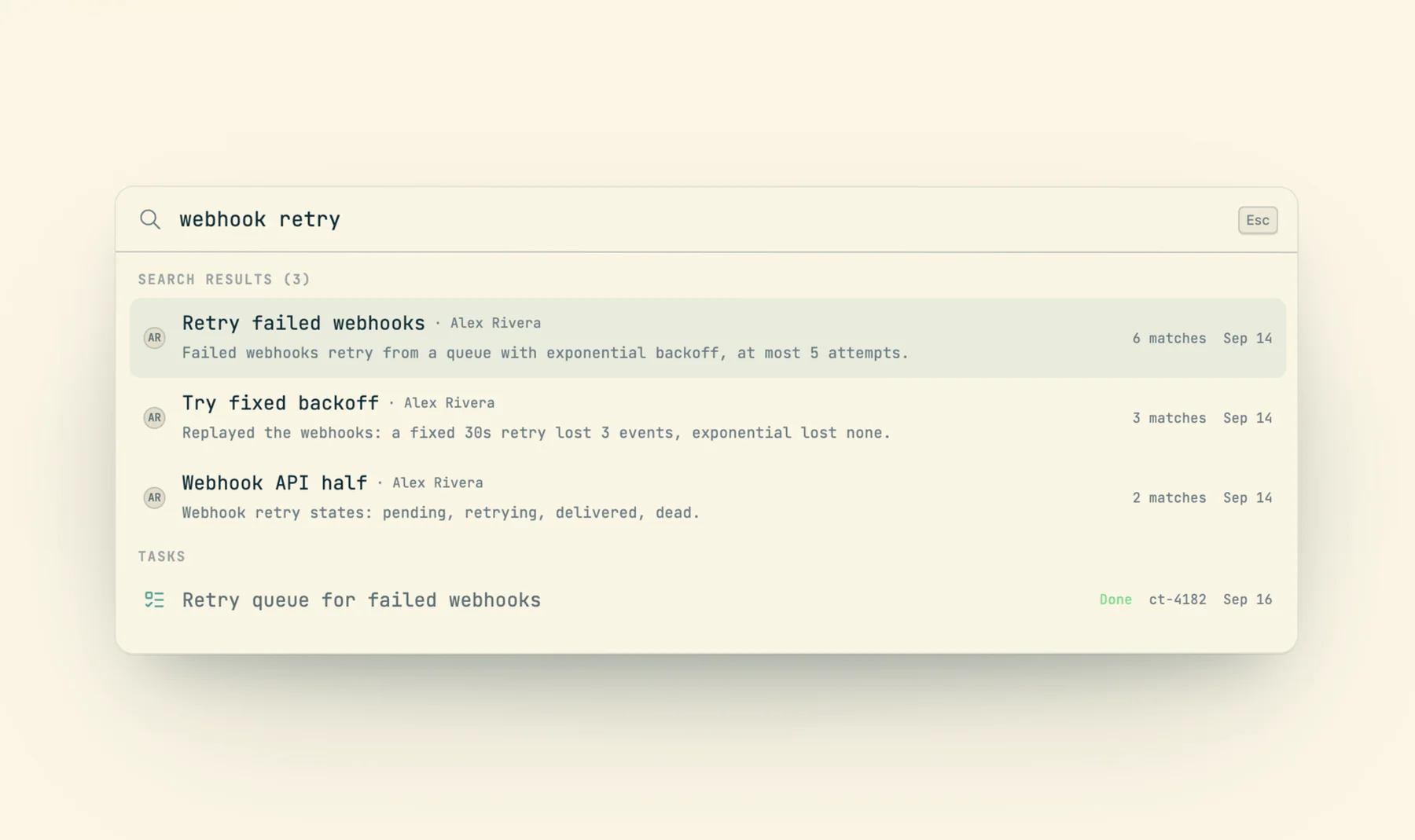
Cmd+K opens one palette for everything: search across sessions, tasks and docs, and the session verbs in modes (snooze picks a time, label picks a label, model switches the model, delete confirms). Shortcuts like Alt+Z and Ctrl+L simply open the palette straight into that mode for the focused card.
Assignment decides whose inbox a session is in
Three things about a session move independently: whose account runs it, which device it runs on, and who owns it. Ownership is the one that decides inboxes. A session has a set of owners; cast own adds one (and notifies them), cast disown removes one, cast owners lists them.
The rule lives in one function, isAssignedAwayFromOwnerSet: a session whose owner set excludes you leaves your inbox, takes its open questions with it, and stops ringing your phone, even though your account runs it. An unowned session (most of them) stays with whoever started it. Concretely:
- An owned session stays in the owner's inbox with no recency limit and no status gate. A handoff nobody has opened in six weeks is exactly the one that must not age out.
- A handoff clears the previous holder's dismiss, stash and snooze, so the session lands where the new owner can see it. A kill is left alone; that row is retired.
- A bot account on a shared machine can park a session on a human reviewer: it shows in the reviewer's Needs Input marked with who runs it.
$ cast own --help
…
Ownership decides whose inbox it is in. A session you run but own no part
of leaves your inbox and stops notifying you, whatever state it is in; name
its id to read it anyway. An owned session stays in the owner's inbox with
no recency limit, and a handoff clears a dismiss, stash or snooze so it
lands where they can see it.

Examples:
  cast own jx7c6zk [email protected]   # hand off to a teammate (notifies them)
  cast own jx7c6zk                     # claim it yourself
  cast disown jx7c6zk --all            # clear every owner
The /cast-pass skill wraps a proper handoff: pin a blocked state whose first line stands alone for someone who has not read the thread, add the teammate as owner, and post one note where they will see it.
Team feed vs. personal inbox
The inbox is yours: sessions you own or started and still hold. The team view is wider and read-only in spirit. cast feed shows the team's recent sessions for the current directory (filter with --mine, -m <name>, --state, --label, -g for every team), and cast sessions --team -w streams the whole team's state changes. A teammate's session appears there because the team can see it, which says nothing about whose move it is. It enters your inbox only when you own it.
For agents, the same states are an API. cast sessions -w --json prints nothing until something changes, then one NDJSON line per transition, so an orchestrating agent can spawn workers under a label, watch for "to":"needs_input" or "to":"done", read the worker that stopped, and send it the next step.
The inbox on the phone
The iOS app runs the same placement function over the same store, so its sections and counts match the web exactly. Cards are swipeable: swipe left to stash, swipe right to pin, long-press for the full menu. A session assigned to you arrives with a "Got it" acknowledgment row. Replying from the phone is the same as typing at the terminal: the agent gets your message as its next turn and carries on.
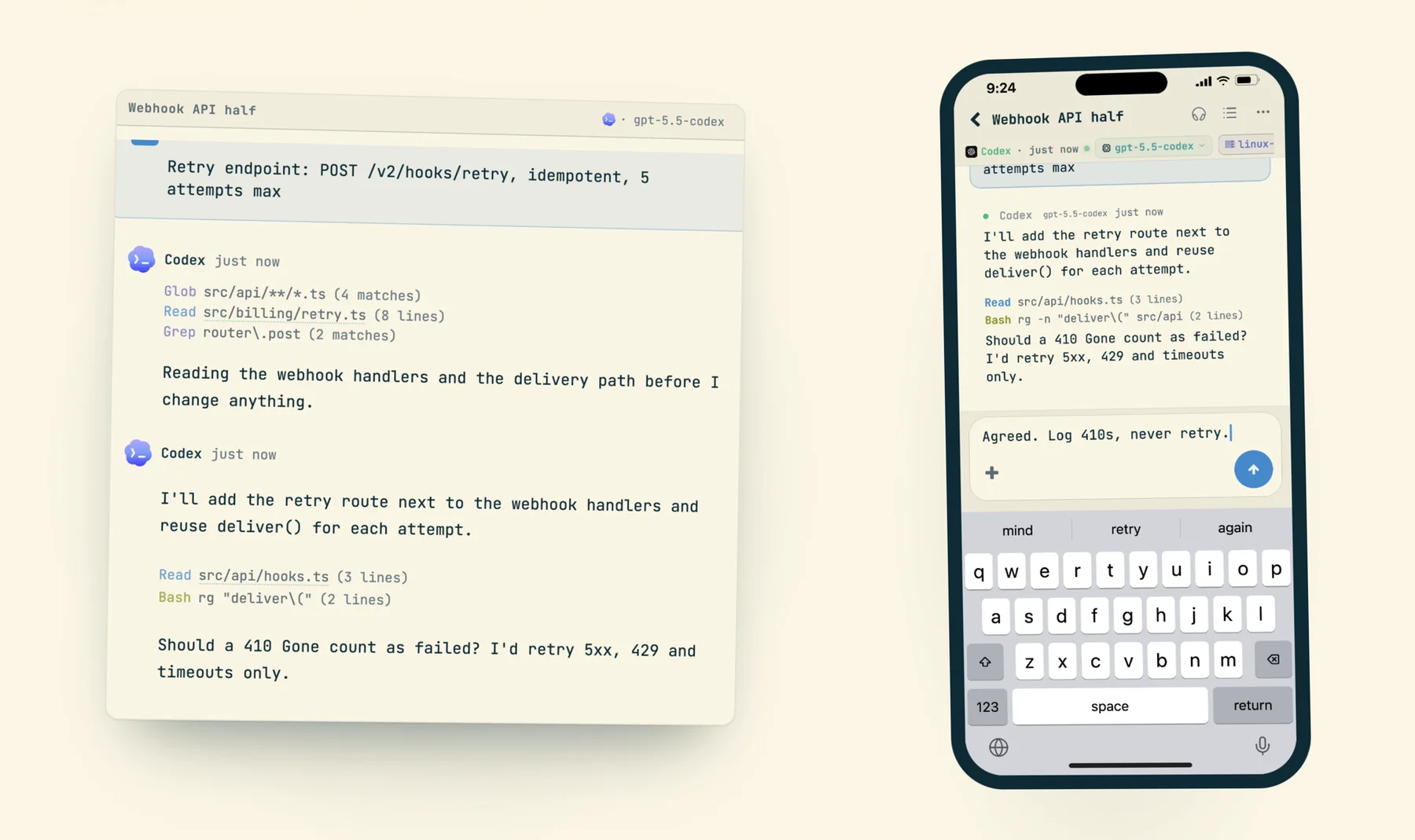
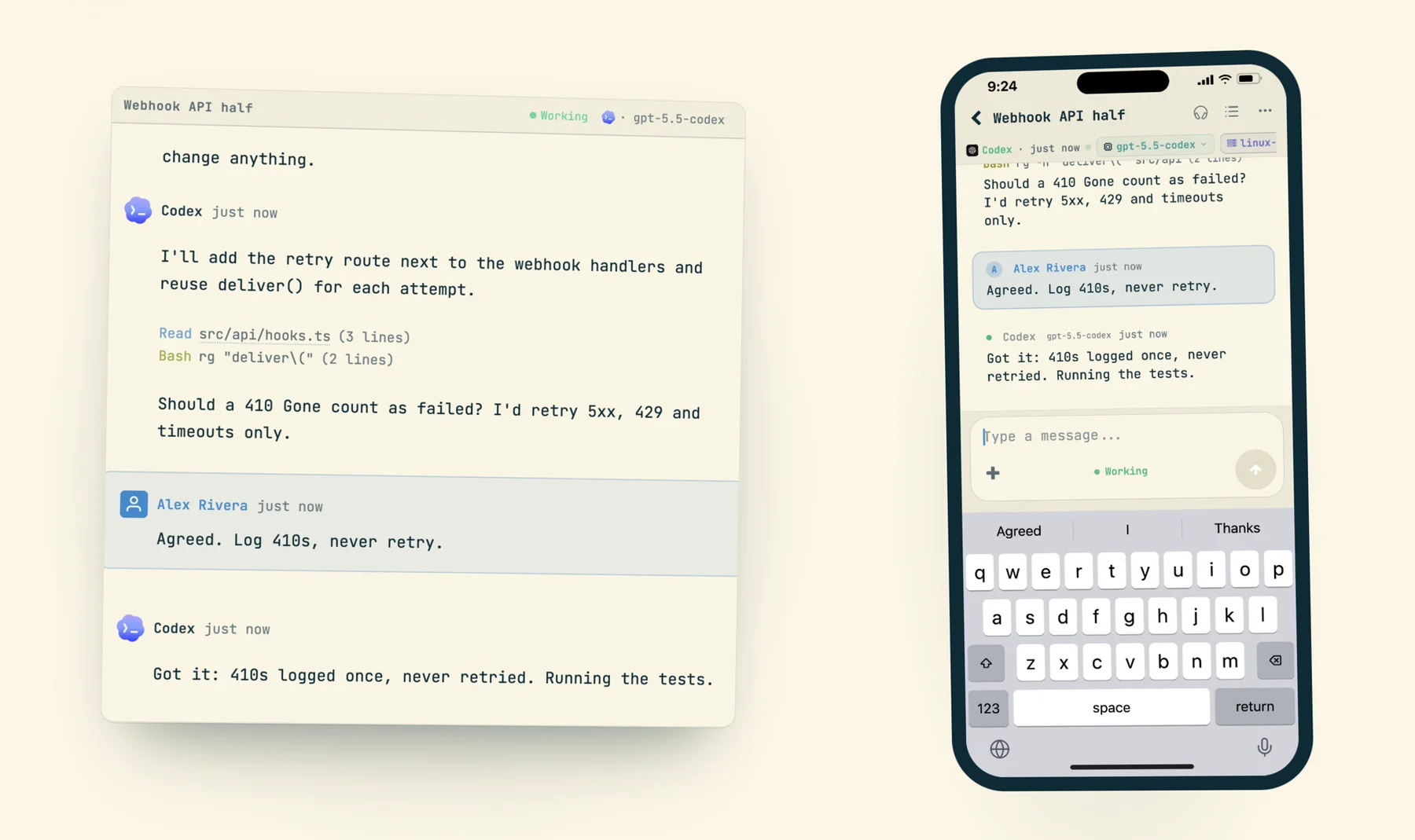
Off the app, a single Live Activity on the Lock Screen and Dynamic Island shows every live session's state. It derives from the same verdict (working reads as working, needs_input as waiting, done as done; a dead process or error banner as failed), and the server pushes status changes at once. Subagents, worktree workers and hidden rows never reach it, the same etiquette the push notifications follow.