Sessions you run in the OpenCode TUI appear in Codecast within seconds, with no plugin. Reply to them from the app, start new OpenCode sessions there, and search them beside every other agent you use.
·4 min read
OpenCode is an open source coding agent that runs in your terminal. Codecast reads OpenCode's own session store, so a session you run in the OpenCode TUI shows up in Codecast with no plugin and no change to your OpenCode setup. From there you can read it, reply to it and search it from the desktop app, the web or your phone, beside every other agent you use.
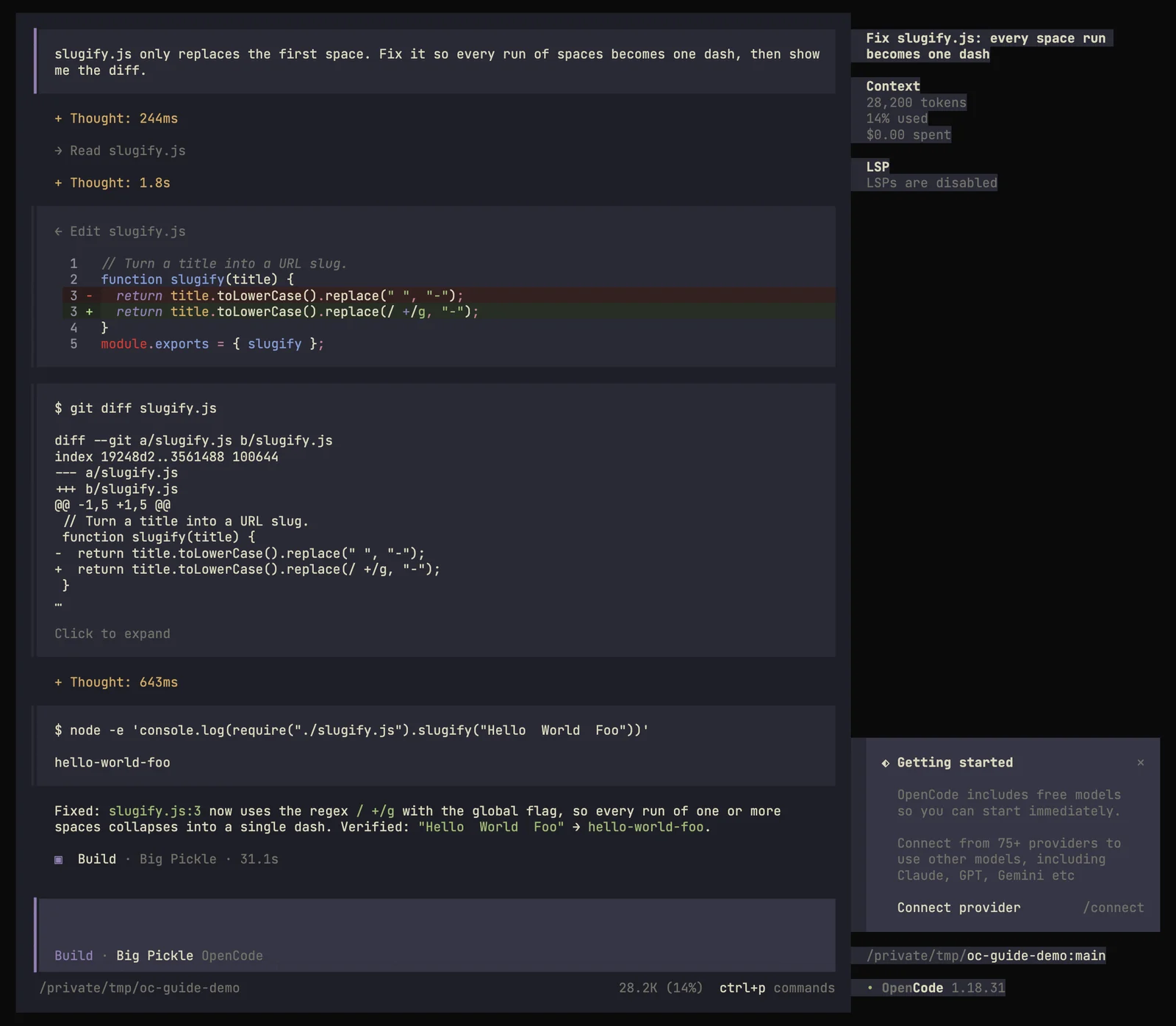
We checked this on November 9, 2026 with OpenCode 1.18.31 on a Mac. The session appeared in Codecast two seconds after the first prompt was sent, and a follow up typed in the Codecast app ran in OpenCode and came back.
A session in the OpenCode TUI.
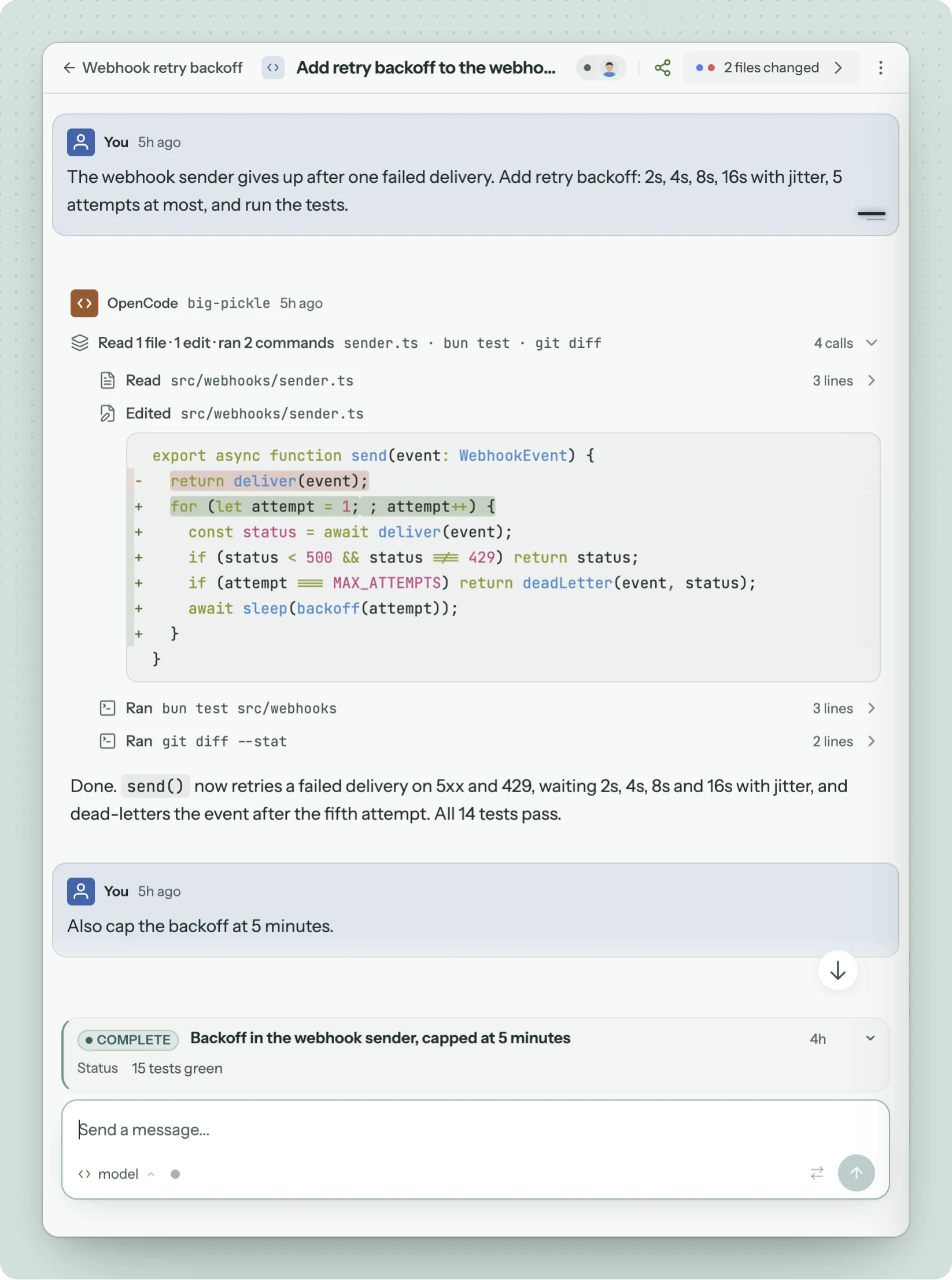
The same session in Codecast. Edits show as diffs, and each command opens to its output.
Set it up
Install Codecast on the machine where you run OpenCode and sign in (Download).
Keep using OpenCode as you do now.
There is nothing to install into OpenCode. The first time Codecast runs it also picks up the OpenCode sessions you ran before, so your history comes in too.
What shows up in Codecast
Each OpenCode session becomes one conversation in your inbox, under the folder it ran in, with an OpenCode badge and the model name in its header. Inside it you see your prompts, OpenCode's replies, its reasoning and every tool call: files read, edits drawn as diffs, and shell commands you can open to see the output. Codecast titles the session from what it was about, and the header counts the files it changed.
Reply from the app or your phone
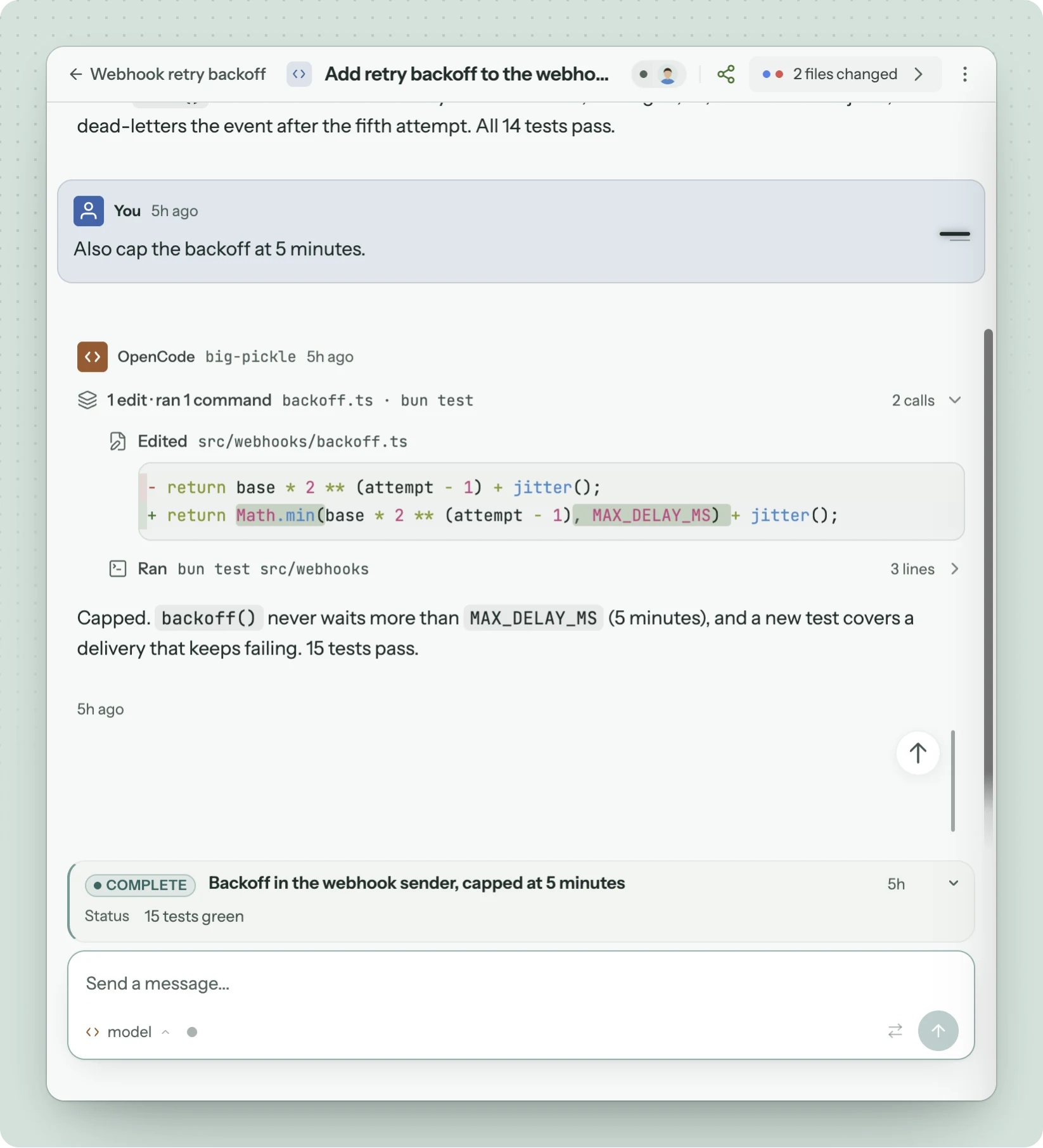
Type in the message box at the bottom of an OpenCode conversation and Codecast delivers it to OpenCode on your machine. If no OpenCode process is attached to that session, Codecast starts one in the background, sends your message, and the reply streams back into the conversation.
The second message was typed in Codecast. OpenCode ran it on the laptop and answered within a minute.
An OpenCode TUI you still have open on that session does not redraw with turns sent from Codecast. Reopen the session there and they are all in it.
We sent the follow up above from the web app. The phone app sends messages the same way, but we have not tried it with OpenCode.
Start an OpenCode session from Codecast
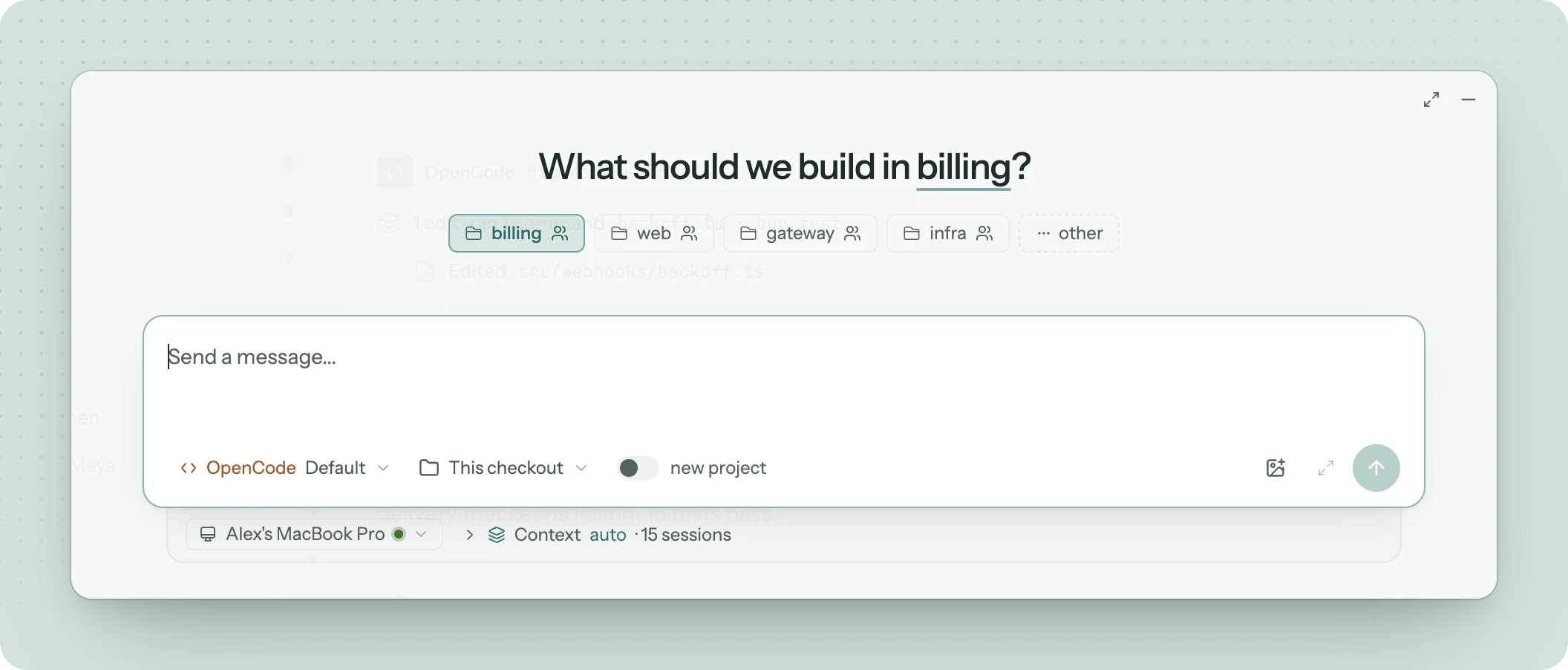
Click New in the header and choose Session, pick the folder, and choose OpenCode in the agent menu under the message box. The model menu beside it offers OpenCode's default or a model you pick. Codecast starts OpenCode in that folder on the machine you choose and sends your first message.
OpenCode in the agent menu of a new session.
What you get on top of OpenCode
Every agent in one inbox. OpenCode sessions sit beside Claude Code, Codex, Cursor, Gemini, pi and Grok sessions, on every machine you use.
Search across all of it. Find the session where something was decided, whichever agent ran it. See Search sessions across machines.
Context from past sessions. A new OpenCode session can start with pointers to recent related sessions. Memory explains how agents read earlier work.
A link for any session. Share a whole session or a few messages with someone who does not use OpenCode. See Share a session.
A team view when you want one. Share the repository with a Codecast team and teammates can read your OpenCode sessions at the level you choose. Team sessions covers the settings.
Fork, switch and hand off
The command palette on any session has Fork session as…, Switch agent… and Hand off to…, and OpenCode is one of the choices. Moving a Claude Code or Codex session to OpenCode creates a new OpenCode session in the same folder with the conversation so far, so OpenCode continues where the other agent stopped. Forking an OpenCode session uses OpenCode's own fork, which Codecast runs in the background when OpenCode is installed.
We have not tested fork, switch or hand off with OpenCode for this guide.
Requirements and limits
OpenCode 1.2 or newer. Those versions keep sessions in a SQLite database (~/.local/share/opencode/opencode.db), which Codecast reads without writing to and checks every two seconds. Older builds that stored sessions as JSON files are not read.
Codecast has to run on the machine where OpenCode runs. Sessions on another machine appear once Codecast is installed there too.
OpenCode keeps its own model and provider setup. Codecast does not hold your OpenCode keys.