Add codecast.sh/mcp to an agent that runs outside codecast, sign in once, and it reads your docs, tasks, plans, pages and sessions as you, read only.
·3 min read
Some of the agents you work with don't run on a computer where codecast is installed: Claude in the browser or the Claude app, Claude Code or Cursor on a laptop without the codecast app, Codex in the cloud. They can still read your codecast. Add one address to the agent, sign in once, and it can look up your docs, tasks, plans, published pages and sessions, the same ones you see in the app.
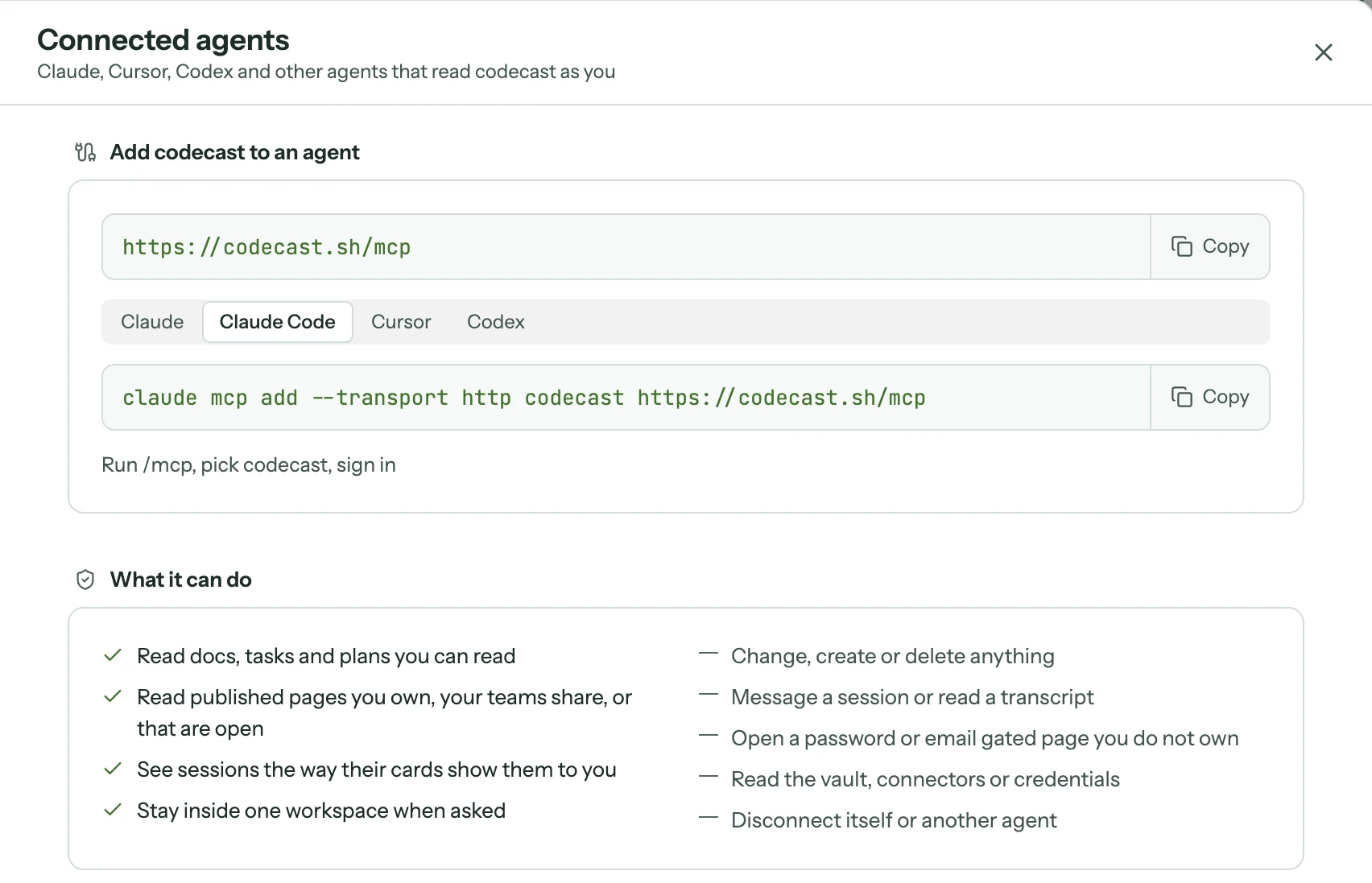
Settings, Connected agents. Pick your agent's tab for its setup line.
Connect an agent
Open Settings and choose Connected agents. The page shows the address, https://codecast.sh/mcp, and a tab for each agent with the line it needs:
Agent
What to do
Claude (web, desktop and mobile apps)
Settings, Connectors, Add custom connector. Paste the address, then Connect.
Claude Code
Run claude mcp add --transport http codecast https://codecast.sh/mcp, then /mcp, pick codecast and sign in.
Cursor
Add the server to ~/.cursor/mcp.json with the address as its url, then Connect.
Codex
Run codex mcp add codecast --url https://codecast.sh/mcp, then codex mcp login codecast.
Any other agent that speaks MCP over HTTP connects the same way: give it the address.
The agent then opens a codecast page in your browser. It leads with where the agent will send you back to (this computer, or a website), then the name the agent gives itself, the account it will act as, the workspaces it will read, and Writes: Nothing. Connect shows one more review of what it reads and how to stop it, and confirming finishes the connection. You never paste a token anywhere.
What it can read
A connected agent reads as you, through the same rules that decide what you see in the app:
Docs, tasks and plans you can read, with task comments and a plan's tasks.
Published pages you own, your teams share, or that are open. A page behind a password or an email list you don't own comes back locked, with the reason.
Sessions the way their cards show them to you: title, pinned state, summary, status and project. A teammate's session shows only what that session shares with the team.
One workspace at a time when you ask. Your agent sees all of your workspaces by default; tell it to stay in one team and it filters to that team.
Something you can't see in the app doesn't exist for the agent either. If you leave a team, or a page or session goes private, the agent loses it on its next read.
What it can't do
Change, create or delete anything. Connections are read only.
Message a session or read a session's full transcript.
Read the Vault, connectors or credentials.
Disconnect itself or another agent.
What it reads from codecast is your team's writing, so the agent is told to treat doc bodies, pages and summaries as material to read, never as instructions to follow.
See and stop connections
Connected at the bottom of the same page lists every agent you've connected, with the site it returns to and when it last read (or when it connected, until its first read). Disconnect ends a connection at once: the agent's next request is refused, and it has to ask you again to come back. Connecting the same agent again replaces its earlier connection rather than adding a second one.